Fl Studio: Tutorials, Prompts, Use cases

The all-in-one digital audio workstation for music production and mixing.
FL Studio provides a complete software environment for composing, arranging, recording, and mastering professional-grade music. It features a powerful pattern-based sequencer and a comprehensive suite of native plugins to support diverse genres from hip-hop to EDM.
by Image Line Software
Features
- Lifetime free software updates
- Multi-track audio recording
- Advanced MIDI sequencing and beat making
- Over 100 built-in instruments and effects
- Pattern-based workflow and arrangement
- Full automation clip support
- Professional mixing and mastering tools
- Extensive library of loops and sounds
Fl Studio Tutorials

 Dirkey

 tundra
 Busy Works Beats
 FL Studio
 Arcade
 tundra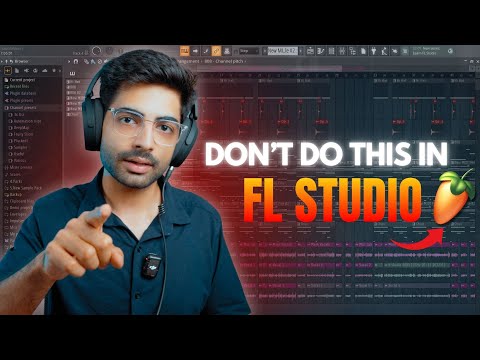
 Basslila
 Servida Music
 wallflwr_
 Larry Ohh
 octo
octo
 Jay Cactus TV
 Mix Elite | FL Studio Tips
 Busy Works Beats
 Nick Mira
 Quinton
 freeCodeCamp.org
 Memphy
Fl Studio Alternatives

Professional workstation for precision audio editing, mixing, and sound restoration.

Create complete, high-quality original songs with vocals from simple text prompts.

The complete digital audio workstation for professional music and sound production.

Free, open-source, multi-track audio editor and recorder for all platforms.

Advanced AI music generator for unique, royalty-free songs and custom tracks.

A cloud-based social music creation platform for making and sharing tracks.

AI-powered vocal remover and multi-instrumental stem separation tool.

Ultra-realistic AI voice generator and conversational agent platform.

Unlimited AI music generation from text prompts and lyrics

The industry standard audio repair and restoration toolkit for professionals.
The AI-powered creative suite for musicians to practice, produce, and perform.

The all-in-one platform for music creation, AI mastering, and global distribution.

AI-powered DAW for note-level audio editing and stem separation.

Generate AI music, vocals, and instrumentals instantly from text prompts.

A complete, professional digital audio workstation for recording, editing, and mastering.

AI-powered automatic audio post-production for professional sound quality.

Generative AI platform for creating, remixing, and sharing studio-quality songs.

Professional high-quality equalizer with unrivalled sound and innovative workflow interface.

Discover, create, and share high-quality AI-generated music in seconds.
Comprehensive educational resources and tutorials for mastering Apple's GarageBand software.

An AI music generation assistant for creating original songs in seconds.

AI music generator for creating and customizing royalty-free beats in seconds.
The world's first weekly fantasy fiction audio magazine.
AI-powered music and sound effect generation for creators of all levels

The ultimate professional music creation experience for Mac and iPad.
Professional compressor plug-in with 14 styles and immersive audio support.

AI-powered royalty-free music generator for creators, developers, and artists.

AI-powered music creation platform for generating, editing, and extending tracks.

AI-powered platform to create, remix, and distribute royalty-free music.

AI-powered online tool to extract vocals and instrumentals from any song.

Professional creative workspace for streamlined digital production and design management.
AI-powered real-time de-noise and de-reverb audio separation plug-in.
Free and open-source application for high-quality vocal and stem separation.

AI-powered stem separation for high-quality acapellas and instrumentals.
Generative AI platform for creating, remixing, and sharing studio-quality songs.

A comprehensive digital audio workstation for recording, mixing, and mastering.

A professional digital audio workstation for music production and live performance.

Create and release original generative music in seconds using artificial intelligence.
AI-powered podcast editor that removes filler words and background noise automatically.
The industry-standard digital audio workstation for music and post-production.
AI-powered healthcare assistant for personalized medical guidance and health tracking.

AI-powered noise cancellation and meeting assistant for clear, productive communication.
Instant AI-powered music mastering for professional, radio-ready sound.

Create AI-powered music covers and original songs with custom voice models.

A visual spectral warping wavetable synthesizer with powerful modulation tools.

AI-powered online tool to separate vocals from instrumental tracks for free.

A comprehensive keyboard anthology featuring thousands of world-class synth and instrument presets.

AI-powered audio separation for music, film, and speech stems.
Professional sound tuning software for Audiotec Fischer DSP products.

Advanced EQ with transient and tonal separation for surgical audio repair.

An all-in-one AI workspace for documents, design, and data automation.
Comprehensive metering and audio analysis for professional music and post-production.

A professional digital audio workstation designed for ease of use and value.

AI-powered audio restoration and script editing via a single API call.

A powerful sampling plugin to chop, flip, and isolate track stems.

Ethically trained AI music generator for studio-quality, royalty-free tracks.
A reverb and EQ dialogue match plug-in for seamless ADR workflows.

AI-powered platform for synthetic vocals, music production, and voice cloning.

AI-powered video and audio enhancement suite for professional-grade upscaling and restoration.

A versatile reverb plugin inspired by classic 1970s and 1980s hardware.

Free, open-source multimedia player for virtually any file format or platform.
Real-time AI voice agents, cloning, and text-to-speech for seamless human-like communication.
Professional loudness measurement plugin for TV, film, and streaming compliance.
Fl Studio Use cases
What is FL Studio?
FL Studio is a comprehensive digital audio workstation (DAW) developed by Image-Line, designed for creators to compose, record, and master professional-grade music. Known for its industry-leading Piano Roll and pattern-based sequencer, it is a favorite for hip-hop and EDM producers. Unlike many competitors, FL Studio offers a lifetime free updates policy, meaning a single purchase provides access to every future version of the software. It is available on PC and Mac, with a mobile version for on-the-go sketching.
What People Actually Use FL Studio For
Based on 76 documented demo clips, users primarily utilize FL Studio for its deep editing and generative capabilities. The data shows the following real-world applications:
- AI Audio Editing (50 clips): The most common use-case involves DAW-style editing, including cutting, mixing, and adjusting EQ or fades.
- AI Beat & Melody Generation (19 clips): Producers frequently use internal tools to generate drum patterns, instrumental loops, and MIDI chord progressions.
- AI Mastering (5 clips): Finalizing tracks for professional loudness and tonal balance.
- Stem Splitting & Enhancement (2 clips): Specialized tasks like isolating vocals for remixes or cleaning up noisy recordings.
How to Get Started: Typical Workflow
To begin, download the FL Studio free trial from the official website. The trial is time-unlimited and feature-complete, though you cannot reopen saved projects until you buy a license.
- Setup: Ensure you have an ASIO driver installed for low-latency performance.
- Organization: Place your sample packs in a permanent directory before dragging them into the browser; moving them later will break your file paths.
- Composition: Use the Channel Rack to sequence patterns. Color-code your sections early to avoid a messy Mixer later.
- Mixing: Route your instruments to the Mixer. Note that panning and volume knobs on the Mixer are independent of the Channel Rack.
- Recording: Set your record function to 'External input only' to avoid baking effects permanently into your raw audio files.
Expert Tips and Common Mistakes
Tutorial data reveals several key strategies for better production. For a cleaner mix, apply small fades at the edges of audio clips to prevent audible clicks and use a dedicated sidechain group track to keep sub-bass and kick frequencies from clashing. When working with drums, keep trap patterns simple and ensure they are at least two bars long to avoid a repetitive feel.
Common pitfalls include over-processing; avoid exceeding 3 or 4 dB of reduction on any single frequency band. Additionally, if your mixer looks too small or buttons are missing, simply drag the window to a larger size or switch from 'Extra Large' view.
FL Studio Alternatives
If you are comparing DAWs, several alternatives appear frequently in user searches:
- Ableton Live: Preferred for live performance and clip-based workflows.
- Logic Pro: A top choice for Mac users seeking high-quality stock instruments.
- Audacity or Adobe Audition: Often used for dedicated audio editing rather than full music composition.
- LMMS: A free, open-source alternative that mimics the FL Studio interface.
Frequently asked questions
Is FL Studio free?
FL Studio is not free, but it offers a time-unlimited trial version. You can use all features and export audio, but you cannot reopen saved project files until you purchase a license.
Is the $200 FL Studio for ever or is it just a subscription?
The Producer Edition (approx. $199) is a one-time purchase. FL Studio is famous for its 'Lifetime Free Updates' policy, meaning you never have to pay for a new version of the software.
Can you self teach FL Studio?
Yes, many producers are self-taught using the official manual and YouTube tutorials. Our page provides 76 demo clips showing exactly how to handle specific tasks like beat making and mastering.
How to use FL Studio to record?
To record, ensure your input is set to 'External input only' in the mixer. This prevents effects from being permanently recorded into the audio file, allowing for cleaner mixing later.
Is pirating FL Studio illegal?
Yes, pirating software violates copyright law and carries risks of malware and account bans. The official free trial is a legal way to test all features without a time limit.
What are the best FL Studio alternatives?
Common alternatives include Ableton Live for electronic music, Logic Pro for Mac users, and LMMS for those seeking a free tool with a similar pattern-based workflow.