Fl Studio: Routing a reference track to headphones output
 Fl Studio
Demo summary
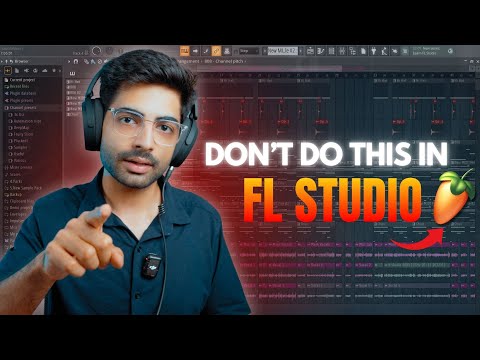
The instructor shows how to unlink a reference track from the Master channel and route it directly to Output 1 and 2 to bypass mastering effects.
Step-by-step
- Select the reference track in the mixer
- Unlink the track from the Master channel
- Click on the Output routing option at the bottom of the mixer strip
- Select Output 1 and 2
Tips
- Route the reference track directly to your headphones to bypass any mastering effects on the Master channel
All demos from “FL Studio for Beginners: Don’t Make These 10 Common Mistakes”
- 2:030:24EQing a kick drum in FL StudioThe user demonstrates searching for and cutting resonating frequencies on a kick drum sample using an EQ plugin.Fl Studio· AI Audio Editor
- 5:530:19Routing a reference track to headphones outputCurrentThe instructor shows how to unlink a reference track from the Master channel and route it directly to Output 1 and 2 to bypass mastering effects.Fl Studio· AI Mastering
- 11:390:47Sidechain compression with Fruity LimiterA step-by-step walkthrough of sidechaining a bass to a kick using Fruity Limiter, including setting the sidechain input, ratio, and threshold.Fl Studio· AI Audio Editor
- Watch “FL Studio for Beginners: Don’t Make These 10 Common Mistakes” →
AI Mastering
 12:350:53Hard-clipping the master trackThe creator demonstrates using the BNO Clip plugin on the master track to squash peaks and increase the perceived loudness of the 808.Dirkey
- 5:530:19Routing a reference track to headphones outputCurrentThe instructor shows how to unlink a reference track from the Master channel and route it directly to Output 1 and 2 to bypass mastering effects.Basslila
 33:580:52Applying Fruity Soft ClipperThe instructor adds Fruity Soft Clipper to the Master track to prevent digital clipping while maintaining punchy drum levels.Jay Cactus TV
 4:06:5421:23Mastering with Maximus and Soft ClippingThe final mastering walkthrough demonstrating multiband compression in Maximus, using a loudness meter, and applying soft clipping to reach commercial volume levels.Mix Elite | FL Studio Tips
 25:331:29Master bus processing with Wave Shaper and Soft ClipperA demonstration of adding Fruity Wave Shaper for harmonics and Fruity Soft Clipper to the master track to increase perceived loudness.Busy Works Beats