demobook

AI Fruit Trend: Creating Viral Fruit Dramas and Slop

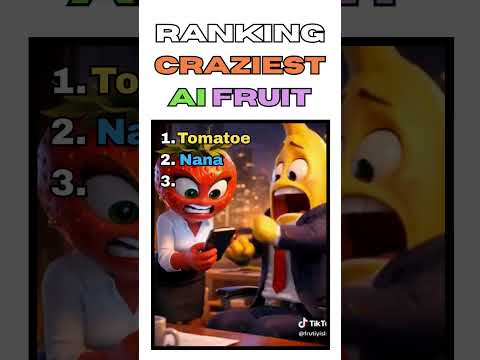
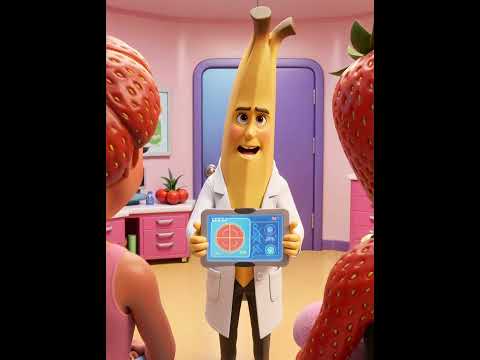
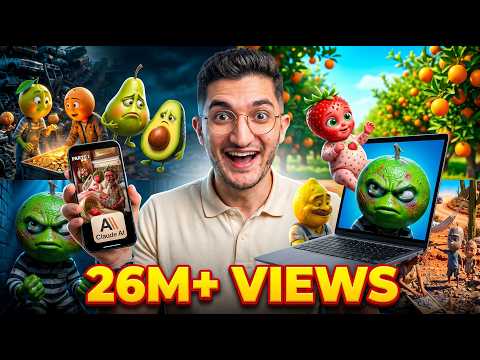
The AI fruit trend has taken over TikTok and Instagram with 'fruit slop'—bizarre, high-stakes dramas featuring anthropomorphic fruit characters. From cheating scandals to paternity tests, these AI-generated shorts are racking up millions of views.

Artur BriugemanBy Artur BriugemanPublished

AI Fruit Video Examples

AI Fruit Video Tools

An AI-powered creative studio for cinematic video and image generation.

63 tutorials

Create cinematic AI videos and images with advanced character consistency.

273 tutorialsFilmmaking & Cinematic

Advanced AI conversational assistant for text generation and problem solving.

42 tutorials

A comprehensive AI creative suite for video, image, and audio generation.

21 tutorials

AI-powered video and photo editor for trending social media content.

171 tutorialsSocial Media & Content Creation
Canva
FreemiumTry →

A comprehensive online design platform for creating professional visual content easily.

24 tutorials

Google’s multimodal AI assistant for writing, planning, and creative brainstorming.

66 tutorials

All-in-one AI creative studio for images, video, music, and models.

207 tutorials

Next-generation AI creative studio for high-fidelity video and image generation.

97 tutorials

An all-in-one AI-powered video editor for effortless professional content creation.

51 tutorialsSocial Media & Content Creation

All-in-one AI creative platform for high-quality video and image generation.

37 tutorials

The fastest path from prompt to production with Gemini models.

47 tutorialsDeveloper / API

AI-powered video enhancer for upscaling footage to 4K and 8K resolution.

26 tutorials

An independent research lab exploring new mediums of thought through AI imagery.

55 tutorials

Ultra-realistic AI voice generator and conversational agent platform.
80 tutorials

AI agent that turns one prompt into platform-ready video content.

26 tutorialsSocial Media & Content Creation

AI Fruit Video Tutorials

Apr 2026 · 6.4K viewsMoney4LifeMoney4Life
1:090:53HiggsfieldNano Banana
Generate fruit characters with Higgsfield Nano Banana 2The creator demonstrates how to use the Nano Banana 2 model within Higgsfield to generate stylized fruit characters by entering descriptive prompts and adjusting aspect ratios.Text to Image
2:091:54Higgsfield
Build scenes in Higgsfield Cinema StudioThe user shows how to upload generated characters as references into Cinema Studio, select environments, and describe character interactions to create a static base scene.AI Image Generator
4:031:42HiggsfieldKling
Animate AI scenes with Kling 3.0The narrator demonstrates converting a static scene into a video by selecting the Kling 3.0 model, adding motion prompts, and setting the duration and quality to 1080p.Image to Video
Mar 2026 · 67.2K viewsTaro CreatesTaro Creates
6:000:41HiggsfieldNano Banana
Generate AI images with Higgsfield Nano Banana ProThe user navigates to the Nano Banana Pro model in Higgsfield, pastes the prompt from ChatGPT, and generates a high-quality base image of strawberry characters.Text to Image
7:182:10HiggsfieldKling
Animate talking characters with Higgsfield Kling 3.0The creator shows how to use the Kling 3.0 model in Higgsfield, uploading a reference image and providing a text-to-video prompt with specific dialogue in quotation marks to animate the characters.AI Animation Generator
13:500:54CapCut
Edit and export AI video in CapCutThe creator demonstrates basic editing steps including removing dead space from audio waves, adding auto-captions, and selecting export settings like 60fps and 1080p.AI Video Editor
HHitPaw Edimakor
0:150:22ChatGPT
Generate AI video prompts with ChatGPTThe narrator demonstrates how to use ChatGPT to generate a detailed AI video prompt by uploading an image and requesting specific instructions for expressions and atmosphere.AI Video Prompt Generator
0:470:39HitPaw EdimakorVeo
Create AI fruit animation with HitPaw EdimakorThe user navigates the HitPaw Edimakor UI to select the Google VO3 model, pastes a prompt, adjusts settings like resolution and sound, and generates a video of a pear eating itself.AI Animation Generator
Apr 2026 · 1.3K viewsAndrei AiAndrei Ai
6:431:47OpenArtNano Banana
Create consistent character sheets in OpenArtThe user shows how to use the character reference prompts from Grok in OpenArt with the Nano Banana 2 model to generate front and back views of characters like 'Lemonini' and 'Peachina' for visual consistency.AI Person Generator
8:361:10OpenArt
Generate scene images with character referencesThe demonstration shows how to paste a scene prompt into OpenArt and attach previously generated character images to ensure the correct AI characters appear in the scene.AI Image Generator
Mar 2026 · 64.6K viewsAI CenturyAI Century
3:550:39HiggsfieldNano Banana
Generate fruit images in HiggsfieldThe narrator demonstrates selecting the Nano Banana 2 model in Higgsfield, pasting a prompt from ChatGPT, and configuring settings like 9:16 aspect ratio and 2K quality to generate strawberry character images.Text to Image
4:460:24Higgsfield
Create character sheets for consistencyThe user shows how to use specific angle prompts in Higgsfield to generate back and side views of a character to create a reference sheet for AI consistency.AI Person Generator
5:100:30Higgsfield
Set up characters in Higgsfield Cinema StudioThe walkthrough shows how to upload reference images to the Cinema Studio tab, name the character 'Pineapple Man', and categorize it for future scene generation.AI Animation Generator
AAI Factory
4:210:20Google FlowVeo
Generating AI video with Veo3 in Google FlowThe user demonstrates pasting a detailed prompt into the text-to-video field, adjusting settings to 'V3 fast' mode, and clicking the generate button to start the video creation process.Text to Video
5:060:10Google FlowVeo
Downloading and upscaling video in Google FlowThe narrator shows how to access the download menu in the top right corner and selects the 1080p upscale option for the final video output.AI Video Upscaler
MMonetize with AI
3:090:30ChatGPTVeo
Generate Google Veo 3 prompts in ChatGPTThe user shows how to prompt ChatGPT to generate detailed text-to-video prompts specifically formatted for Google Veo 3, including audio synchronization instructions.AI Video Prompt Generator
3:390:32GeminiVeo
Generate ASMR video with Google Veo 3 via GeminiThe creator demonstrates pasting a prompt into Gemini to use Google Veo 3 for generating a video of slicing crystal fruit with synchronized sound effects.Text to Video
4:390:24Google FlowVeo
Configure Google Veo 3 settings in Google FlowThe video shows how to navigate model settings in Google Flow, selecting between Veo 3 Fast and Quality modes and enabling the audio model.AI Video Generator
LLTDesign97
2:342:10ChatGPT
Generate AI video prompts with ChatGPTThe creator uses ChatGPT to develop specific prompt templates for glass fruit ASMR videos by providing a formula and asking the AI to iterate on different fruit types.AI Video Prompt Generator
4:481:12Canva
Generate glass fruit video in Canva AIThe user copies a prompt from ChatGPT and pastes it into Canva's 'Create a video clip' feature to generate a video of a glass lemon being sliced.Text to Video
6:005:49Canva
Iterating video generation in CanvaThe creator demonstrates running multiple prompts through Canva's AI video tool to generate different fruit variations and explains how to refine the results.AI Video Generator
Apr 2026 · 409 viewsMagic Hour AIMagic Hour AI
2:590:51Magic HourNano Banana
Generate character references in Magic Hour AIThe user navigates the Magic Hour AI dashboard to select the Nano Banana 2 model and generate consistent character images for a strawberry, cherry, and banana.AI Person Generator
3:530:32Magic Hour
Create scene images with character referencesThe user uses the AI image editor in Magic Hour to paste a scene prompt and upload previously generated character references to create a starting frame for the video.Image to Image
4:250:53Magic HourKling
Animate scenes with Kling 3.0 and AI audioThe user demonstrates converting a static image into a 15-second video clip using the Kling 3.0 model in Magic Hour, enabling multi-shot and audio features for dialogue.Image to Video
MMake it Simple
1:400:32Google AI StudioNano Banana
Generate baby fruit images in Google AI StudioThe user demonstrates using the Nano Banana feature in Google AI Studio, adjusting the aspect ratio to 9:16, and generating a downloadable image from a prompt.Text to Image
2:320:52Google Flow
Animate images using Google FlowThe creator shows how to use Google Flow's 'frames to video' feature by uploading an image, pasting a prompt, and setting the portrait ratio to create the final animation.Image to Video
FFB Edits
1:010:56HiggsfieldNano Banana
Generate fruit characters with Higgs Field Nano Banana 2The creator demonstrates how to generate high-quality fruit characters by selecting the Nano Banana 2 model, setting the aspect ratio to vertical, and choosing 4K quality within the Higgs Field interface.AI Image Generator
Apr 2026 · 2.7K views7figureboss Academy7figureboss Academy
1:300:47GeminiImagen
Generate AI images in Google GeminiThe user shows the process of copying an image prompt from the script and using Gemini's image generation tool to create a Pixar-style fruit character.Text to Image
3:451:14Canva
Remove watermarks and icons using Canva Magic EraserThe creator demonstrates uploading an AI-generated image to Canva and using the Magic Eraser tool to remove unwanted UI icons from the corner of the image.AI Object Remover/Eraser
6:311:27Canva
Adjust layers and colors in CanvaThe demonstration shows how to use Canva's magic layers to move individual elements of an image and use the adjustment sliders to enhance specific colors like green and orange.AI Photo Editor
Apr 2026 · 4.3K viewsDoliveB TVDoliveB TV
2:102:05GeminiImagen
Generate 3D character images with Google GeminiThe user shows how to copy prompts from ChatGPT into Google Gemini, specifying a 9:16 aspect ratio to generate consistent 3D fruit-headed characters.Text to Image
4:153:09Google Flow
Animate characters with Google FlowThe creator demonstrates uploading images to Google Flow, setting video parameters, and pasting dialogue scripts to generate 8-second animated clips with voiceovers.AI Short Video Generator
7:381:18CapCut
Edit and crop video in a mobile editorThe narrator walks through importing clips into a video editor, cropping the frame to remove watermarks, and adding transitions between scenes.AI Video Editor
Mar 2026 · 732 viewsHitPawHitPaw
1:070:32HitPaw VikPeaKling
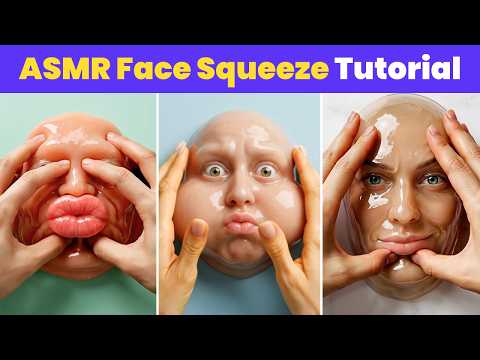
Animate images into ASMR videos with HitPaw VikPeaThe creator demonstrates using HitPaw VikPea's AI video generator with the Kling or Veo 3 models to animate a static image into a face-squeezing ASMR video.Image to Video
May 2026 · 806 viewsAutotube AcademyAutotube Academy
1:000:39Google FlowFlux
Generate fruit character images in FlowThe user walks through searching for Flow, creating a new project, adjusting model and aspect ratio settings, and pasting the ChatGPT prompt to generate and download character images.Text to Image
2:010:21Google Flow
Generate scene-specific images in FlowThe narrator demonstrates how to use scene prompts and the character reference feature (plus button) in Flow to maintain consistency across generated scene images.AI Image Generator
2:270:29Google Flow
Animate images into video using FlowThe creator shows how to switch Flow to video mode, select an image, and use the 'add prompt' feature to animate the fruit characters into video clips.Image to Video
Apr 2026 · 4K viewsBoss Media TechBoss Media Tech
0:350:26ChatGPTDALL-E
Generate fruit character prompts with ChatGPTThe creator demonstrates how to use the 'fruit avatar' GPT in ChatGPT to generate specific image prompts for dramatic fruit characters.AI Avatar Generator
1:010:23Midjourney
Generate character images in MidjourneyThe user shows how to paste prompts into the image generator (referred to as Medeo), set the aspect ratio to 9:16, and generate character variations.AI Image Generator
1:450:20ChatGPTDALL-E
Generate environment backgroundsThe video shows the process of generating reality show set prompts in ChatGPT and rendering the backgrounds in the image generator.AI Background Generator
Sep 2025 · 5.2K viewsBob Doyle MediaBob Doyle Media
5:550:59ElevenLabs
Generating Glass Shattering SoundsThe user demonstrates prompt adherence by generating a 'glass full of water falling onto tile' and testing multiple variations to find the right 'tinkly' sound for a specific video scene.AI Sound Effect Generator
May 2026 · 236 viewsVidGuyVidGuy
1:390:46VidGuy
Create fruit drama animations with VidGuyThe user navigates to the VidGuy interface (referred to as Pictory.ai in transcript), selects the 'fruit drama' format, pastes the script from Claude, and initiates the video generation process.Script To Video AI Generator
Apr 2026 · 66K viewsMoney DegreeMoney Degree
7:573:17Google Flow
Generate consistent characters and scenes in FlowThe creator shows how to use Flow to generate character images with white backgrounds and then use those as reference images to create consistent narrative scenes.AI Person Generator
11:391:21Google Flow
Animate images with voice-over in FlowThe demonstration shows how to use animation prompts and specific video settings in Flow to turn static fruit images into animated clips with synchronized AI voice-overs.Image to Video
13:183:04CapCut
Edit and caption fruit drama videos in CapCutThe creator walks through importing clips into CapCut, using the auto-captions feature, styling text with animations, and adding background music with volume fades.AI Video Editor
Apr 2026 · 22.2K viewsFlow AiFlow Ai
0:590:20Google Flow
Create consistent fruit characters in Google FlowThe user shows how to paste character prompts into Google Flow to generate colorful, consistent fruit character images.AI Person Generator
1:450:33Google Flow
Generate scene images with character consistencyThe demonstration shows how to paste image prompts and character descriptions into Google Flow to ensure the fruit characters look the same across different scenes.AI Person Generator
2:180:19Google Flow
Animate images into video using Google FlowThe creator demonstrates clicking the animate button on an image in Google Flow and pasting a video prompt to generate an animated scene.Image to Video
2:370:09CapCut
Final video assembly and watermark removalThe user explains how to combine clips in a video editor and scale them to hide the watermark before exporting the final project.AI Video Editor

Editor’s Notes

What are AI Fruit Videos?

Often referred to as "fruit slop" or "brain rot," these videos feature anthropomorphic fruit characters—like a banana in a leather jacket or a crying strawberry—engaging in dramatic, often absurd storylines. The trend has exploded on TikTok and YouTube Shorts, with popular series like *Fruit Paternity Court* and *Fruit Love Island* captivating audiences through sheer weirdness and chaotic glitches.

Common themes include AI fruit drama involving cheating, revenge plots, and scandalous family secrets. While many find them funny or satisfying (such as AI fruit ASMR), others point to a darker side of the trend, where female fruit characters are often subjected to humiliating scenarios. Despite the controversy, the "Pixar-meets-brainrot" aesthetic continues to dominate social media feeds.

Why the Trend Went Viral

The appeal lies in the "perfect formula" of absurdity and high-retention storytelling. These 10–30 second clips use exaggerated emotions and cliffhangers to keep viewers invested in the lives of "Strawberrina" or "Bananito." The contrast between cute, glossy fruit characters and sordid, soap-opera plots creates a "hate-watch" effect that the algorithm favors.

How to Make AI Fruit Videos

Creating these videos generally follows a three-step workflow using accessible AI creative suites:

  1. Character Generation: Use an AI fruit generator to create your characters. Prompts often specify "anthropomorphic fruit with expressive eyes and mouths" in a 3D animation style. Tools like ImageFX or specialized GPTs can help design the initial fruit avatars.
  2. Animation and Voice: Once you have a static image, use a video generation platform to bring it to life. You can upload your character and add a prompt for specific actions, like "a blueberry eating another blueberry." Many creators use tools like Kling 3.0 or Luma Dream Machine to handle the motion and lip-syncing.
  3. Editing: Finalize the video in an editor like CapCut. Add dramatic music, exaggerated AI narration, and text overlays. Most viral AI fruit stories are exported in a 9:16 vertical format for mobile viewing.

Check out the example videos and step-by-step tutorials on this page to start crafting your own fruit mini-series.

Frequently asked questions

What's with the AI fruit videos?

These are AI-generated short dramas featuring fruit characters with human faces and emotions. They often depict 'soap opera' storylines like affairs, breakups, and family scandals, which has led to them being nicknamed 'fruit slop' or 'brain rot' by the internet.

How can I make AI fruit videos for free?

You can start by using free AI image generators like ImageFX to create your fruit characters. Then, use video tools with free trial credits, such as Luma Dream Machine or Kling, to animate them before finishing the edit in a free app like CapCut.

What is the best AI fruit video generator?

There isn't one single tool, but creators often combine ChatGPT for scripts, Midjourney or ImageFX for characters, and video models like Kling 3.0, Sora, or Veo to generate the actual animation and movement.

Why are AI fruits eating themselves in some videos?

This is a sub-genre of the trend often labeled as 'AI fruit ASMR' or 'satisfying' content. These videos use AI to simulate the bizarre and often messy visual of a fruit character consuming its own kind, which triggers high engagement due to its weirdness.

What is an AI fruit video prompt?

A typical prompt might be: 'Anthropomorphic strawberry character with a sassy facial expression, glossy red skin, thin cartoon arms and legs, Pixar-style animation, 9:16 vertical format.' This helps the AI understand the specific 'brain rot' aesthetic required for the trend.