Audacity: Tutorials, Prompts, Use cases

Free, open-source, multi-track audio editor and recorder for all platforms.
Audacity is a comprehensive audio production tool that allows users to record live audio, edit multi-track projects, and apply advanced effects. It supports a wide range of file formats and provides professional-grade features like noise reduction, pitch shifting, and AI-powered plugin integration.
Features
- Multi-track audio recording and editing
- Cross-platform support for Windows, macOS, and Linux
- Extensive plugin support including VST3 and Nyquist
- Advanced noise reduction and vocal removal tools
- AI-powered music separation and transcription
- Export to MP3, WAV, FLAC, and Ogg formats
- Cloud saving and collaboration via Audio.com
- Real-time pitch and speed manipulation
Audacity Tutorials

 Suno Zone
 Dewi Jenkins
 Joe at Claricast
 Master Editor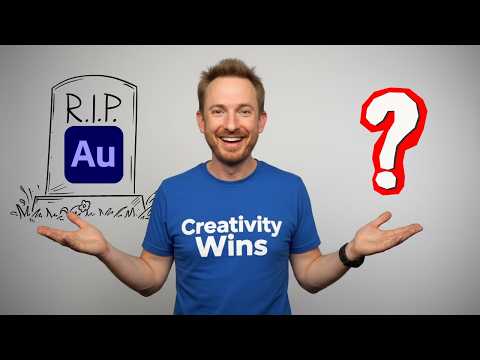
 Mike Russell
 Mike Russell
 Koytek Wattenberg Media
 Mike Teaches Audacity
 Master Editor
 Tantacrul
 Skills Factory
 Master Editor
 Master Editor
 Mike Russell
 Mike Russell
 GuideRealm
 Audacity
Audacity Alternatives

Professional workstation for precision audio editing, mixing, and sound restoration.

Create complete, high-quality original songs with vocals from simple text prompts.

The complete digital audio workstation for professional music and sound production.

The all-in-one digital audio workstation for music production and mixing.

Advanced AI music generator for unique, royalty-free songs and custom tracks.

A cloud-based social music creation platform for making and sharing tracks.

AI-powered vocal remover and multi-instrumental stem separation tool.

Ultra-realistic AI voice generator and conversational agent platform.

Unlimited AI music generation from text prompts and lyrics

The industry standard audio repair and restoration toolkit for professionals.

The AI-powered creative suite for musicians to practice, produce, and perform.

The all-in-one platform for music creation, AI mastering, and global distribution.
AI-powered DAW for note-level audio editing and stem separation.

Generate AI music, vocals, and instrumentals instantly from text prompts.

A complete, professional digital audio workstation for recording, editing, and mastering.

AI-powered automatic audio post-production for professional sound quality.
Generative AI platform for creating, remixing, and sharing studio-quality songs.

Professional high-quality equalizer with unrivalled sound and innovative workflow interface.

Discover, create, and share high-quality AI-generated music in seconds.
Comprehensive educational resources and tutorials for mastering Apple's GarageBand software.

An AI music generation assistant for creating original songs in seconds.

AI music generator for creating and customizing royalty-free beats in seconds.
The world's first weekly fantasy fiction audio magazine.
AI-powered music and sound effect generation for creators of all levels

The ultimate professional music creation experience for Mac and iPad.
Professional compressor plug-in with 14 styles and immersive audio support.

AI-powered royalty-free music generator for creators, developers, and artists.

AI-powered music creation platform for generating, editing, and extending tracks.

AI-powered platform to create, remix, and distribute royalty-free music.

AI-powered online tool to extract vocals and instrumentals from any song.

Professional creative workspace for streamlined digital production and design management.
AI-powered real-time de-noise and de-reverb audio separation plug-in.
Free and open-source application for high-quality vocal and stem separation.

AI-powered stem separation for high-quality acapellas and instrumentals.
Generative AI platform for creating, remixing, and sharing studio-quality songs.

A comprehensive digital audio workstation for recording, mixing, and mastering.

A professional digital audio workstation for music production and live performance.

Create and release original generative music in seconds using artificial intelligence.
AI-powered podcast editor that removes filler words and background noise automatically.
The industry-standard digital audio workstation for music and post-production.
AI-powered healthcare assistant for personalized medical guidance and health tracking.

AI-powered noise cancellation and meeting assistant for clear, productive communication.
Instant AI-powered music mastering for professional, radio-ready sound.

Create AI-powered music covers and original songs with custom voice models.

A visual spectral warping wavetable synthesizer with powerful modulation tools.

AI-powered online tool to separate vocals from instrumental tracks for free.

A comprehensive keyboard anthology featuring thousands of world-class synth and instrument presets.

AI-powered audio separation for music, film, and speech stems.
Professional sound tuning software for Audiotec Fischer DSP products.

Advanced EQ with transient and tonal separation for surgical audio repair.

An all-in-one AI workspace for documents, design, and data automation.
Comprehensive metering and audio analysis for professional music and post-production.

A professional digital audio workstation designed for ease of use and value.

AI-powered audio restoration and script editing via a single API call.

A powerful sampling plugin to chop, flip, and isolate track stems.

Ethically trained AI music generator for studio-quality, royalty-free tracks.
A reverb and EQ dialogue match plug-in for seamless ADR workflows.

AI-powered platform for synthetic vocals, music production, and voice cloning.

AI-powered video and audio enhancement suite for professional-grade upscaling and restoration.

A versatile reverb plugin inspired by classic 1970s and 1980s hardware.

Free, open-source multimedia player for virtually any file format or platform.
Real-time AI voice agents, cloning, and text-to-speech for seamless human-like communication.
Professional loudness measurement plugin for TV, film, and streaming compliance.
Audacity Use cases
What is Audacity?
Audacity is a comprehensive, free audio production tool that allows users to record live audio, edit multi-track projects, and apply professional-grade effects. While it is often discussed for its 'bold' name, in the software world, it is the industry standard for open-source audio editing. It is particularly popular among podcasters and bedroom producers because it supports a wide range of file formats and integrates AI-powered plugins for modern workflows.
What People Actually Use Audacity For
Based on our catalog of 82 demo clips, users primarily leverage Audacity for four key tasks:
- AI Audio Editor (60 clips): This is the most common use-case. Creators use the DAW-style interface to cut, mix, and adjust levels, EQ, and fades.
- AI Audio Enhancer & Noise Reduction (11 clips): A go-to for voiceover artists and podcasters looking to remove background hiss and boost vocal clarity.
- AI Video Editor (6 clips): While primarily for audio, users demonstrate how to sync and export audio specifically for video projects.
- AI Mastering (5 clips): Finalizing tracks for proper loudness, balance, and polish before distribution.
How to Get Started: Typical Workflow
To begin, you must import your media onto the timeline before it can be moved or edited. For voiceover work, a common starting point is setting your sensitivity to 6 and frequency smoothing to 6 to fill gaps left by noise removal.
When you are ready to apply effects like the Compressor or Limiter, ensure the entire track is highlighted (Ctrl+A); otherwise, the changes won't apply correctly. If you are preparing a podcast for platforms like ACX, you will need to monitor your Peak and RMS levels simultaneously to ensure they fall within the required parameters (typically around -3.25 dB for peaks).
Tips and Common Mistakes
Our analyzed tutorials reveal several critical tips for maintaining audio quality:
- Effect Order Matters: Always apply Noise Reduction before EQ. When using the high-pass filter, remember that human voice fundamentals start around 80 Hz for men and 130 Hz for women.
- Avoid Over-Processing: Never exceed 12 dB of noise reduction, as this causes noticeable audio damage. If you need more reduction, it is better to improve your physical recording environment.
- Technical Gotchas: Using the Ctrl + O shortcut may open a file in a new window rather than your current project. Also, do not use 'Save Project' if you want a standard MP3 or WAV file; you must use the 'Export' function instead.
Audacity Alternatives
If you find Audacity's interface dated or need different features, consider these alternatives from our data:
- Adobe Audition (104 demos): The industry standard for high-end restoration and video integration.
- Ocenaudio: Often cited as a simpler, more intuitive alternative for quick edits.
- GarageBand: The preferred free choice for macOS users who want virtual instruments.
- Lalal.Ai (51 demos): Specialized in AI-driven stem separation and vocal removal.
Frequently asked questions
Is Audacity free?
Yes, Audacity is entirely free and open-source software. There are no paywalls for its professional-grade features, including multi-track editing and noise reduction.
How do I use Audacity for a podcast?
Podcasters typically use Audacity to record vocals, apply noise gates at default settings, and use the compressor to normalize volume. It is important to avoid adding reverb to podcast intros and to use the 'Lead Vocals' preset as a starting point for EQ.
Is Audacity hard to learn for beginners?
Most users can learn the basics of recording and cutting audio in about an hour. However, mastering advanced features like ACX compliance and real-time VST support may take a few weeks of practice.
Can I use Audacity on Android or mobile?
Audacity is primarily a desktop application for Windows, macOS, and Linux. While there are web-based ports like Wavacity, the full software is not natively available as an Android or iOS app.
How do I do noise reduction in Audacity?
Select a silent portion of your track to 'Get Noise Profile,' then apply the effect to the whole track. Experts recommend keeping the reduction under 12 dB and setting frequency smoothing to 6 to avoid making the audio sound harsh or thin.
Do professional musicians use Audacity?
Yes, many musicians use it for quick multi-track demos and editing because it is faster and more intuitive than complex DAWs. However, for advanced non-destructive production, some eventually move to tools like Adobe Audition or Reaper.
Can I trust Audacity software?
Audacity is safe to use and GDPR compliant. It only collects basic data for error reporting and updates, and it does not store personal information from your audio files.