Mureka: Tutorials, Prompts, Use cases

Advanced AI music generator for unique, royalty-free songs and custom tracks.
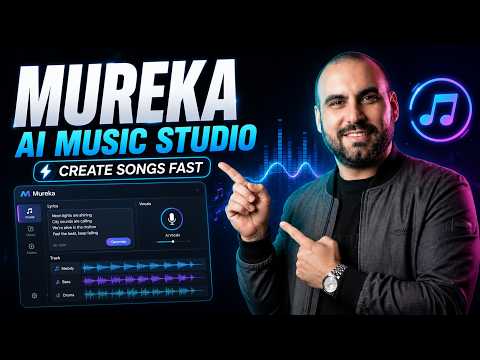
Mureka is an AI-powered music composition platform that generates studio-quality songs, melodies, and lyrics from text prompts. It enables creators to customize instrumentation, tempo, and mood while providing full commercial rights for use across social media and professional projects.
Features
- Text-to-music generation
- Customizable genre, mood, and tempo
- AI lyrics generator and vocal integration
- Individual stem downloads for DAW mixing
- Royalty-free tracks with commercial rights
- Advanced instrumentation and arrangement control
- Lightning-fast processing and high-quality audio
- Seamless integration with professional production software
Mureka Tutorials

 Music Tech Info
 SaaS Master
 Create With AI (Zero to AI Hero)
 MoneOnDaBeat
 AiMinds
 MoneOnDaBeat
 Mikkel Lassalle
 BMF MEDIA
 AI With TechZnap
 Suno Zone
 Jorge Albuquerque
 Vince Xmetric
 Music Tech Info
 Music Tech Info
 AiDIY The Ai Music Guy
 Isaac Brown
 bdbproductionz
 AI Automation Labs
 Omari
Omari
 Top Music Attorney
 justin spiegel
 AI Automation Labs
 justin spiegel
Mureka Courses
Mureka Prompts
Mureka Alternatives

Professional workstation for precision audio editing, mixing, and sound restoration.

Create complete, high-quality original songs with vocals from simple text prompts.

The complete digital audio workstation for professional music and sound production.

Free, open-source, multi-track audio editor and recorder for all platforms.

The all-in-one digital audio workstation for music production and mixing.

A cloud-based social music creation platform for making and sharing tracks.

AI-powered vocal remover and multi-instrumental stem separation tool.

Ultra-realistic AI voice generator and conversational agent platform.

Unlimited AI music generation from text prompts and lyrics

The industry standard audio repair and restoration toolkit for professionals.

The AI-powered creative suite for musicians to practice, produce, and perform.

The all-in-one platform for music creation, AI mastering, and global distribution.

AI-powered DAW for note-level audio editing and stem separation.

Generate AI music, vocals, and instrumentals instantly from text prompts.

A complete, professional digital audio workstation for recording, editing, and mastering.

AI-powered automatic audio post-production for professional sound quality.

Generative AI platform for creating, remixing, and sharing studio-quality songs.

Professional high-quality equalizer with unrivalled sound and innovative workflow interface.

Discover, create, and share high-quality AI-generated music in seconds.
Comprehensive educational resources and tutorials for mastering Apple's GarageBand software.

An AI music generation assistant for creating original songs in seconds.

AI music generator for creating and customizing royalty-free beats in seconds.
The world's first weekly fantasy fiction audio magazine.
AI-powered music and sound effect generation for creators of all levels

The ultimate professional music creation experience for Mac and iPad.
Professional compressor plug-in with 14 styles and immersive audio support.

AI-powered royalty-free music generator for creators, developers, and artists.

AI-powered music creation platform for generating, editing, and extending tracks.

AI-powered platform to create, remix, and distribute royalty-free music.

AI-powered online tool to extract vocals and instrumentals from any song.

Professional creative workspace for streamlined digital production and design management.

AI-powered real-time de-noise and de-reverb audio separation plug-in.
Free and open-source application for high-quality vocal and stem separation.

AI-powered stem separation for high-quality acapellas and instrumentals.
Generative AI platform for creating, remixing, and sharing studio-quality songs.

A comprehensive digital audio workstation for recording, mixing, and mastering.

A professional digital audio workstation for music production and live performance.

Create and release original generative music in seconds using artificial intelligence.

AI-powered podcast editor that removes filler words and background noise automatically.

The industry-standard digital audio workstation for music and post-production.
AI-powered healthcare assistant for personalized medical guidance and health tracking.

AI-powered noise cancellation and meeting assistant for clear, productive communication.
Instant AI-powered music mastering for professional, radio-ready sound.

Create AI-powered music covers and original songs with custom voice models.

A visual spectral warping wavetable synthesizer with powerful modulation tools.

AI-powered online tool to separate vocals from instrumental tracks for free.

A comprehensive keyboard anthology featuring thousands of world-class synth and instrument presets.

AI-powered audio separation for music, film, and speech stems.
Professional sound tuning software for Audiotec Fischer DSP products.

Advanced EQ with transient and tonal separation for surgical audio repair.

An all-in-one AI workspace for documents, design, and data automation.
Comprehensive metering and audio analysis for professional music and post-production.

A professional digital audio workstation designed for ease of use and value.

AI-powered audio restoration and script editing via a single API call.

A powerful sampling plugin to chop, flip, and isolate track stems.

Ethically trained AI music generator for studio-quality, royalty-free tracks.
A reverb and EQ dialogue match plug-in for seamless ADR workflows.

AI-powered platform for synthetic vocals, music production, and voice cloning.

AI-powered video and audio enhancement suite for professional-grade upscaling and restoration.

A versatile reverb plugin inspired by classic 1970s and 1980s hardware.

Free, open-source multimedia player for virtually any file format or platform.

Real-time AI voice agents, cloning, and text-to-speech for seamless human-like communication.
Professional loudness measurement plugin for TV, film, and streaming compliance.
Mureka Use cases
What is Mureka?
Mureka is an AI-native music composition platform designed to bridge the gap between simple text-to-song prompting and professional audio editing. Unlike tools that only offer a finished audio file, Mureka provides a suite of features for creators who want to manipulate their tracks further. It is used by social media creators for background music, as well as by DJs and producers who need specific stems or MIDI data for their projects.
Popular Use-Cases and Demos
Based on our catalog of 77 demo clips, users primarily leverage Mureka for three core tasks:
- AI Song Generation (25 clips): This is the most common use-case, where users generate full tracks including sung vocals and lyrics from a single text prompt.
- AI Music & Beat Generation (23 clips): Creators often use the tool to produce instrumental tracks, drum patterns, and loops for video soundtracks or background audio.
- Vocal Removal & Stem Splitting (10 clips): A standout feature for producers, this allows you to isolate vocals or specific instruments from a track for remixing or karaoke.
Other demonstrated tasks include generating MIDI for composition, creating music videos that sync to the audio, and using the AI lyrics generator to overcome writer's block.
How to Get Started with Mureka
A typical workflow on Mureka begins in the Create tab. Beginners often start with Easy Mode, where you enter a descriptive prompt like "upbeat indie pop with female vocals." For more control, Custom Mode allows you to input specific lyrics, select vocal characters, and define the genre more precisely.
Advanced users often utilize the Reference Track feature. By uploading an audio file or pasting a YouTube link, you can guide the AI to mimic a specific style or rhythm. Once a track is generated, you can open it in the built-in AI Audio Editor to adjust levels, EQ, and fades, or use the stem splitter to export individual parts for use in a DAW like Ableton or FL Studio.
Tips for Better AI Music
- Be Specific: Include genre details and instrumental preferences in your prompts, such as "minimal slap house" or "heavy 808 with piano and choir."
- Use the Optimize Tool: If your lyrics are too short, use the built-in optimizer to expand them into a professional song structure.
- Record Your Ideas: You can record a hummed melody or a vocal idea directly into the app to give the AI a specific melodic direction.
- Avoid Copyright Risks: Be cautious when using copyrighted material as a reference, as the AI may mimic existing melodies too closely, leading to potential legal issues.
Mureka vs. Alternatives
While Mureka offers deep technical tools like MIDI and stem export, users often compare it to Suno and Udio. Suno is frequently cited for having more emotional vocal performances and a faster workflow for beginners. Udio is often preferred for higher audio fidelity. However, Mureka remains a strong choice for those who need the "DAW-lite" features and stem separation that many other generators lack.
Frequently asked questions
Is Mureka free?
Mureka offers a free tier where users can claim daily credits to generate music. However, advanced features like downloading WAV files or individual stems often require a paid plan or cost 99 credits per export.
How much does Mureka AI cost?
Pricing is based on a credit system. While there is a basic free plan, generating new track layers typically costs 20 credits, and high-quality exports or stem downloads are priced higher. Users can choose between Basic and Pro subscription plans for more features.
How do I use Mureka for music production?
You can use Mureka by entering text prompts or uploading reference tracks. For production, the most effective method is using the Custom Mode to input your own lyrics and then utilizing the Stem Splitter to export MIDI and audio layers into professional software.
Mureka vs Suno: which is better?
Suno is generally considered better for rapid, high-quality vocal songs and emotional depth. Mureka is often preferred by producers who need technical exports like stems and MIDI, which Suno does not prioritize as heavily.
Can I cancel my Mureka subscription easily?
Some users have reported difficulties with the cancellation process on mobile apps. It is recommended to manage your subscription through the official website and check the billing settings to avoid unexpected charges.
Does Mureka give you commercial rights?
Mureka provides commercial rights for the music you generate, allowing you to use tracks across social media and professional projects. However, you should avoid using copyrighted reference tracks to ensure your output remains legally safe.