Logic Pro: Tutorials, Prompts, Use cases

The ultimate professional music creation experience for Mac and iPad.
Logic Pro is a comprehensive digital audio workstation designed for professional songwriting, beat-making, and high-end mixing. It provides an extensive library of instruments and effects alongside intelligent tools that simplify complex audio editing and mastering workflows.
by Apple
Features
- Professional beat-making and drum programming
- Extensive library of instruments and effects
- Advanced sampling with Sample Alchemy and Quick Sampler
- Step Sequencer for intuitive rhythm building
- Drum Machine Designer for custom kit creation
- Studio-quality mixing and mastering tools
- Alchemy sample-manipulation synthesizer
- Seamless round-trip compatibility across Apple devices
Logic Pro Tutorials

 Logic Pro Life
 Bolo Da Producer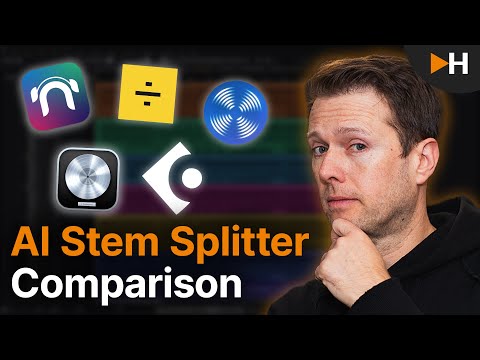
 HOFA
HOFA
 Dynamic AI Tech
 michael nervOus ((🎧))
 Dylan Bates • The Final Cut Bro
 The GarageBand Guide
 Serge Morgotch
 WebPro Education
 TheFigCo
 Sam Loose Audio Engineer
 Verysickbeats
Logic Pro Alternatives

Professional workstation for precision audio editing, mixing, and sound restoration.

Create complete, high-quality original songs with vocals from simple text prompts.

The complete digital audio workstation for professional music and sound production.

Free, open-source, multi-track audio editor and recorder for all platforms.

The all-in-one digital audio workstation for music production and mixing.

Advanced AI music generator for unique, royalty-free songs and custom tracks.

A cloud-based social music creation platform for making and sharing tracks.

AI-powered vocal remover and multi-instrumental stem separation tool.

Ultra-realistic AI voice generator and conversational agent platform.

Unlimited AI music generation from text prompts and lyrics

The industry standard audio repair and restoration toolkit for professionals.

The AI-powered creative suite for musicians to practice, produce, and perform.

The all-in-one platform for music creation, AI mastering, and global distribution.
AI-powered DAW for note-level audio editing and stem separation.

Generate AI music, vocals, and instrumentals instantly from text prompts.

A complete, professional digital audio workstation for recording, editing, and mastering.

AI-powered automatic audio post-production for professional sound quality.

Generative AI platform for creating, remixing, and sharing studio-quality songs.

Professional high-quality equalizer with unrivalled sound and innovative workflow interface.

Discover, create, and share high-quality AI-generated music in seconds.
Comprehensive educational resources and tutorials for mastering Apple's GarageBand software.

An AI music generation assistant for creating original songs in seconds.

AI music generator for creating and customizing royalty-free beats in seconds.
The world's first weekly fantasy fiction audio magazine.
AI-powered music and sound effect generation for creators of all levels
Professional compressor plug-in with 14 styles and immersive audio support.

AI-powered royalty-free music generator for creators, developers, and artists.

AI-powered music creation platform for generating, editing, and extending tracks.

AI-powered platform to create, remix, and distribute royalty-free music.

AI-powered online tool to extract vocals and instrumentals from any song.

Professional creative workspace for streamlined digital production and design management.

AI-powered real-time de-noise and de-reverb audio separation plug-in.
Free and open-source application for high-quality vocal and stem separation.

AI-powered stem separation for high-quality acapellas and instrumentals.
Generative AI platform for creating, remixing, and sharing studio-quality songs.

A comprehensive digital audio workstation for recording, mixing, and mastering.

A professional digital audio workstation for music production and live performance.

Create and release original generative music in seconds using artificial intelligence.

AI-powered podcast editor that removes filler words and background noise automatically.

The industry-standard digital audio workstation for music and post-production.
AI-powered healthcare assistant for personalized medical guidance and health tracking.

AI-powered noise cancellation and meeting assistant for clear, productive communication.
Instant AI-powered music mastering for professional, radio-ready sound.

Create AI-powered music covers and original songs with custom voice models.

A visual spectral warping wavetable synthesizer with powerful modulation tools.

AI-powered online tool to separate vocals from instrumental tracks for free.

A comprehensive keyboard anthology featuring thousands of world-class synth and instrument presets.

AI-powered audio separation for music, film, and speech stems.
Professional sound tuning software for Audiotec Fischer DSP products.

Advanced EQ with transient and tonal separation for surgical audio repair.

An all-in-one AI workspace for documents, design, and data automation.
Comprehensive metering and audio analysis for professional music and post-production.

A professional digital audio workstation designed for ease of use and value.

AI-powered audio restoration and script editing via a single API call.

A powerful sampling plugin to chop, flip, and isolate track stems.

Ethically trained AI music generator for studio-quality, royalty-free tracks.
A reverb and EQ dialogue match plug-in for seamless ADR workflows.

AI-powered platform for synthetic vocals, music production, and voice cloning.

AI-powered video and audio enhancement suite for professional-grade upscaling and restoration.

A versatile reverb plugin inspired by classic 1970s and 1980s hardware.

Free, open-source multimedia player for virtually any file format or platform.

Real-time AI voice agents, cloning, and text-to-speech for seamless human-like communication.
Professional loudness measurement plugin for TV, film, and streaming compliance.
Logic Pro Use cases
What is Logic Pro?
Logic Pro is Apple’s flagship digital audio workstation (DAW) designed for professional music production. While beginners often ask if Logic Pro is easy to learn, it is frequently described as 'GarageBand without the training wheels,' offering significantly more freedom and power for composition and mixing. It is a macOS-exclusive platform, meaning there is no official Logic Pro Windows version, though it is now available via the Apple Creator Studio subscription for both Mac and iPad.
Real-World Use Cases
Based on our catalog of 18 demo clips, creators are increasingly using Logic Pro for its integrated AI and automated features. The most documented tasks include:
- AI Audio Editor (5 clips): Users demonstrate DAW-style editing, including cutting, mixing, and adjusting EQ or fades.
- AI Vocal Remover & Stem Splitter (5 clips): A top-tier use case for isolating vocals or instruments for remixes. Tutorials show that using 'advanced extraction' acts like a high-quality studio re-record of a low-quality demo.
- AI Video Editor (4 clips): Demonstrations show Logic being used to merge clips and add transitions for finished video exports.
- AI Beat Generator (1 clip): Producers use this to generate drum patterns and instrumental loops quickly.
- AI Audio Enhancer (1 clip): Effective for noise reduction and cleaning up recordings in untreated rooms.
Getting Started with Logic Pro
To begin, most users either buy Logic Pro for a one-time fee of $199.99 or access it through the Apple Creator Studio. A typical workflow starts with importing audio or MIDI. For those coming from other tools, tutorials suggest setting up a specific 'Mastered Audio' role to keep imported files organized. When working with AI-generated elements, it is best to use them as a foundation and then add your own layers to make the track unique. For lead sounds, the Retro Synth remains a reliable go-to in the stock library.
Pro Tips and Common Mistakes
Our gathered tutorials highlight several technical nuances to improve your workflow:
- Mixing Control: Use stem separation to gain better control over a sample. You can pull the bass stem up independently to make it louder in the mix.
- Quality Checks: To test the quality of separated stems, try slowing down the tempo significantly or checking open sections like hi-hat solos for artifacts.
- Organization: Export audio files to a new folder on your desktop to prevent losing assets, and avoid using iCloud for active projects as some users report data loss.
- Performance: If you experience system overload, use 'Low Latency Monitoring Mode' during recording.
Logic Pro Alternatives
If you are looking for Logic Pro alternatives for Windows or different workflows, our data suggests:
- Adobe Audition: Highly popular for specialized audio restoration and podcasting.
- Cubase 15: Often cited as the closest equivalent for traditional recording and MIDI on both Mac and PC.
- FL Studio: A leading alternative for beat-making and electronic music.
- Suno: Useful for rapid AI generation, though Logic Pro offers more nuance and power over the final audio.
Frequently asked questions
Is there a Logic Pro Windows version?
No, Logic Pro is a proprietary application developed by Apple for macOS and iPadOS. Users on Windows typically look toward alternatives like Cubase, FL Studio, or Ableton Live for a similar professional experience.
How much does Logic Pro cost?
Logic Pro for Mac is available for a one-time purchase of $199.99 with free updates. Alternatively, it is included in the Apple Creator Studio subscription for $12.99/month, which covers both Mac and iPad versions.
Is Logic Pro better than GarageBand?
Logic Pro is essentially a professional version of GarageBand. It uses the same engine but provides advanced tools like stem splitting, sophisticated mixers, and a larger instrument library, making it better for those who need more control than GarageBand offers.
Is Logic Pro worth it for beginners?
Yes, many users find it easy to learn the basics, especially if they have used GarageBand. While it has a deep learning curve for advanced features, the initial layout is intuitive for new producers.
Does Logic Pro have a free trial?
Apple typically offers a 90-day free trial for Logic Pro on Mac, allowing users to test the full suite of features before committing to a purchase.
Can I use Logic Pro on iPad?
Yes, Logic Pro is available for iPad through a subscription model. It features a touch-optimized interface and integrates with the Mac version for mobile production.
What are the best Logic Pro alternatives for Windows?
According to our data and research, Cubase and Studio One are the top professional all-in-one alternatives for PC. For electronic music, Ableton Live and FL Studio are the most popular choices.