Lalal.Ai: Tutorials, Prompts, Use cases

AI-powered vocal remover and multi-instrumental stem separation tool.
LALAL.AI uses advanced transformer technology to extract vocals, instrumentals, and specific instruments from any audio or video file. It provides professional-grade tools for voice cleaning, cloning, and changing to streamline audio post-production workflows.
Features
- Vocal and instrumental isolation
- Multi-instrument stem splitting
- Background noise and rumble removal
- Lead and backing vocal separation
- AI voice cloning and transformation
- Echo and reverb reduction
- Bulk processing via API
- Support for major audio and video formats
Lalal.Ai Tutorials
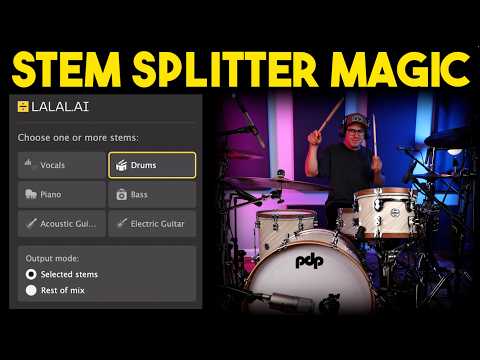
 Spinlight Studio
 Lanewood Studios
 Vince Xmetric
 Coskun
 LALAL AI
 LALAL AI
 LALAL AI
 LALAL AI
 Let's Play All
 AI BORDER
 Sound Codex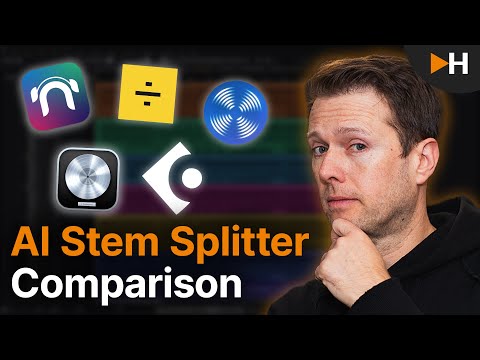
 HOFA
HOFA
 Will Hatton
 Parlogram
 PiXimperfect
 Hiyoll-ApexTech
 LALAL AI
 Spinlight Studio
 My Keys To Music
 LANDR
LANDRLalal.Ai Courses
Lalal.Ai Alternatives

Professional workstation for precision audio editing, mixing, and sound restoration.

Create complete, high-quality original songs with vocals from simple text prompts.

The complete digital audio workstation for professional music and sound production.

Free, open-source, multi-track audio editor and recorder for all platforms.

The all-in-one digital audio workstation for music production and mixing.

Advanced AI music generator for unique, royalty-free songs and custom tracks.

A cloud-based social music creation platform for making and sharing tracks.

Ultra-realistic AI voice generator and conversational agent platform.

Unlimited AI music generation from text prompts and lyrics

The industry standard audio repair and restoration toolkit for professionals.

The AI-powered creative suite for musicians to practice, produce, and perform.

The all-in-one platform for music creation, AI mastering, and global distribution.

AI-powered DAW for note-level audio editing and stem separation.

Generate AI music, vocals, and instrumentals instantly from text prompts.

A complete, professional digital audio workstation for recording, editing, and mastering.

AI-powered automatic audio post-production for professional sound quality.

Generative AI platform for creating, remixing, and sharing studio-quality songs.

Professional high-quality equalizer with unrivalled sound and innovative workflow interface.

Discover, create, and share high-quality AI-generated music in seconds.
Comprehensive educational resources and tutorials for mastering Apple's GarageBand software.

An AI music generation assistant for creating original songs in seconds.

AI music generator for creating and customizing royalty-free beats in seconds.
The world's first weekly fantasy fiction audio magazine.
AI-powered music and sound effect generation for creators of all levels

The ultimate professional music creation experience for Mac and iPad.
Professional compressor plug-in with 14 styles and immersive audio support.

AI-powered royalty-free music generator for creators, developers, and artists.

AI-powered music creation platform for generating, editing, and extending tracks.

AI-powered platform to create, remix, and distribute royalty-free music.

AI-powered online tool to extract vocals and instrumentals from any song.

Professional creative workspace for streamlined digital production and design management.

AI-powered real-time de-noise and de-reverb audio separation plug-in.
Free and open-source application for high-quality vocal and stem separation.

AI-powered stem separation for high-quality acapellas and instrumentals.
Generative AI platform for creating, remixing, and sharing studio-quality songs.

A comprehensive digital audio workstation for recording, mixing, and mastering.

A professional digital audio workstation for music production and live performance.

Create and release original generative music in seconds using artificial intelligence.

AI-powered podcast editor that removes filler words and background noise automatically.

The industry-standard digital audio workstation for music and post-production.
AI-powered healthcare assistant for personalized medical guidance and health tracking.

AI-powered noise cancellation and meeting assistant for clear, productive communication.
Instant AI-powered music mastering for professional, radio-ready sound.

Create AI-powered music covers and original songs with custom voice models.

A visual spectral warping wavetable synthesizer with powerful modulation tools.
AI-powered online tool to separate vocals from instrumental tracks for free.

A comprehensive keyboard anthology featuring thousands of world-class synth and instrument presets.

AI-powered audio separation for music, film, and speech stems.
Professional sound tuning software for Audiotec Fischer DSP products.

Advanced EQ with transient and tonal separation for surgical audio repair.

An all-in-one AI workspace for documents, design, and data automation.
Comprehensive metering and audio analysis for professional music and post-production.

A professional digital audio workstation designed for ease of use and value.

AI-powered audio restoration and script editing via a single API call.

A powerful sampling plugin to chop, flip, and isolate track stems.

Ethically trained AI music generator for studio-quality, royalty-free tracks.
A reverb and EQ dialogue match plug-in for seamless ADR workflows.

AI-powered platform for synthetic vocals, music production, and voice cloning.

AI-powered video and audio enhancement suite for professional-grade upscaling and restoration.

A versatile reverb plugin inspired by classic 1970s and 1980s hardware.

Free, open-source multimedia player for virtually any file format or platform.

Real-time AI voice agents, cloning, and text-to-speech for seamless human-like communication.
Professional loudness measurement plugin for TV, film, and streaming compliance.
Lalal.Ai Use cases
What is LALAL.AI?
LALAL.AI is an AI-powered audio separation service designed for music producers, DJs, content creators, and audio engineers. It uses deep neural networks to isolate or remove vocals, instrumentals, and specific backing instruments (such as drums, bass, piano, and electric guitar) from any audio or video file. It also features a Voice Cleaner tool to eliminate background noise, room reflections, and echo from spoken or sung tracks.
What People Actually Use It For
Based on first-party data from video tutorials, user workflows focus on two primary use-cases:
- AI Vocal Remover & Stem Splitter (46 demo clips): This is the most common application. Creators use it to isolate clean acapellas or extract instrumental tracks for karaoke, remixes, and live backing tracks. Producers often isolate specific performance details, like the body resonance or plectrum sound of an acoustic guitar, or extract drum stems to create loops for new compositions.
- AI Audio Enhancer & Noise Reduction (5 demo clips): Users leverage this feature to clean up speech or vocal recordings by stripping out unwanted room noise, reverb, and audio reflections.
How to Get Started: A Typical Workflow
To use LALAL.AI, you can upload files directly via your web browser or use their desktop and mobile applications.
- Select Your Stem Type: Choose the specific audio element you want to extract. Select the Vocal option for singing, or Voice and Noise if you are working with a speaking voice. You can also target specific instruments like electric guitar, bass, or drums.
- Upload the File: Drag and drop your audio or video file into the upload widget.
- Preview the Result: The AI generates a short preview track. Always listen to this preview using the built-in UI before committing to a full download. This ensures you are satisfied with the separation quality without wasting your minutes.
- Process and Download: If the preview sounds correct, process the full track to download your separated stems.
Tips and Common Mistakes
- Generate Previews First: Refreshing the page after a stem split can charge additional credits for the same file. Always use the preview function to avoid burning through your paid minutes prematurely.
- Choose the Right Vocal Setting: Use *Vocal and Instrumental* if you want to keep backing harmonies mixed with the lead vocal. Use *Voice and Noise* if you want to isolate only the absolute lead vocal.
- Handling Missing Instruments: If you are trying to isolate an unusual instrument like an organ and it is not found in the main stems, check the *Synthesizer* or *Strings* categories.
- Post-Processing in Your DAW: The extraction may not be perfect and can leave subtle artifacts or "ghosty" drum bleed on the beat. Use a high-pass filter in your digital audio workstation (DAW) to clean up artifacts left on the beat, or use automation to bring an extracted instrument forward during specific sections.
- Account Requirements: Keep in mind that you must be logged into your LALAL.AI account for the plugin version to function, and local processing quality can sometimes be lower than the website's file upload processing.
LALAL.AI Alternatives
If you are looking for alternative tools, several options exist within the music and audio category. For comprehensive audio editing and restoration, Adobe Audition (104 clips) and Izotope Rx (44 clips) are widely demonstrated. For musicians looking for mobile-friendly practice tools with built-in pitch and speed controls, Moises (44 clips) is a popular alternative. Other tools like Audacity (76 clips) offer free, local audio editing capabilities.
Frequently asked questions
Is LALAL.AI free?
LALAL.AI offers a free Starter tier, but it is primarily intended for previewing your audio. To download full-length separated stems and tracks, you must purchase a paid package or subscription.
How much does Lala AI cost?
LALAL.AI offers subscription plans such as Lite for $9.99 per month and Pro for $19.99 per month. They also offer one-time top-up packages for high-volume users, starting at $50 for 750 minutes.
How do you use Lalal AI?
Go to the LALAL.AI website or app, select the specific stem type you want to extract (such as vocals, drums, or voice/noise), and upload your file. Listen to the generated preview track, and if you like the results, process the full file to download your stems.
Is LALAL.AI safe?
Yes, LALAL.AI is a legitimate and safe web-based service used widely by music producers and audio editors. Your files are processed securely through their neural network servers.
Can LALAL.AI split a song into all stems at the same time?
No, the tool can only separate audio into two avenues of stems at a single time. To get all individual instruments, you must re-upload and process the track for each specific instrument separately.
Do unused LALAL.AI minutes roll over to the next month?
No, unused Fast Queue minutes do not roll over to the next billing cycle. Your minute balance resets at the start of each new billing period.