AI Vocal Remover & Stem Splitter
Isolate or remove vocals and instruments for karaoke or remixing.
AI Vocal Remover & Stem Splitter Tutorials

 ChillPanic
 Spinlight Studio

 Lanewood Studios
 BenoniStudio
 Fender Studio
 Mastering․com

 Kin Heartbreak
 Jorge Albuquerque

 Logic Pro Life

 Vince Xmetric
 Coskun
 LALAL AI
 LALAL AI
 White Sea Studio
 LALAL AI
 Ryuichiro Yamaki


 Music Tech Info
 SOUNDRAW - Ethical AI Music

 martythanks

 Song Design
 Brainers Technology
 roninteck

 Artificial Quotient
 AI With TechZnap
 HOFA
HOFA

 Alice Byno
 Mixdown Online
 Dom Sigalas
 ChillPanic
 Bolo Da Producer
 LALAL AI
 Let's Play All
 Music Tech Info
 Oliver Gearing
 Suno Music
 Will Hatton
 Music Tech Info
 Busy Works Beats

 TechIn2.0
 Edimakor for Creators

 Suno Zone
 Andrew Clarke
 AI BORDER
 Sound Codex
 Skillcraft AI
 BenoniStudio
 Busy Works Beats
 Dynamic AI Tech
 Spinlight Studio
 SEIDS
SEIDS
 Daniel | Tech & Data
 Justin Brown - Primal Video

 Skill Drip
AI Vocal Remover & Stem Splitter Prompts
AI Vocal Remover & Stem Splitter Tools
AI-powered vocal remover and multi-instrumental stem separation tool.
AI-powered DAW for note-level audio editing and stem separation.
The AI-powered creative suite for musicians to practice, produce, and perform.
Create complete, high-quality original songs with vocals from simple text prompts.
Advanced AI music generator for unique, royalty-free songs and custom tracks.
Free and open-source application for high-quality vocal and stem separation.
The industry standard audio repair and restoration toolkit for professionals.
The ultimate professional music creation experience for Mac and iPad.
Unlimited AI music generation from text prompts and lyrics
The complete digital audio workstation for professional music and sound production.
AI-powered online tool to extract vocals and instrumentals from any song.
A professional digital audio workstation for music production and live performance.
Professional video editing, color correction, visual effects, and audio post production.

AI-powered stem separation for high-quality acapellas and instrumentals.
AI-powered video editing software for professional results on desktop and mobile.

The all-in-one platform for music creation, AI mastering, and global distribution.

Generate AI music, vocals, and instrumentals instantly from text prompts.
AI music generator for creating and customizing royalty-free beats in seconds.
Professional creative workspace for streamlined digital production and design management.
AI-powered online tool to separate vocals from instrumental tracks for free.

AI-powered audio separation for music, film, and speech stems.
AI-powered video and photo editor for trending social media content.

A node-based visual workflow engine for professional AI image and video generation.
The all-in-one digital audio workstation for music production and mixing.
An all-in-one AI-powered video editor for effortless professional content creation.

The industry-standard digital audio workstation for music and post-production.
Generative AI platform for creating, remixing, and sharing studio-quality songs.

A complete, professional digital audio workstation for recording, editing, and mastering.

AI-powered music creation platform for generating, editing, and extending tracks.

Discover, create, and share high-quality AI-generated music in seconds.

AI-powered video and audio enhancement suite for professional-grade upscaling and restoration.

Real-time AI voice agents, cloning, and text-to-speech for seamless human-like communication.
A high-speed multimedia toolkit to convert, edit, and burn video content.
AI Vocal Remover & Stem Splitter Industries
What is AI Stem Splitting?
AI stem splitting is the process of taking a mixed stereo audio file and separating it into its component parts. This is essential for DJs making mashups, producers sampling specific instruments, or anyone needing a karaoke track. By using neural networks, these tools can distinguish between the frequencies of a human voice and a snare drum, even when they overlap in a dense mix.
The Standard Stem Separation Workflow
While every tool has a unique interface, the workflow demonstrated in most tutorials follows a consistent pattern:
- Upload: Import your audio file (WAV or FLAC is recommended for higher fidelity).
- Select Separation Type: Choose between a simple 2-stem split (Vocals/Instrumental) or a multi-stem split (Vocals, Drums, Bass, Piano, etc.).
- Preview: Generate a short sample to check for audio artifacts or 'ghosting' before processing the full file.
- Process and Refine: Run the full analysis. If the result is messy, some tools allow you to run the analysis again or adjust the noise-canceling intensity.
- Export: Download the individual stems, typically as high-quality WAV files for further use in a DAW.
Top Tools by Demo Count
Based on our catalog of 165 demo clips, these are the most frequently demonstrated tools for this task:
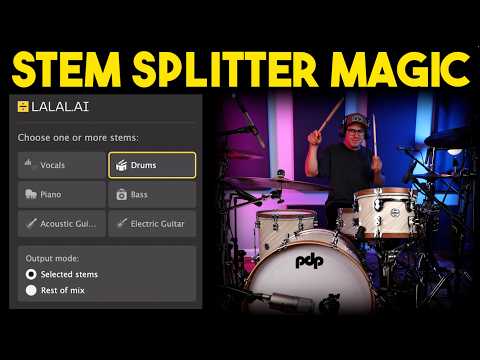
- Lalal.Ai (46 demos): A leader in web-based separation, noted for its specific algorithms for instruments like guitar and wind instruments.
- RipX (18 demos): Often used by power users who need to see audio as individual notes for deep editing.
- Moises (17 demos): Highly popular for its mobile app and features like metronome generation and key detection.
- Ultimate Vocal Remover (7 demos): Frequently cited as the best free, open-source desktop option for those with a strong GPU.
Pro Tips and Common Pitfalls
Tutorial creators suggest listening to stems both individually and in groups to understand what the AI has captured. If you are using stems for live backing tracks, minor artifacts or 'bleed' are often masked by live drums. For production, check the 'Strings' or 'Other' layers for miscellaneous synth sounds that might not fit standard categories.
Be aware that audio with heavy effects like reverb or phasing often results in less clean separation. Additionally, complex FM synth parts are sometimes misidentified as guitar layers. To avoid wasting credits on paid platforms, always create a preview first to ensure you are satisfied with the quality before committing to a full download.
Frequently asked questions
Is there a free AI vocal remover tool?
Yes, Ultimate Vocal Remover (UVR) is a highly recommended free, open-source desktop application. Additionally, tools like EaseUS Vocal Remover and various web-based splitters offer limited free processing for users to test the technology.
What is the best AI stem splitter according to Reddit?
Power users often recommend Ultimate Vocal Remover for its local processing and lack of fees, while Lalal.Ai and Moises are frequently cited for their ease of use and high-quality web-based results.
How do I use an AI vocal remover and stem splitter?
Can I split stems for free online?
Several online platforms offer free trials or limited minutes, such as StemSplit or the free tier of Moises. However, high-fidelity WAV downloads often require a subscription or one-time credit purchase.
Is voice AI stem splitter free?
Some tools like Voice.ai offer free online stem splitting to separate instruments from songs. Always check if there are limits on file length or the number of stems you can export without a paid plan.
What are the common issues with AI stem separation?
Common issues include 'ghosty' drum bleed, audible AI artifacts in isolated tracks, and difficulty separating overlapping elements in very dense mixes. Processing can also take several minutes depending on the file size.