Studio Pro: Separate a full mix into stems

 Studio Pro
Demo summary
The user takes a mixed audio track and uses the Moises integration to separate it into individual vocal, bass, drum, and 'other' tracks.
Step-by-step
- Select the audio track in the timeline
- Navigate to the Separate Stems menu
- Choose Current Selection
- Select a stem separation model (e.g., Vocals, Bass, Drums, and Others)
- Click Separate Stems to process the audio into four tracks
Options
- Separate into Vocals and Instruments only
- Separate into individual tracks (requires Pro plan)
- Use Hi-Fi separation mode (requires Pro plan)
Watch out for
- Individual track separation and Hi-Fi mode are restricted to Moises Pro plan users
- Separated stems may contain audible artifacts
Tips
- Use stem separation to grab specific vocal slices or samples from royalty-free loops
- Solo individual tracks after separation to check for quality and artifacts
Highlights
“that's a really quick and easy way to do it”
All demos from “GEN AI Now in the DAW 🤯 STUDIO PRO 8.1 x MOISES - MUST WATCH!”
- 6:272:08Separate a full mix into stemsCurrentThe user takes a mixed audio track and uses the Moises integration to separate it into individual vocal, bass, drum, and 'other' tracks.Studio Pro· AI Vocal Remover & Stem Splitter
- 9:091:12Generate new drums for separated stemsAfter separating stems, the user removes the original drums and uses the AI Match feature to generate a completely new drum track that fits the remaining instruments.Studio Pro· AI Beat Generator
- 11:480:30Using the AI Studio Assistant for mixing adviceThe user types a query about 'muddy drums' into the built-in AI assistant, which provides specific EQ and compression settings to fix the issue within the DAW.Studio Pro· AI Audio Editor
- Watch “GEN AI Now in the DAW 🤯 STUDIO PRO 8.1 x MOISES - MUST WATCH!” →
AI Vocal Remover & Stem Splitter
- 6:272:08Separate a full mix into stemsCurrentThe user takes a mixed audio track and uses the Moises integration to separate it into individual vocal, bass, drum, and 'other' tracks.BenoniStudio
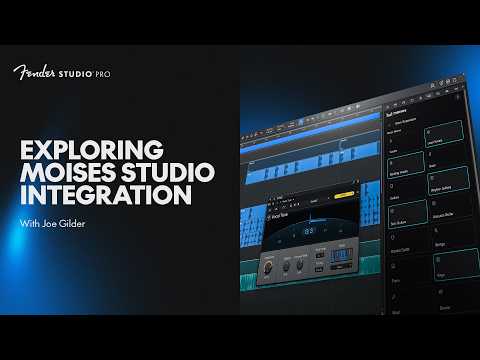 1:521:37Separate stems from a stereo trackJoe selects a stereo audio track and uses the Moises 'Separate Stems' tool to isolate vocals, bass, guitars, and drums into individual tracks.Fender Studio