Downloading generated stems in Sonauto
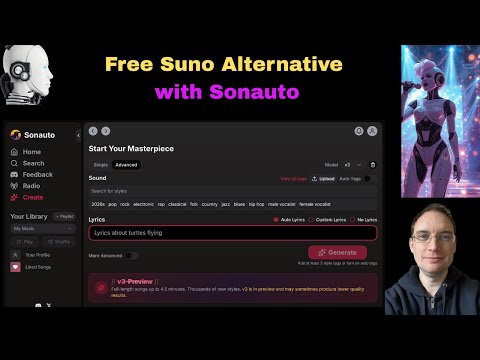
 Sonauto
Demo summary
The user demonstrates the process of downloading individual drum and instrument stems once the AI generation is finalized.
Step-by-step
- Wait for the individual stem tracks (e.g., drums) to appear in the interface
- Click the download button for each specific stem
- Go to the Edit menu
- Select Download
- Choose WAV as the file format
- Monitor the bottom right of the screen for the download status flag
Options
- Download individual stems separately
- Download the full track as a WAV file
Watch out for
- You must wait for the system to process and 'pop up' the stems before they are available for download
Tips
- Be patient and 'bear with it' while the system passes the file into your download folder
All demos from “Free Alternative to Suno - Sonauto”
- 0:541:54Generate AI music with Sonauto Advanced modeThe user navigates to the Advanced mode in Sonauto, enters style tags like 'male vocalist', 'pop', and 'metal', and adjusts the lyrics and style strength sliders before generating a track.Sonauto· AI Song Generator
- 3:590:54Refining prompts and downloading stems in SonautoThe demonstrator modifies the prompt to 'energetic pop', generates new tracks, and shows how to download the full WAV file and individual instrument stems from the edit menu.Sonauto· AI Song Generator
- 5:120:26Downloading generated stems in SonautoCurrentThe user demonstrates the process of downloading individual drum and instrument stems once the AI generation is finalized.Sonauto· AI Vocal Remover & Stem Splitter
- 8:400:59Using specific artist tags in SonautoThe user types a specific artist name into the tag field to demonstrate how the model's training data influences the output style and generates a new track based on that tag.Sonauto· AI Song Generator
- 14:470:55Exploring the Sonauto Tag GraphThe demonstrator opens the 'view all tags' list and the 'show tag graph' to visualize how different musical genres and styles are mapped and connected within the Sonauto model.Sonauto· AI Song Generator
- Watch “Free Alternative to Suno - Sonauto” →
AI Vocal Remover & Stem Splitter
 5:241:03Editing and exporting stems in SonautoThe creator walks through the Sonauto edit menu, demonstrating the 'get stems' feature to separate vocals and instruments, and the process for exporting the final track as a WAV file.roninteck
 4:490:33Extracting stems and downloading tracksThe demonstration shows how to download finished tracks and use the 'Get Stems' feature to separate drums, bass, vocals, and instruments.Artificial Quotient
- 5:120:26Downloading generated stems in SonautoCurrentThe user demonstrates the process of downloading individual drum and instrument stems once the AI generation is finalized.Music Tech Info
 38:302:46Extracting stems from generated AI musicThe creator demonstrates the 'get stems' feature in Sonauto, showing how the platform can separate a generated track into individual components like drums, bass, and instrumentals.Busy Works Beats
 7:230:40AI Stem Separation in SonautoThe host demonstrates the stem separation feature, playing back individual tracks for drums, bass, and vocals from a generated song.Bob Doyle Media