Sonauto: Extracting stems and downloading tracks

 Sonauto
Demo summary
The demonstration shows how to download finished tracks and use the 'Get Stems' feature to separate drums, bass, vocals, and instruments.
Step-by-step
- Click the three dots on the track you want to download
- Select your preferred file format
- Click Get Stems to initiate the separation process
- Wait a few seconds for the AI to process the files
- Download the individual files for drums, bass, vocals, and instruments
Options
- Choose between different download formats
Highlights
“Downloading your track is as simple as well.”
All demos from “How To Create Viral AI Music Using Sonauto AI (Make Engaging Cover Songs For FREE!)”
- 0:370:54Generate music with Simple Mode in Sonauto AIThe user demonstrates entering a text prompt for a pop electronic track and clicking generate to produce two song variations in Sonauto AI.Sonauto· AI Song Generator
- 1:420:31Create instrumental tracks in Sonauto AIThe narrator shows how to use the instrumental mode by entering a high-energy percussion prompt and generating a vocal-free track.Sonauto· AI Music Generator
- 2:190:40High-quality music generation with Fancy ModeThe user demonstrates enabling 'Fancy Mode' for higher quality output while generating an 80s-style pop song.Sonauto· AI Music Generator
- 2:590:45Custom lyrics and tags in Advanced ModeThe narrator walks through pasting custom lyrics and selecting specific style tags to shape a song's genre and instrumentation in Sonauto AI.Sonauto· AI Song Generator
- 3:440:44Extend song length and replace lyricsThe user demonstrates clicking the 'Extend' option to add new sections to a track and shows how to replace specific lyrics with new ones.Sonauto· AI Song Generator
- 4:490:33Extracting stems and downloading tracksCurrentThe demonstration shows how to download finished tracks and use the 'Get Stems' feature to separate drums, bass, vocals, and instruments.Sonauto· AI Vocal Remover & Stem Splitter
- Watch “How To Create Viral AI Music Using Sonauto AI (Make Engaging Cover Songs For FREE!)” →
AI Vocal Remover & Stem Splitter
 5:241:03Editing and exporting stems in SonautoThe creator walks through the Sonauto edit menu, demonstrating the 'get stems' feature to separate vocals and instruments, and the process for exporting the final track as a WAV file.roninteck
- 4:490:33Extracting stems and downloading tracksCurrentThe demonstration shows how to download finished tracks and use the 'Get Stems' feature to separate drums, bass, vocals, and instruments.Artificial Quotient
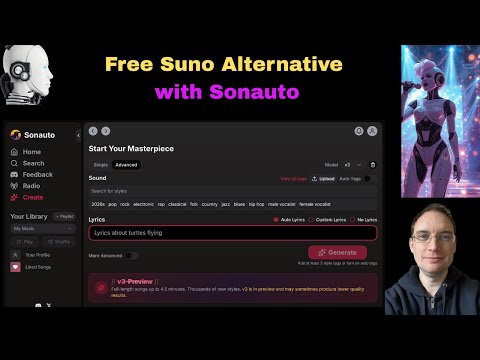 5:120:26Downloading generated stems in SonautoThe user demonstrates the process of downloading individual drum and instrument stems once the AI generation is finalized.Music Tech Info
 38:302:46Extracting stems from generated AI musicThe creator demonstrates the 'get stems' feature in Sonauto, showing how the platform can separate a generated track into individual components like drums, bass, and instrumentals.Busy Works Beats
 7:230:40AI Stem Separation in SonautoThe host demonstrates the stem separation feature, playing back individual tracks for drums, bass, and vocals from a generated song.Bob Doyle Media