Sonauto: Extracting stems from generated AI music

 Sonauto
Demo summary
The creator demonstrates the 'get stems' feature in Sonauto, showing how the platform can separate a generated track into individual components like drums, bass, and instrumentals.
Step-by-step
- Select a generated song from your library
- Click the Get Stems button
- Wait for the platform to generate the individual components
- Review the separated tracks for drums, bass, and instrumentals
Tips
- Download stems directly from the source platform to avoid using external filtering mechanisms
- Listen for authentic details like human timing offsets and resonance in the bass tracks
Highlights
“it's not just using a filter... you could actually download it from the source. That's crazy.”
All demos from “New AI Music Generator disrupts Music Industry!”
- 3:562:56Generate a 50 Cent style hip-hop song in SonautoThe creator navigates to the 'make music' section of Sonauto, enters a prompt for a '50 Cent hip-hop song' with 'Timberland 2000s' tags, and generates a track to evaluate the vocal quality and beat production.Sonauto· AI Song Generator
- 8:382:00Using custom lyrics and tags in Sonauto Advanced ModeThe creator demonstrates the advanced interface of Sonauto, attempting to paste custom lyrics while selecting specific genre tags like 'hip-hop', 'rap', and 'boom bap' to control the output.Sonauto· AI Song Generator
- 22:222:32Prompting with specific artist styles and auto-tagsThe creator shows how to use the 'auto tags' feature and manual text input to prompt for 'The Game' and 'West Coast' styles, resulting in a generated track with specific sound selections.Sonauto· AI Music Generator
- 38:302:46Extracting stems from generated AI musicCurrentThe creator demonstrates the 'get stems' feature in Sonauto, showing how the platform can separate a generated track into individual components like drums, bass, and instrumentals.Sonauto· AI Vocal Remover & Stem Splitter
- Watch “New AI Music Generator disrupts Music Industry!” →
AI Vocal Remover & Stem Splitter
 5:241:03Editing and exporting stems in SonautoThe creator walks through the Sonauto edit menu, demonstrating the 'get stems' feature to separate vocals and instruments, and the process for exporting the final track as a WAV file.roninteck
 4:490:33Extracting stems and downloading tracksThe demonstration shows how to download finished tracks and use the 'Get Stems' feature to separate drums, bass, vocals, and instruments.Artificial Quotient
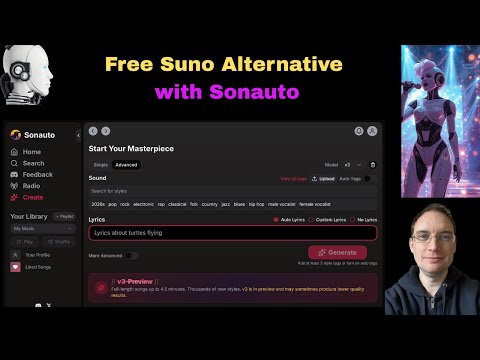 5:120:26Downloading generated stems in SonautoThe user demonstrates the process of downloading individual drum and instrument stems once the AI generation is finalized.Music Tech Info
- 38:302:46Extracting stems from generated AI musicCurrentThe creator demonstrates the 'get stems' feature in Sonauto, showing how the platform can separate a generated track into individual components like drums, bass, and instrumentals.Busy Works Beats
 7:230:40AI Stem Separation in SonautoThe host demonstrates the stem separation feature, playing back individual tracks for drums, bass, and vocals from a generated song.Bob Doyle Media