Lalal.Ai: Recording separated stems in Ableton Live

 Lalal.Ai
Demo summary
The user demonstrates how to use Ableton's resampling feature to record the processed audio from the LALAL.AI plugin directly into a new track.
Step-by-step
- Open the LALAL.AI plugin within Ableton Live
- Create a new audio track for the recording
- Set the track input to 'Resampling'
- Arm the track for recording
- Press record to capture the processed drums and bass stems directly into the DAW
Highlights
“Super super cool.”
All demos from “Split Stems Inside Your DAW — LALAL.AI VST Plugin Review”
- 0:100:56Real-time stem separation with LALAL.AI VSTThe presenter demonstrates the LALAL.AI VST3 plugin inside Ableton Live, toggling between isolated drums and bass stems in real time.Lalal.Ai· AI Vocal Remover & Stem Splitter
- 1:210:33Recording separated stems in Ableton LiveCurrentThe user demonstrates how to use Ableton's resampling feature to record the processed audio from the LALAL.AI plugin directly into a new track.Lalal.Ai· AI Vocal Remover & Stem Splitter
- 1:570:14Isolating specific instruments via track duplicationThe presenter duplicates a track and adjusts the LALAL.AI plugin settings to isolate only the bass stem for individual control.Lalal.Ai· AI Vocal Remover & Stem Splitter
- Watch “Split Stems Inside Your DAW — LALAL.AI VST Plugin Review” →
AI Vocal Remover & Stem Splitter
 0:411:37Split vocals and instrumentals with LALAL.AI appThe user demonstrates dragging an audio file into the LALAL.AI standalone app, selecting the V6 Andromeda neural network, and processing a vocal/instrumental split.Spinlight Studio
- 3:070:20Extract drums using LALAL.AIThe user demonstrates isolating drum stems from an instrumental track within the LALAL.AI app to prepare for a drum replacement task.Spinlight Studio
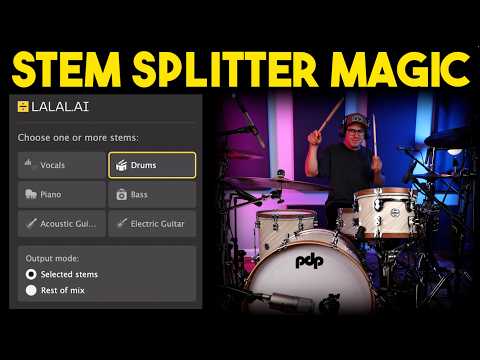
- 4:482:31Real-time stem splitting with LALAL.AI VST pluginThe user demonstrates the LALAL.AI VST plugin inside Logic Pro, showing how to switch between 'Selected Stems' and 'Rest of Mix' modes to isolate audio in real time.Spinlight Studio
- 9:301:21Separate lead and backing vocalsThe user demonstrates the 'Lead and Back' separation feature in the LALAL.AI app to split a vocal track into three distinct files.Spinlight Studio
- 12:431:12Extract acoustic guitar stemsThe user demonstrates selecting the acoustic guitar stem option in LALAL.AI to extract and then boost the guitar levels within Logic Pro.Spinlight Studio
 2:321:25Stem separation with LALAL.AIThe creator uploads an audio file to the LALAL.AI website and demonstrates splitting the track into vocal and instrumental stems, as well as isolating the bass track.Lanewood Studios
- 17:051:14Using the LALAL.AI VST plugin in a DAWThe creator demonstrates the LALAL.AI VST plugin inside Cubase, showing how to toggle specific stems and adjust latency for real-time local AI processing.Lanewood Studios
 0:151:20Extract vocals and instrumentals with LALAL.AIThe user selects the 'vocal and instrument' option, uploads a file, and plays back the generated previews to evaluate the isolation quality and reverb handling of LALAL.AI.Vince Xmetric
- 1:350:49Isolate drums using LALAL.AIThe user demonstrates the drum extraction feature, playing the isolated drum stem and the remaining track to check for artifacts and usability.Vince Xmetric
- 2:241:51Advanced stem splitting and de-echo settingsThe user selects the 'Andromeda' model and enables advanced settings like 'lead and back separation' and 'de-echo' to split a song into lead vocals, backing vocals, and instrumentals.Vince Xmetric
- 4:530:49Extracting synthesizers from a trackThe user selects the 'Synthesizer' stem option for a synth-heavy song and generates previews to test how well the tool separates electronic instruments.Vince Xmetric
 1:521:23Isolating vocals and drums with LALAL.AI pluginThe creator demonstrates the LALAL.AI plugin within a DAW, toggling between vocal and drum isolation modes and adjusting latency settings to reduce artifacts.Coskun