Studio Pro: Separate stems from a stereo track
 Studio Pro
Demo summary
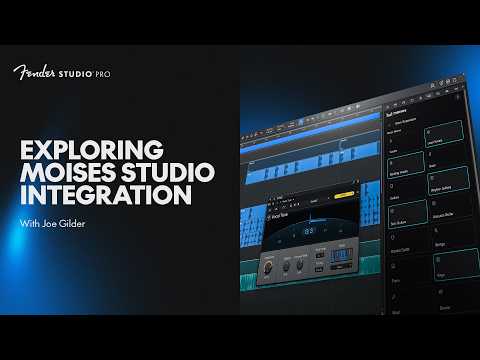
Joe selects a stereo audio track and uses the Moises 'Separate Stems' tool to isolate vocals, bass, guitars, and drums into individual tracks.
Step-by-step
- Select the stereo audio track you want to process
- Click Separate Stems
- Select Current Selection
- Check the boxes for the specific instruments you want to isolate (e.g., Vocals, Bass, Guitars, Drums, Other)
- Click Separate Stems to process the audio
- Mute the original track to listen to the isolated stems
Options
- Select 'Other' to capture miscellaneous instruments like synths
- Solo individual stems to hear specific parts in isolation
Tips
- Solo the bass or drums to hear exactly what was played if the parts are unclear in the full mix
- Use the isolated stems to identify specific details like which toms a drummer hit during a fill
Highlights
“It's clear. But now we know for certain.”
All demos from “Moises Studio Integration | New in Studio Pro 8.1 | Fender Studio”
- 1:521:37Separate stems from a stereo trackCurrentJoe selects a stereo audio track and uses the Moises 'Separate Stems' tool to isolate vocals, bass, guitars, and drums into individual tracks.Studio Pro· AI Vocal Remover & Stem Splitter
- 4:451:02Generate AI drum tracks for a guitar recordingThe user selects an acoustic guitar track and uses the 'Generate Stem' feature with a 'Country' preset to create a matching drum part.Studio Pro· AI Beat Generator
- 7:410:56Generate an AI bass lineBy selecting both guitar and drum tracks, the user demonstrates generating an upright acoustic bass part that follows the existing rhythm and harmony.Studio Pro· AI Melody & MIDI Generator
- 9:160:26Add AI keyboard accompanimentThe user demonstrates generating a mellow Lo-Fi electric piano part that accompanies the existing guitar, drums, and bass.Studio Pro· AI Melody & MIDI Generator
- Watch “Moises Studio Integration | New in Studio Pro 8.1 | Fender Studio” →
AI Vocal Remover & Stem Splitter
 6:272:08Separate a full mix into stemsThe user takes a mixed audio track and uses the Moises integration to separate it into individual vocal, bass, drum, and 'other' tracks.BenoniStudio
- 1:521:37Separate stems from a stereo trackCurrentJoe selects a stereo audio track and uses the Moises 'Separate Stems' tool to isolate vocals, bass, guitars, and drums into individual tracks.Fender Studio