Runway: Tutorials, Prompts, Use cases
Next-generation AI for high-fidelity video generation and world simulation.
Runway provides a suite of foundational General World Models designed to simulate reality through video, interactive environments, and autonomous agents. It enables creators and enterprises to generate cinematic video content, build conversational video avatars, and simulate physical interactions for robotics.
Features
- Gen-4.5 high-fidelity video generation
- GWM-1 real-time world simulation
- Interactive and explorable virtual environments
- Autonomous conversational video agents
- Robotic manipulation and physical interaction simulation
- Customizable digital personas from single images
- Enterprise-grade video agent API
- Advanced motion quality and prompt adherence
Runway Tutorials

 Code And Create

 Content Creators

 Runway

 Malva AI
 Skills Factory
 Curious Refuge
 Skills Factory
 Curious Refuge
 VidGuy
 Curious Refuge
 Emma's Productivity Lab
 Kevin Stratvert
 Runway
 Laodis at Argil
 Emmanuel Crown
 RecCloud
 Futurepedia
 How to Make Money with Aiukli
 Joris Hermans
 The FAIK Files
 Runway
 Skills Factory
 Prompt Maker
 The Wall Street Journal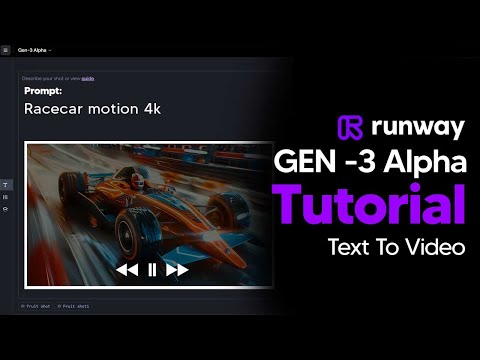
 TheAIGRID
 AI Tech Pro
 Runway
Runway Prompts
Runway Alternatives

Create cinematic AI videos and images with advanced character consistency.

A user-friendly online video editor with AI-powered tools and stock assets.

AI-powered video editing software for professional results on desktop and mobile.

Professional video editing, color correction, visual effects, and audio post production.

AI-powered video and photo editor for trending social media content.

All-in-one AI creative studio for images, video, music, and models.

Next-generation AI creative studio for high-fidelity video and image generation.

AI-powered video creation and editing integrated with Google Workspace.

Intuitive video editing software with powerful AI-driven creative tools.

AI-powered video and audio editing as simple as editing a document.


AI-powered video creation platform for professional filmmaking and social media content.

Edit short-form videos 10x faster with AI-powered automation and captions.

Create professional AI videos with lifelike avatars and instant voice dubbing.

The ultimate AI creative suite for video, image, and audio generation.

An AI-powered creative studio for cinematic video and image generation.

Transform text and photos into high-quality AI-generated videos and viral content.

An all-in-one AI-powered video editor for effortless professional content creation.

AI-powered video creation and editing platform for social media and marketing.

Cinematic-grade video enhancement and upscaling powered by advanced AI models.

AI-powered video generation platform for social ads and ecommerce creatives.

AI-powered video creation from text, scripts, and blog posts.

All-in-one AI video generator for text, images, and reference-based content.

Free web-based screen recorder with templates and real-time collaboration.

Convert text, images, and videos into high-quality AI animations and art.

Create professional AI videos 10x faster with avatars and realistic voices.

All-in-one AI generator for shoppable UGC and viral social videos.

Create high-converting video ads using realistic AI actors and avatars.

The #1 AI video platform for creating studio-quality videos with avatars.
Google’s multimodal AI assistant for writing, planning, and creative brainstorming.

A comprehensive AI-driven platform for end-to-end cinematic video production.

Turn long-form videos into viral short-form clips with generative AI.
AI-powered video enhancer for upscaling footage to 4K and 8K resolution.

AI-powered video enhancement for upscaling, denoising, and colorizing low-quality footage.

An AI-powered creative agent for professional video, image, and avatar generation.

AI agent that turns one prompt into platform-ready video content.
The fastest path from prompt to production with Gemini models.

An AI-powered video editor that automates the entire content creation workflow.

AI-powered online video maker and editor with professional templates.

AI-powered creative agents that plan, generate, and refine professional workflows.

The official mobile video editing app for YouTube creators.

An advanced conversational AI with real-time knowledge and unfiltered responses.

All-in-one AI creative platform for high-quality video and image generation.

All-in-one AI video generator powered by leading generative models.


TikTok’s AI-powered creative studio for end-to-end video production and optimization.
A high-speed multimedia toolkit to convert, edit, and burn video content.
End-to-end AI video generation from scripts, voice, and brand assets.
The fastest path from prompt to production with Gemini models.

Transform text, scripts, and blog posts into videos with AI voices.

Free AI-powered platform for high-quality image and video generation and editing.

AI-powered platform to generate high-converting video and image ads at scale.


AI-powered video creation platform for brands and social media content.

All-in-one AI platform for video, music, and voiceover creation.

Generative AI platform for personalized visual marketing and high-fidelity video production.

AI-powered collaborative video editor for modern creators and marketing teams.

AI-powered podcast production tool for transcripts, show notes, and social clips.

All-in-one AI workspace for creation, learning, and professional productivity.

Create AI-generated images, cinematic videos, and face swaps for free.

The official community-driven leaderboard for ranking and comparing top AI models.
AI-powered text-based video and audio editing for faster content creation.

A comprehensive AI creative suite for video, image, and audio generation.

Advanced generative AI tools and foundational models for creative expression and productivity.

Create professional AI videos and viral effects from text or images.

An AI creative agent for strategizing, ideating, and executing multimedia content.
AI-powered platform for studio-quality animation and live-action video creation.

The fastest generative media platform for developers and enterprise scale.

Controllable AI video generation for turning photos into viral animations.

AI-native cloud infrastructure and advanced multimodal models for enterprise growth.

Next-generation AI assistant for safe, accurate, and complex reasoning tasks.

Create AI-powered avatar videos and photo animations with a single click.

All-in-one AI creative studio for video, image, and audio production.

Multilingual 3D talking head generation with high-accuracy lip synchronization.

An all-in-one AI-powered creative platform for photo and video editing.

A comprehensive AI studio for multimodal understanding and content generation.
Patented AI video maker for turning text and audio into professional content.

An AI-powered creative platform for advanced image and video generation.

AI-generated video creation platform for interactive digital humans and avatars.

Create professional AI-generated videos using text-to-speech and realistic digital avatars.

Multimodal AI for conversational video generation and advanced media editing.

An AI-powered video editor that lets you edit footage like text.
Create professional content quickly with all-in-one AI-powered design tools.

Create AI-powered short videos featuring realistic digital clones and avatars.

Transform single photos into viral AI-powered videos and social media content.

AI-powered toolkit for comprehensive video and audio processing and editing.

Studio-grade AI video lipsync and visual dubbing for any content.
AI-powered data repair tool for corrupted videos, photos, and documents.

Professional remote recording studio for high-quality podcasts and video content.

AI-powered intellectual property development and digital reading ecosystem for global creators.

High-quality creative assets for video creators and filmmakers.

AI-powered video generation studio for cinematic text-to-video and image-to-video creation.

Turn long videos into viral short-form content with one click.

Fast and intuitive video editing software for professional-quality movie creation.

An all-in-one AI assistant powered by the GLM-5 large language model.
Cinematic AI video generation with precise multi-keyframe control and scalable workflows.

Create complete, long-form AI videos up to 50 minutes long.

All-in-one AI platform for professional image and video creation and enhancement.

A free, web-based screen recorder for capturing high-quality video and audio.

A single API for 300+ multimodal AI video, image, and LLM models.

Create studio-quality videos with lifelike AI avatars in minutes.

Frontier multimodal AI models for coding, video, and agentic automation.

Animate 3D characters for games, films, and interactive experiences instantly.


A browser-based tool to trim, crop, and rotate video files.
Industrial-grade AIGC video generation model for cinematic quality content

Transform ideas into professional-quality videos using Google Gemini AI.
Create professional videos instantly using AI avatars, templates, and text-to-video tools.

Enterprise AI platform for building data-driven agents, dashboards, and automated workflows.

A complete, cross-platform solution to record, convert, and stream audio and video.
Free professional-grade video editing and visual effects software for creators.
The #1 AI-powered photo and video generator for viral social content.

An agentic AI platform for end-to-end recruiting efficiency and precision.

Create, collaborate, and deliver professional presentations across devices.

Record, edit, and share narrated screen recordings on ChromeOS

Free live streaming studio with multistreaming and webcam splitting capabilities.

A smart and reliable AI assistant for personal productivity and creativity.

Secure cloud storage and collaboration with zero-knowledge end-to-end encryption.

Free, uncensored AI tools for image generation and video animation.
Runway Use cases
What is Runway AI?
Runway (often referred to as RunwayML) is an American AI research company based in New York City that specializes in generative world models. Unlike traditional video editors, Runway uses artificial intelligence to simulate physical interactions, lighting, and motion. It is designed for filmmakers, marketing teams, and creators who need to produce high-fidelity visual content without a full production crew.
On this page, you can explore real-world applications of their latest models, including Gen-3 Alpha and Gen-4 Turbo, through a library of sampled tutorials and prompts.
Top Use-Cases for Runway
Based on our data of 63 demo clips, creators primarily use Runway for three core tasks:
- Image to Video (11 clips): This is the most popular use-case. Users upload a static reference image and use the AI to animate it. It is highly effective for turning concept art into moving scenes.
- Text to Video (9 clips): This allows for direct generation from a prompt. Our data shows users often create establishing shots or complex environmental scenes, such as "various fruits sitting on a table in the jungle."
- Video to Video (9 clips): Also known as Gen-1, this tool restyles existing footage. You can transform the background or subject of a real-world recording into a completely different aesthetic using text prompts.
Other significant tools include the AI Lip Sync Generator, which syncs character mouth movements to audio, and the AI Video Upscaler for converting 720p generations into professional 4K assets.
How to Get Started with Runway
To begin, navigate to the Runway website and sign up for an account. New users typically receive a one-time bundle of 125 credits to experiment with the tools.
- Select a Model: Choose between Gen-3 for high-quality cinematic results or Gen-4 Turbo for faster motion and VFX clips.
- Input Your Assets: Upload a high-quality image if you are using Image-to-Video. Ensure the image format matches your intended video aspect ratio to avoid awkward cropping.
- Refine Your Prompt: Describe the main subject and its actions first. For example, "a blonde horse running with powerful movement" followed by camera instructions like "camera tracks the horse."
- Generate and Export: Initial generations are usually limited to 10 seconds at 24 frames per second. Once generated, you can use the AI Video Enhancer to improve resolution.
Expert Tips and Common Mistakes
- Camera Movement: Always include specific camera instructions such as "handheld," "tracking," or "drone shot" to guide the AI's perspective.
- Consistency: Use the same "seed" number if you want to replicate a specific character or environment across multiple clips. This is essential for maintaining stability in a narrative project.
- Lighting Details: Don't just describe the object; describe the atmosphere. Prompts like "warm golden lighting" or "deep blue dusky beach" yield much better results than generic descriptions.
- Resolution Limits: Be aware that the default output is often 720p. For professional work, you must use the upscaling tools provided in the interface.
- Face Detection: The AI may struggle to detect or sync faces if they are obscured by hands, objects, or extreme angles.
Runway Alternatives
If Runway doesn't fit your specific workflow, several alternatives are frequently used by the community. For high-volume social media editing, CapCut and Filmora are popular choices. For those seeking different AI generation styles, Kling AI is noted for multi-shot consistency, while Pika Labs is a favorite for stylized effects and regional editing. If you require a full timeline-based editor with AI features, DaVinci Resolve remains the industry standard for professional color grading and post-production.
Frequently asked questions
Is Runway AI free?
Runway offers a Free plan that includes a one-time deposit of 125 credits. These credits do not renew, so once they are spent, you will need to upgrade to a paid subscription like the Unlimited plan to continue generating.
What is Runway best for?
Runway is best for cinematic video generation and generative editing. It excels at animating static images (Image-to-Video), restyling existing footage (Video-to-Video), and creating high-quality visual effects like lip-syncing and inpainting.
How do I use Runway AI for free?
You can use Runway for free by signing up for an account on their website. You will receive trial credits that allow you to test tools like Gen-3 Alpha and Gen-2, though features like high-resolution upscaling and longer generation times may be restricted.
Is Runway worth it for professional video?
Yes, many professionals use Runway for pre-visualization, storyboarding, and VFX. However, because default outputs are often 720p, you will likely need to use the platform's upscaling tools or external software to reach professional 4K standards.
Can Runway generate consistent characters?
Yes, you can maintain character consistency by using the same seed number and text prompt for all variations. Our tutorials suggest using a specific text prompt node for close-ups to ensure the character remains stable across different shots.
What are the best Runway alternatives?
Top alternatives include Kling AI for narrative consistency, Pika for social media effects, and Luma Dream Machine for cinematic camera movements. For traditional editing with AI features, DaVinci Resolve and CapCut are the most demonstrated tools on our platform.
Does Runway have a mobile app?
Yes, there is a Runway app available on the iOS App Store. It allows you to use major models like Gen-3 and various image generation tools directly from your mobile device.