Movavi Video Editor: Tutorials, Prompts, Use cases

Intuitive video editing software with powerful AI-driven creative tools.
Movavi Video Editor provides a streamlined workflow for beginners and creators to produce high-quality videos without technical complexity. It combines essential cutting and cropping tools with advanced AI features like automatic captioning and noise removal.
by Movavi
Features
- AI-powered auto subtitles and motion tracking
- One-click silence and background noise removal
- Extensive library of filters, transitions, and titles
- Fast video processing with color and speed adjustment
- Smart beat detection for audio synchronization
- Built-in music, sound effects, and overlays
- Direct export for YouTube, TikTok, and Instagram
- Intuitive drag-and-drop timeline interface
Movavi Video Editor Tutorials

 JORDAN HETRICK

 Rafael Ludwig
 TECH DRONE MEDIA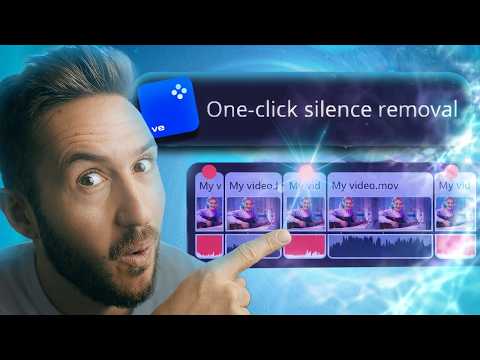
 Dylan John
 Matt WhoisMatt Johnson
 Davinci
 Matthias Dangl
 Movavi Vlog
 Matt Loui
 Serge Morgotch
 Fulaan Creative
 Movavi Vlog
 EJ Tech
Movavi Video Editor Courses
Movavi Video Editor Alternatives

Create cinematic AI videos and images with advanced character consistency.

A user-friendly online video editor with AI-powered tools and stock assets.

AI-powered video editing software for professional results on desktop and mobile.

Professional video editing, color correction, visual effects, and audio post production.

AI-powered video and photo editor for trending social media content.

All-in-one AI creative studio for images, video, music, and models.

Next-generation AI creative studio for high-fidelity video and image generation.

AI-powered video creation and editing integrated with Google Workspace.

AI-powered video and audio editing as simple as editing a document.


Next-generation AI for high-fidelity video generation and world simulation.

AI-powered video creation platform for professional filmmaking and social media content.

Edit short-form videos 10x faster with AI-powered automation and captions.

Create professional AI videos with lifelike avatars and instant voice dubbing.

The ultimate AI creative suite for video, image, and audio generation.

An AI-powered creative studio for cinematic video and image generation.

Transform text and photos into high-quality AI-generated videos and viral content.

An all-in-one AI-powered video editor for effortless professional content creation.

AI-powered video creation and editing platform for social media and marketing.

Cinematic-grade video enhancement and upscaling powered by advanced AI models.

AI-powered video generation platform for social ads and ecommerce creatives.

AI-powered video creation from text, scripts, and blog posts.

All-in-one AI video generator for text, images, and reference-based content.

Free web-based screen recorder with templates and real-time collaboration.

Convert text, images, and videos into high-quality AI animations and art.

Create professional AI videos 10x faster with avatars and realistic voices.

All-in-one AI generator for shoppable UGC and viral social videos.

Create high-converting video ads using realistic AI actors and avatars.

The #1 AI video platform for creating studio-quality videos with avatars.
Google’s multimodal AI assistant for writing, planning, and creative brainstorming.

A comprehensive AI-driven platform for end-to-end cinematic video production.

Turn long-form videos into viral short-form clips with generative AI.
AI-powered video enhancer for upscaling footage to 4K and 8K resolution.

AI-powered video enhancement for upscaling, denoising, and colorizing low-quality footage.

An AI-powered creative agent for professional video, image, and avatar generation.

AI agent that turns one prompt into platform-ready video content.
The fastest path from prompt to production with Gemini models.

An AI-powered video editor that automates the entire content creation workflow.

AI-powered online video maker and editor with professional templates.

AI-powered creative agents that plan, generate, and refine professional workflows.

The official mobile video editing app for YouTube creators.

An advanced conversational AI with real-time knowledge and unfiltered responses.

All-in-one AI creative platform for high-quality video and image generation.

All-in-one AI video generator powered by leading generative models.


TikTok’s AI-powered creative studio for end-to-end video production and optimization.
A high-speed multimedia toolkit to convert, edit, and burn video content.
End-to-end AI video generation from scripts, voice, and brand assets.
The fastest path from prompt to production with Gemini models.

Transform text, scripts, and blog posts into videos with AI voices.

Free AI-powered platform for high-quality image and video generation and editing.

AI-powered platform to generate high-converting video and image ads at scale.


AI-powered video creation platform for brands and social media content.

All-in-one AI platform for video, music, and voiceover creation.

Generative AI platform for personalized visual marketing and high-fidelity video production.

AI-powered collaborative video editor for modern creators and marketing teams.

AI-powered podcast production tool for transcripts, show notes, and social clips.

All-in-one AI workspace for creation, learning, and professional productivity.

Create AI-generated images, cinematic videos, and face swaps for free.

The official community-driven leaderboard for ranking and comparing top AI models.
AI-powered text-based video and audio editing for faster content creation.

A comprehensive AI creative suite for video, image, and audio generation.

Advanced generative AI tools and foundational models for creative expression and productivity.

Create professional AI videos and viral effects from text or images.

An AI creative agent for strategizing, ideating, and executing multimedia content.
AI-powered platform for studio-quality animation and live-action video creation.

The fastest generative media platform for developers and enterprise scale.

Controllable AI video generation for turning photos into viral animations.

AI-native cloud infrastructure and advanced multimodal models for enterprise growth.

Next-generation AI assistant for safe, accurate, and complex reasoning tasks.

Create AI-powered avatar videos and photo animations with a single click.

All-in-one AI creative studio for video, image, and audio production.

Multilingual 3D talking head generation with high-accuracy lip synchronization.

An all-in-one AI-powered creative platform for photo and video editing.

A comprehensive AI studio for multimodal understanding and content generation.

Patented AI video maker for turning text and audio into professional content.

An AI-powered creative platform for advanced image and video generation.

AI-generated video creation platform for interactive digital humans and avatars.

Create professional AI-generated videos using text-to-speech and realistic digital avatars.

Multimodal AI for conversational video generation and advanced media editing.

An AI-powered video editor that lets you edit footage like text.
Create professional content quickly with all-in-one AI-powered design tools.

Create AI-powered short videos featuring realistic digital clones and avatars.

Transform single photos into viral AI-powered videos and social media content.

AI-powered toolkit for comprehensive video and audio processing and editing.

Studio-grade AI video lipsync and visual dubbing for any content.
AI-powered data repair tool for corrupted videos, photos, and documents.

Professional remote recording studio for high-quality podcasts and video content.

AI-powered intellectual property development and digital reading ecosystem for global creators.

High-quality creative assets for video creators and filmmakers.

AI-powered video generation studio for cinematic text-to-video and image-to-video creation.

Turn long videos into viral short-form content with one click.

Fast and intuitive video editing software for professional-quality movie creation.

An all-in-one AI assistant powered by the GLM-5 large language model.
Cinematic AI video generation with precise multi-keyframe control and scalable workflows.

Create complete, long-form AI videos up to 50 minutes long.

All-in-one AI platform for professional image and video creation and enhancement.

A free, web-based screen recorder for capturing high-quality video and audio.

A single API for 300+ multimodal AI video, image, and LLM models.

Create studio-quality videos with lifelike AI avatars in minutes.

Frontier multimodal AI models for coding, video, and agentic automation.

Animate 3D characters for games, films, and interactive experiences instantly.


A browser-based tool to trim, crop, and rotate video files.
Industrial-grade AIGC video generation model for cinematic quality content

Transform ideas into professional-quality videos using Google Gemini AI.
Create professional videos instantly using AI avatars, templates, and text-to-video tools.

Enterprise AI platform for building data-driven agents, dashboards, and automated workflows.

A complete, cross-platform solution to record, convert, and stream audio and video.
Free professional-grade video editing and visual effects software for creators.
The #1 AI-powered photo and video generator for viral social content.

An agentic AI platform for end-to-end recruiting efficiency and precision.

Create, collaborate, and deliver professional presentations across devices.

Record, edit, and share narrated screen recordings on ChromeOS

Free live streaming studio with multistreaming and webcam splitting capabilities.

A smart and reliable AI assistant for personal productivity and creativity.

Secure cloud storage and collaboration with zero-knowledge end-to-end encryption.

Free, uncensored AI tools for image generation and video animation.
Movavi Video Editor Use cases
What is Movavi Video Editor?
Movavi Video Editor is a user-friendly video processing solution designed for beginners and social media creators who need professional results without a steep learning curve. Unlike complex professional suites, Movavi focuses on a drag-and-drop interface that combines essential trimming tools with advanced AI features. It is particularly popular for those looking for a balance between the simplicity of mobile apps and the power of desktop software.
Real-World Use Cases
Based on our catalog of 89 demo clips, the most common tasks performed in Movavi include:
- AI Video Editing (74 clips): The vast majority of users utilize Movavi for its core editing suite—cutting, merging clips, and adding transitions to create finished vlogs or promo reels.
- AI Audio Enhancement & Noise Reduction (4 clips): Creators frequently use the tool to clean up recordings, removing background hum or boosting vocal clarity.
- AI Audio Editing (4 clips): This involves DAW-style mixing, adjusting EQ levels, and managing fades to ensure the soundtrack doesn't overpower the dialogue.
- AI Video Enhancement (2 clips): Improving visual quality through automatic color correction and noise reduction.
Other niche uses captured in our demos include AI-driven photo filters, video upscaling (1080p to 4K), and screen recording with AI assistance.
How to Get Started
A typical workflow in Movavi starts with importing media via the "Add Files" button or by dragging clips directly onto the timeline. To edit, move the playhead to your desired point and use the Scissors icon to split clips.
For a polished look, users often apply "Magic Enhance" and "Auto-saturation" together to quickly set up footage. When adding music, tutorial data suggests using a longer fade-out (around 2 seconds) to prevent abrupt endings. If you are using Movavi’s built-in audio library, remember that you must credit them or use #Movavi in your description to avoid copyright claims.
Tips and Common Mistakes
- Save Time with Batch Edits: Use the 'apply to all' feature to sync formatting across multiple segments instantly.
- Subtle Effects: When using AI filters or enhancements, bring the mix slider down to 20-50% for a more natural, professional look.
- Captioning Logic: Captions cannot be exported from the main window; you must use the specific subtitle settings menu. Also, consider using two lines for captions to ensure readability on mobile devices.
- Performance Check: High-resolution previews require a powerful PC. If your system lags, trim your clips before starting the AI removal process so the software doesn't have to analyze unnecessary footage.
Alternatives to Movavi
If Movavi doesn't fit your needs, consider these alternatives from our database:
- CapCut (159 clips): Better for quick, trend-based social media posts.
- DaVinci Resolve (163 clips): The industry standard for free, professional-grade color grading (though it has a much higher learning curve).
- Filmora (60 clips): A direct competitor with a similar balance of AI tools and ease of use.
Frequently asked questions
Is Movavi Video Editor really free?
No, Movavi is not permanently free. It offers a 7-day trial version that includes a large watermark on exported videos, a 60-second export limit, and restrictions on saving full audio tracks. To remove these, you must purchase a subscription or a lifetime license.
Is Movavi Video Editor good for beginners?
Yes, it is highly rated for beginners due to its drag-and-drop interface and over 180 filters. Real tutorials show that features like AI background removal and motion tracking are accessible without previous editing experience.
What is the difference between Movavi Video Suite and Video Editor?
Movavi Video Editor is a dedicated editing program, whereas the Video Suite is a comprehensive bundle. The Suite includes additional tools like a video converter, screen recorder, and media player in one package.
Which is better, Filmora or Movavi?
Filmora often provides more creative extras and effects, but Movavi is frequently cited as having a more balanced, simpler interface for users who want to finish projects quickly without overwhelming options.
How do I remove the watermark in Movavi?
To export video without a watermark, you must activate the full version using a valid license key. The trial version will always include a watermark on any exported project.
Can Movavi Video Editor export subtitles?
Yes, but they must be exported specifically from the subtitle settings menu rather than the standard video export window. Note that some languages, like Danish, may have slightly lower accuracy (85-90%) during AI generation.
Does Movavi support 4K upscaling?
Yes, Movavi includes an AI Video Upscaler tool that can increase video resolution, such as converting 1080p footage to 4K, as seen in our demo clips.