Text-to-video generation in Runway Gen-3 Alpha

 Runway
Demo summary
The user demonstrates the Runway interface, selecting the Gen-3 Alpha model and entering a prompt for an FPV jungle waterfall shot.
Step-by-step
- Navigate to the Gen-3 tool from the main page
- Select the Gen-3 Alpha model from the model selection menu
- Choose between the 5 or 10 second duration at the bottom of the interface
- Type or paste your text prompt into the text-to-video input field
- Click the send button to generate the video
Options
- Use Gen-3 Alpha Turbo for faster generation
- Use Gen-2 for the older model version
- Drag an image into the top section for image-to-video generation
Tips
- Use Gen-3 Alpha if you require the highest fidelity results
Highlights
“Gen 3 is right up top and brings you here just type in a prompt”
All demos from “Kling vs. Runway Gen 3 vs. Luma Dream Machine vs. Pixverse”
- 1:040:39Text-to-video generation in Runway Gen-3 AlphaCurrentThe user demonstrates the Runway interface, selecting the Gen-3 Alpha model and entering a prompt for an FPV jungle waterfall shot.Runway· Text to Video
- 1:450:41Configuring video settings in Kling AIThe user walks through the Kling AI dashboard, showing how to toggle between standard and professional modes and adjust camera movement settings.Kling AI· AI Animation Generator
- 2:450:15Generating video from text in PixverseThe user shows the Pixverse generation screen and demonstrates how to start a text-to-video task.Pixverse AI· Text to Video
- Watch “Kling vs. Runway Gen 3 vs. Luma Dream Machine vs. Pixverse” →


Text to Video
 1:471:43Create fire visual effects with Runway and DaVinci ResolveThe creator demonstrates how to use Runway's Gen-3/4 model to generate a fire effect on a hand via text prompt and then composite it using DaVinci Resolve.Content Creators
 0:281:14Generate video from text with Runway Gen 4.5The user demonstrates how to select the Gen 4.5 model in the Runway dashboard, paste a detailed prompt, and generate a 10-second video.Skills Factory
- 3:250:14Simulate realistic physics with Runway Gen 4.5The demo shows Runway Gen 4.5 rendering realistic fluid and gravity physics through a prompt of a falling volcanic rock and lava.Skills Factory
 2:350:14Create cinematic AI video with Runway Gen-2The user demonstrates entering a detailed text prompt into Runway Gen-2 to generate high-fidelity, realistic video clips.RecCloud
- 1:040:39Text-to-video generation in Runway Gen-3 AlphaCurrentThe user demonstrates the Runway interface, selecting the Gen-3 Alpha model and entering a prompt for an FPV jungle waterfall shot.Futurepedia
 0:250:37Generate video from text with Runway Gen-3 AlphaThe video demonstrates selecting the Gen-3 Alpha model in the Runway interface, entering a descriptive prompt of a woman on a beach, and choosing between 5 and 10-second generation lengths.Runway
 5:091:33Text-to-video generation with Runway Gen-2A walkthrough of using the Gen-2 model to generate 4-second videos from text prompts, including the use of free previews and style presets.Skills Factory
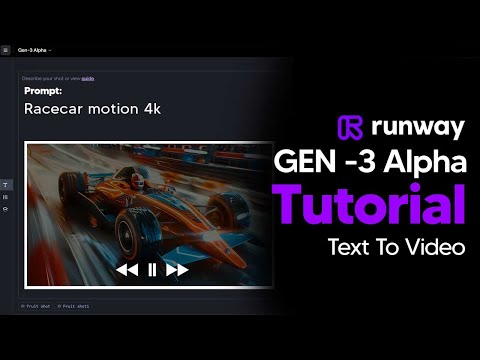 2:110:45Generate AI video with simple and detailed prompts in RunwayThe user demonstrates entering a simple prompt ('Fruit sitting on a table in the jungle') versus a highly detailed descriptive prompt into Runway Gen-3 Alpha to generate 5-second video clips.TheAIGRID
 0:150:44Generate video from text with Runway Gen-3 AlphaThe user demonstrates how to enter a text prompt, adjust camera settings and aspect ratios, and generate a 4-second video using Runway Gen-3 Alpha.AI Tech Pro