Simulate realistic physics with Runway Gen 4.5

 Runway
Demo summary
The demo shows Runway Gen 4.5 rendering realistic fluid and gravity physics through a prompt of a falling volcanic rock and lava.
Step-by-step
- Enter a prompt describing a specific physical event, such as a falling volcanic rock during an eruption
- Click the Generate button
- Review the rendered video for realistic motion and momentum
Highlights
“the lava motion is rendered very realistically with Gen 4.5”
All demos from “Runway Gen 4.5 - Tutorial & How to Use in 5 MINUTES! [ 2026 ]”
- 0:281:14Generate video from text with Runway Gen 4.5The user demonstrates how to select the Gen 4.5 model in the Runway dashboard, paste a detailed prompt, and generate a 10-second video.Runway· Text to Video
- 3:250:14Simulate realistic physics with Runway Gen 4.5CurrentThe demo shows Runway Gen 4.5 rendering realistic fluid and gravity physics through a prompt of a falling volcanic rock and lava.Runway· Text to Video
- 4:100:11Upscale video to 4K in RunwayThe user demonstrates how to use the 4K button in the bottom right corner of the Runway interface to upscale a generated video.Runway· AI Video Upscaler
- Watch “Runway Gen 4.5 - Tutorial & How to Use in 5 MINUTES! [ 2026 ]” →
Text to Video
 1:471:43Create fire visual effects with Runway and DaVinci ResolveThe creator demonstrates how to use Runway's Gen-3/4 model to generate a fire effect on a hand via text prompt and then composite it using DaVinci Resolve.Content Creators
- 0:281:14Generate video from text with Runway Gen 4.5The user demonstrates how to select the Gen 4.5 model in the Runway dashboard, paste a detailed prompt, and generate a 10-second video.Skills Factory
- 3:250:14Simulate realistic physics with Runway Gen 4.5CurrentThe demo shows Runway Gen 4.5 rendering realistic fluid and gravity physics through a prompt of a falling volcanic rock and lava.Skills Factory
 2:350:14Create cinematic AI video with Runway Gen-2The user demonstrates entering a detailed text prompt into Runway Gen-2 to generate high-fidelity, realistic video clips.RecCloud
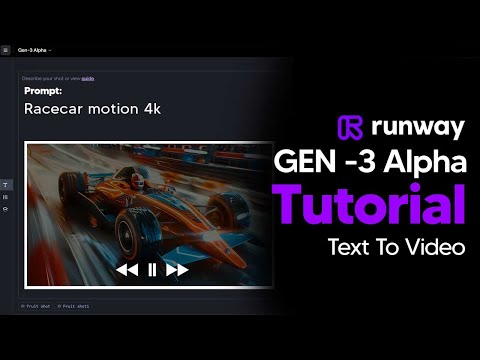
 1:040:39Text-to-video generation in Runway Gen-3 AlphaThe user demonstrates the Runway interface, selecting the Gen-3 Alpha model and entering a prompt for an FPV jungle waterfall shot.Futurepedia
 0:250:37Generate video from text with Runway Gen-3 AlphaThe video demonstrates selecting the Gen-3 Alpha model in the Runway interface, entering a descriptive prompt of a woman on a beach, and choosing between 5 and 10-second generation lengths.Runway
 5:091:33Text-to-video generation with Runway Gen-2A walkthrough of using the Gen-2 model to generate 4-second videos from text prompts, including the use of free previews and style presets.Skills Factory
 2:110:45Generate AI video with simple and detailed prompts in RunwayThe user demonstrates entering a simple prompt ('Fruit sitting on a table in the jungle') versus a highly detailed descriptive prompt into Runway Gen-3 Alpha to generate 5-second video clips.TheAIGRID
 0:150:44Generate video from text with Runway Gen-3 AlphaThe user demonstrates how to enter a text prompt, adjust camera settings and aspect ratios, and generate a 4-second video using Runway Gen-3 Alpha.AI Tech Pro