Apply character styles with Runway ReStyle

 Runway
Demo summary
The demonstration shows how a video of a human actor's performance is transformed into a stylized AI character using Runway ReStyle.
Step-by-step
- Record a video performance mimicking the desired character's gestures and speech
- Upload the reference image of the character into Runway ReStyle
- Upload the video of the performance into Runway ReStyle
Tips
- Perform gestures and sounds that specifically match the intended character's personality to improve the final result
All demos from “We Tested Google Veo and Runway to Create This AI Film. It Was Wild. | WSJ”
- 5:090:12Generate consistent scenes with Runway ReferencesThe creators demonstrate using Runway's References tool to combine character images and background descriptions into a consistent first frame for a scene.Runway· AI Image Combiner
- 5:410:12Apply character styles with Runway ReStyleCurrentThe demonstration shows how a video of a human actor's performance is transformed into a stylized AI character using Runway ReStyle.Runway· Video to Video
- Watch “We Tested Google Veo and Runway to Create This AI Film. It Was Wild. | WSJ” →
Video to Video
 12:411:00Transform video scenes with Runway Gen-3 AlphaThe user demonstrates uploading a video of himself riding a bike into Runway and using text prompts to transform the environment into a blizzard and a heavy downpour.Kevin Stratvert
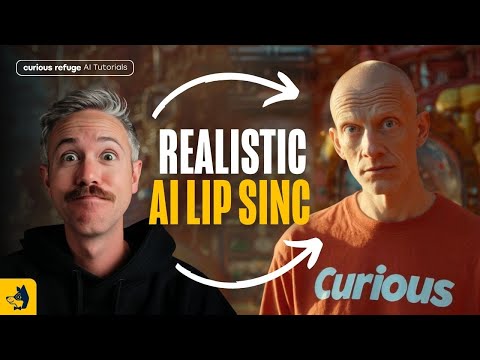 15:111:55Transfer performance with Runway Act-OneThe tutorial shows how to use Runway Act-One (referred to as Act Two) by uploading a 'driving video' of a person speaking and a target character video to transfer the facial performance and lip-sync.Curious Refuge
 9:080:39Stylize video into watercolor paintingThe video shows the stylization tool converting a standard video clip into a watercolor art style using a text prompt.Emma's Productivity Lab
 9:570:45Change camera angles using Runway AlephThe creator demonstrates the model's ability to generate a completely different camera angle of a subject from a single original video shot.Joris Hermans
 6:350:57Edit video with Runway AlephThe demonstrator uses the Aleph tool to modify a generated video by replacing a horse with a 'fire horse' using simple text instructions.Skills Factory
 38:592:37Character animation with Runway Act OneA demonstration of Runway's Act One tool, where a driving video of the presenter is used to animate a static image of Nicolas Cage, matching facial expressions and lip movements.The FAIK Files
 7:521:32Video-to-Video manipulation with Runway Gen-1The user demonstrates uploading a video to the Gen-1 interface to modify its style and content using presets and text prompts.Skills Factory
- 10:050:26Animate characters with Runway Act-OneThe video demonstrates the Act-One tool, showing how a character image can follow the facial expressions and movements of a source video.Skills Factory
- 5:410:12Apply character styles with Runway ReStyleCurrentThe demonstration shows how a video of a human actor's performance is transformed into a stylized AI character using Runway ReStyle.The Wall Street Journal