Transform video scenes with Runway Gen-3 Alpha

 Runway
Demo summary
The user demonstrates uploading a video of himself riding a bike into Runway and using text prompts to transform the environment into a blizzard and a heavy downpour.
Step-by-step
- Click on Generate Video on the left-hand side
- Upload an existing video clip
- Type a transformation description into the prompt box
- Click Generate
- Preview the transformed video
Options
- Transform the environment into a heavy blizzard scene
- Transform the environment into a heavy downpour
- Reimagine the scene from a different camera angle
Highlights
“Pretty nice. Whoa, I am getting wet.”
All demos from “BEST AI Video Generator (Most Realistic)”
- 2:201:02Generate video with audio in Google Veo 3The user demonstrates entering a text prompt into the Gemini interface to generate an 8-second cinematic video of a cookie including a specific narrated voiceover and sound effects using Google's Veo 3 model.Gemini· Text to Video
- 7:360:33Apply image effects in Kling AIThe user uploads a portrait photo to Kling AI's 'effects' tool and selects the 'flyer' template to generate a stylized motion video.Kling AI· Image to Video
- 9:071:17Object swapping with Kling AI Multi-elementsA demonstration of the Multi-elements feature in Kling AI where the user highlights himself in a walking video and uses a reference image to swap his body for a giant robot.Kling AI· Video to Video
- 12:411:00Transform video scenes with Runway Gen-3 AlphaCurrentThe user demonstrates uploading a video of himself riding a bike into Runway and using text prompts to transform the environment into a blizzard and a heavy downpour.Runway· Video to Video
- Watch “BEST AI Video Generator (Most Realistic)” →


Video to Video
- 12:411:00Transform video scenes with Runway Gen-3 AlphaCurrentThe user demonstrates uploading a video of himself riding a bike into Runway and using text prompts to transform the environment into a blizzard and a heavy downpour.Kevin Stratvert
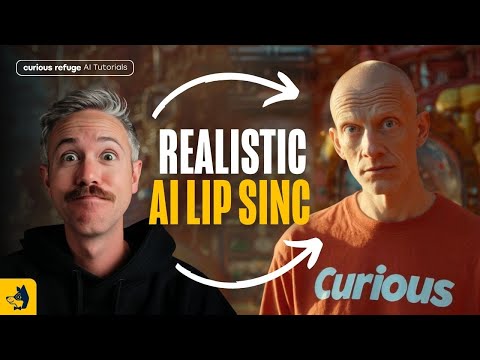 15:111:55Transfer performance with Runway Act-OneThe tutorial shows how to use Runway Act-One (referred to as Act Two) by uploading a 'driving video' of a person speaking and a target character video to transfer the facial performance and lip-sync.Curious Refuge
 9:080:39Stylize video into watercolor paintingThe video shows the stylization tool converting a standard video clip into a watercolor art style using a text prompt.Emma's Productivity Lab
 9:570:45Change camera angles using Runway AlephThe creator demonstrates the model's ability to generate a completely different camera angle of a subject from a single original video shot.Joris Hermans
 6:350:57Edit video with Runway AlephThe demonstrator uses the Aleph tool to modify a generated video by replacing a horse with a 'fire horse' using simple text instructions.Skills Factory
 38:592:37Character animation with Runway Act OneA demonstration of Runway's Act One tool, where a driving video of the presenter is used to animate a static image of Nicolas Cage, matching facial expressions and lip movements.The FAIK Files
 7:521:32Video-to-Video manipulation with Runway Gen-1The user demonstrates uploading a video to the Gen-1 interface to modify its style and content using presets and text prompts.Skills Factory
- 10:050:26Animate characters with Runway Act-OneThe video demonstrates the Act-One tool, showing how a character image can follow the facial expressions and movements of a source video.Skills Factory
 5:410:12Apply character styles with Runway ReStyleThe demonstration shows how a video of a human actor's performance is transformed into a stylized AI character using Runway ReStyle.The Wall Street Journal