Runway: Stylize video into watercolor painting

 Runway
Demo summary
The video shows the stylization tool converting a standard video clip into a watercolor art style using a text prompt.
Step-by-step
- Upload the video you want to edit
- Navigate to the stylization options
- Enter a text prompt such as 'watercolor painting'
- Select the desired art style from the available presets
- Generate the new version of the video
Options
- Pixel art
- Collage
- Oil painting
- Charcoal
Highlights
“this video got converted to a watercolor painting within seconds”
All demos from “Runway ML Tutorial For Beginners 2026 | How To Use Runway ML Gen 4”
- 5:440:43Upscale video to 4K with RunwayThe video demonstrates the upscaling tool in Runway, showing a side-by-side comparison of a low-resolution clip being enhanced to 4K resolution.Runway· AI Video Upscaler
- 7:231:21Relight video scenes in RunwayThis clip demonstrates the 'Relight' tool, showing how to apply different lighting presets like 'dramatic backlight' and 'silhouette' to an existing video.Runway· AI Video Editor
- 9:080:39Stylize video into watercolor paintingCurrentThe video shows the stylization tool converting a standard video clip into a watercolor art style using a text prompt.Runway· Video to Video
- 15:271:34Apply cinematic color grades in RunwayThe video demonstrates applying various color grading presets, such as 'Moonlight Blue' and 'Horror Green', to change the mood of a video clip.Runway· AI Video Enhancer
- 17:212:06Change video background with BackdropThe presenter demonstrates the Backdrop tool, showing a character being seamlessly moved from an indoor setting to a community swimming pool background.Runway· AI Video Editor
- Watch “Runway ML Tutorial For Beginners 2026 | How To Use Runway ML Gen 4” →
Video to Video
 12:411:00Transform video scenes with Runway Gen-3 AlphaThe user demonstrates uploading a video of himself riding a bike into Runway and using text prompts to transform the environment into a blizzard and a heavy downpour.Kevin Stratvert
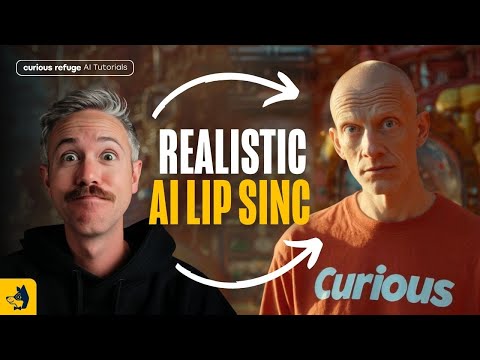 15:111:55Transfer performance with Runway Act-OneThe tutorial shows how to use Runway Act-One (referred to as Act Two) by uploading a 'driving video' of a person speaking and a target character video to transfer the facial performance and lip-sync.Curious Refuge
- 9:080:39Stylize video into watercolor paintingCurrentThe video shows the stylization tool converting a standard video clip into a watercolor art style using a text prompt.Emma's Productivity Lab
 9:570:45Change camera angles using Runway AlephThe creator demonstrates the model's ability to generate a completely different camera angle of a subject from a single original video shot.Joris Hermans
 6:350:57Edit video with Runway AlephThe demonstrator uses the Aleph tool to modify a generated video by replacing a horse with a 'fire horse' using simple text instructions.Skills Factory
 38:592:37Character animation with Runway Act OneA demonstration of Runway's Act One tool, where a driving video of the presenter is used to animate a static image of Nicolas Cage, matching facial expressions and lip movements.The FAIK Files
 7:521:32Video-to-Video manipulation with Runway Gen-1The user demonstrates uploading a video to the Gen-1 interface to modify its style and content using presets and text prompts.Skills Factory
- 10:050:26Animate characters with Runway Act-OneThe video demonstrates the Act-One tool, showing how a character image can follow the facial expressions and movements of a source video.Skills Factory
 5:410:12Apply character styles with Runway ReStyleThe demonstration shows how a video of a human actor's performance is transformed into a stylized AI character using Runway ReStyle.The Wall Street Journal