Generate video from text with Runway Gen-3 Alpha

 Runway
Demo summary
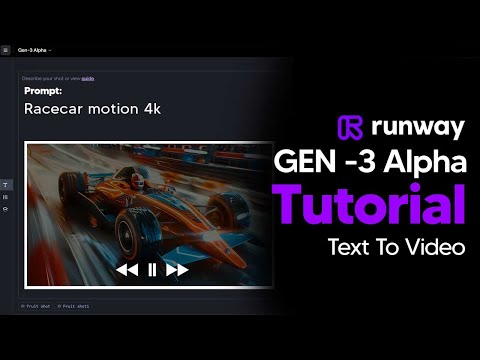
The user demonstrates how to enter a text prompt, adjust camera settings and aspect ratios, and generate a 4-second video using Runway Gen-3 Alpha.
Step-by-step
- Type your idea in the prompt area
- Adjust the camera direction lines on the left
- Select a video style such as cinematic, advertising, or anime
- Choose the aspect ratio
- Click Generate to create a 4-second video
- Click the play button to view the output
- Click Extend to add another 4 seconds if needed
Options
- Click the symbol in the prompt area to generate a random idea
- Choose between text-to-video or image-to-video workflows
- Select 9:16 ratio for Instagram Reels or TikTok
Tips
- Use a 9:16 ratio if you are creating videos specifically for Instagram Reels or TikTok
All demos from “AI text to video Generator || Runway ML Gen-3 Alpha #texttovideo #aitools”
- 0:150:44Generate video from text with Runway Gen-3 AlphaCurrentThe user demonstrates how to enter a text prompt, adjust camera settings and aspect ratios, and generate a 4-second video using Runway Gen-3 Alpha.Runway· Text to Video
- 0:590:27Convert image to video with Runway Gen-3 AlphaThe video shows the process of uploading a static image and providing an optional text prompt to animate it using Runway's image-to-video tool.Runway· Image to Video
- Watch “AI text to video Generator || Runway ML Gen-3 Alpha #texttovideo #aitools” →
Text to Video
 1:471:43Create fire visual effects with Runway and DaVinci ResolveThe creator demonstrates how to use Runway's Gen-3/4 model to generate a fire effect on a hand via text prompt and then composite it using DaVinci Resolve.Content Creators
 0:281:14Generate video from text with Runway Gen 4.5The user demonstrates how to select the Gen 4.5 model in the Runway dashboard, paste a detailed prompt, and generate a 10-second video.Skills Factory
- 3:250:14Simulate realistic physics with Runway Gen 4.5The demo shows Runway Gen 4.5 rendering realistic fluid and gravity physics through a prompt of a falling volcanic rock and lava.Skills Factory
 2:350:14Create cinematic AI video with Runway Gen-2The user demonstrates entering a detailed text prompt into Runway Gen-2 to generate high-fidelity, realistic video clips.RecCloud
 1:040:39Text-to-video generation in Runway Gen-3 AlphaThe user demonstrates the Runway interface, selecting the Gen-3 Alpha model and entering a prompt for an FPV jungle waterfall shot.Futurepedia
 0:250:37Generate video from text with Runway Gen-3 AlphaThe video demonstrates selecting the Gen-3 Alpha model in the Runway interface, entering a descriptive prompt of a woman on a beach, and choosing between 5 and 10-second generation lengths.Runway
 5:091:33Text-to-video generation with Runway Gen-2A walkthrough of using the Gen-2 model to generate 4-second videos from text prompts, including the use of free previews and style presets.Skills Factory
 2:110:45Generate AI video with simple and detailed prompts in RunwayThe user demonstrates entering a simple prompt ('Fruit sitting on a table in the jungle') versus a highly detailed descriptive prompt into Runway Gen-3 Alpha to generate 5-second video clips.TheAIGRID
- 0:150:44Generate video from text with Runway Gen-3 AlphaCurrentThe user demonstrates how to enter a text prompt, adjust camera settings and aspect ratios, and generate a 4-second video using Runway Gen-3 Alpha.AI Tech Pro