Text-to-video generation with Runway Gen-2

 Runway
Demo summary
A walkthrough of using the Gen-2 model to generate 4-second videos from text prompts, including the use of free previews and style presets.
Step-by-step
- Enter a description of the desired video in the prompt box
- Click Free Previews to generate four image previews
- Adjust the Weight parameter to set AI creativity for the previews
- Go to Settings to adjust General Motion and set resolution between 720p and 2K
- Enable frame interpolation in the settings
- Select a preset from the Style menu on the left
- Adjust the Aspect Ratio for the generation
- Click Generate to create the full video
Options
- Use Enhance Text prompt to improve descriptions
- Add negative prompts to exclude specific details
- Apply cinematic, anime, or cartoon style presets
- Use Camera Control to set specific camera movements
- Use Motion Brush to control specific areas of motion
Watch out for
- Gen-2 videos are limited to exactly 4 seconds long
Tips
- Review the four image previews before investing credits in a full video generation
- Enable frame interpolation to keep generated videos as smooth as possible
- Use the weight parameter on free preview images as a reference for your next generation
Highlights
“Motion Brush is a very powerful feature on Gen-2”
All demos from “Runway AI - Tutorial for Beginners in 13 MINUTES ! [ FULL GUIDE ]”
- 0:511:32Generate video with Runway Gen-3 Alpha TurboThe user demonstrates how to generate a video from an image or video reference using the Gen-3 Alpha Turbo model, including prompt settings and extending video length.Runway· AI Video Generator
- 5:091:33Text-to-video generation with Runway Gen-2CurrentA walkthrough of using the Gen-2 model to generate 4-second videos from text prompts, including the use of free previews and style presets.Runway· Text to Video
- 6:420:45Using Motion Brush in Gen-2The demo shows how to use the Motion Brush tool to select specific areas of a reference image and apply directional motion to them.Runway· AI Animation Generator
- 7:521:32Video-to-Video manipulation with Runway Gen-1The user demonstrates uploading a video to the Gen-1 interface to modify its style and content using presets and text prompts.Runway· Video to Video
- 10:050:26Animate characters with Runway Act-OneThe video demonstrates the Act-One tool, showing how a character image can follow the facial expressions and movements of a source video.Runway· Video to Video
- 10:330:33Lip Sync Video with Generative AudioA demonstration of the Lip Sync tool where an animated character is synced to a dialogue track or typed text.Runway· AI Lip Sync Generator
- 11:100:53Expand images with Infinite ImageThe user shows how to use the Infinite Image tool to outpaint and expand the borders of an existing image using AI frames and prompts.Runway· AI Outpainting
- Watch “Runway AI - Tutorial for Beginners in 13 MINUTES ! [ FULL GUIDE ]” →
Text to Video
 1:471:43Create fire visual effects with Runway and DaVinci ResolveThe creator demonstrates how to use Runway's Gen-3/4 model to generate a fire effect on a hand via text prompt and then composite it using DaVinci Resolve.Content Creators
 0:281:14Generate video from text with Runway Gen 4.5The user demonstrates how to select the Gen 4.5 model in the Runway dashboard, paste a detailed prompt, and generate a 10-second video.Skills Factory
- 3:250:14Simulate realistic physics with Runway Gen 4.5The demo shows Runway Gen 4.5 rendering realistic fluid and gravity physics through a prompt of a falling volcanic rock and lava.Skills Factory
 2:350:14Create cinematic AI video with Runway Gen-2The user demonstrates entering a detailed text prompt into Runway Gen-2 to generate high-fidelity, realistic video clips.RecCloud
 1:040:39Text-to-video generation in Runway Gen-3 AlphaThe user demonstrates the Runway interface, selecting the Gen-3 Alpha model and entering a prompt for an FPV jungle waterfall shot.Futurepedia
 0:250:37Generate video from text with Runway Gen-3 AlphaThe video demonstrates selecting the Gen-3 Alpha model in the Runway interface, entering a descriptive prompt of a woman on a beach, and choosing between 5 and 10-second generation lengths.Runway
- 5:091:33Text-to-video generation with Runway Gen-2CurrentA walkthrough of using the Gen-2 model to generate 4-second videos from text prompts, including the use of free previews and style presets.Skills Factory
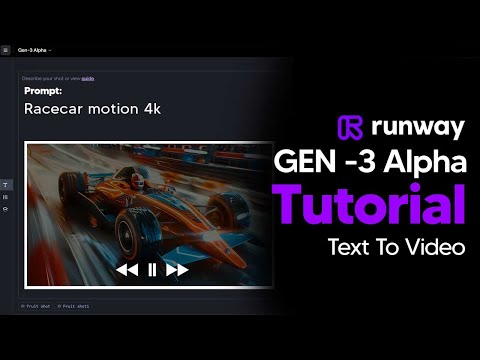 2:110:45Generate AI video with simple and detailed prompts in RunwayThe user demonstrates entering a simple prompt ('Fruit sitting on a table in the jungle') versus a highly detailed descriptive prompt into Runway Gen-3 Alpha to generate 5-second video clips.TheAIGRID
 0:150:44Generate video from text with Runway Gen-3 AlphaThe user demonstrates how to enter a text prompt, adjust camera settings and aspect ratios, and generate a 4-second video using Runway Gen-3 Alpha.AI Tech Pro