Reply.io: Tutorials, Prompts, Use cases


AI-powered sales engagement platform for multichannel outreach and lead generation.
Reply.io automates the entire sales process by combining a B2B database of over 1 billion contacts with AI-driven multichannel sequences. It streamlines prospecting, follow-ups, and meeting scheduling across email, LinkedIn, WhatsApp, and SMS to accelerate pipeline growth.
by Reply
Features
- AI SDR agents for autonomous prospecting
- Multichannel sequences (Email, LinkedIn, SMS, WhatsApp)
- B2B database with 1+ billion verified contacts
- AI-powered email personalization and variables
- Automated meeting scheduler and calendar sync
- Real-time intent signals and website visitor tracking
- Unified inbox for all prospect communications
- Advanced email deliverability and warm-up tools
Reply.io Tutorials

 Reply
Reply

 Konstantinos Christopoulos
 Simple Answers
 Simple Answers
 Reply
Reply
 Business Solution
 Phylux Express
 Reply
Reply
 Salesforge
Reply.io Alternatives

The easy-to-use sales CRM designed to help teams close more deals.

Scale cold email outreach with AI-powered lead generation and automated deliverability.

Scale personalized outbound and GTM automation with AI-powered data enrichment.

The AI-powered sales platform for prospecting, lead generation, and deal automation.


Scale cold email outreach with AI-powered deliverability and unlimited mailboxes.

Automate LinkedIn and email outreach to generate more replies effortlessly.

Scale LinkedIn outbound with unlimited sender accounts for one fixed cost.

A comprehensive go-to-market platform for B2B intelligence and sales engagement.

All-in-one platform for cold outreach and lead generation automation.

Agentic AI platform for revenue orchestration, prospecting, and deal management.

Automated LinkedIn and email outreach for high-converting sales sequences.

Professional-grade irrigation solutions for residential, commercial, and agricultural landscapes.

B2B sales intelligence platform for finding accurate contact and company data.

The leading AI-powered revenue orchestration platform for sales and customer success.

Advanced sales prospecting tool for targeting, tracking, and engaging B2B leads.

The world's safest LinkedIn and email omnichannel outreach automation platform.

AI-powered live conversation platform to supercharge sales activity and pipeline.

Comprehensive email verification with 99%+ accuracy and real-time API integration.

Premium sales intelligence and compliant B2B data for global pipeline growth.
AI-powered sales platform for automated prospecting, outreach, and meeting scheduling.

The all-in-one white-label sales and marketing platform for agencies.

Real-time email verification and list cleaning to improve deliverability.

Automate lead generation and data extraction across major social media platforms.

AI-powered LinkedIn outreach and lead generation platform for scaling sales teams.

AI-powered outbound platform for personalized multichannel outreach at scale.

Multichannel sales engagement platform for cold email, LinkedIn, and calling outreach.

Human-powered AI sales acceleration for 10x more live decision-maker conversations.

Reply.io Use cases
What is Reply.io?
Reply.io is a sales engagement platform designed for B2B teams to automate outbound outreach at scale. It combines a massive B2B contact database with a multichannel execution engine. Unlike simple email tools, Reply.io coordinates touchpoints across email, LinkedIn, WhatsApp, SMS, and voice calls to ensure prospects are reached where they are most active.
Real-World Use-Cases and Demos
Based on our catalog of tutorial data, users primarily leverage Reply.io for complex, multi-step workflows.
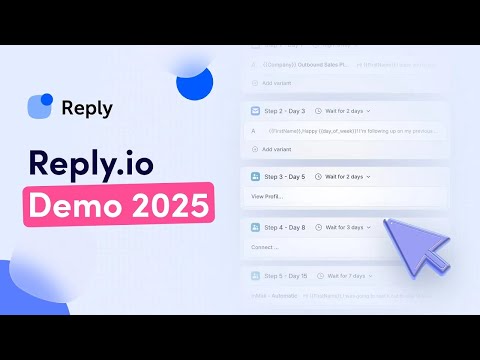
- Multichannel Sequences (6 Clips): This is the most documented use-case. Demos show how to combine email sends with LinkedIn actions (like profile views or connection requests) and manual call tasks into a single, cohesive timeline.
- Cold Email Automation (4 Clips): Tutorials focus on building multi-step sequences with automated follow-ups that stop once a lead replies.
- Technical Setup & Deliverability (5 Clips): A significant portion of demos cover the 'unsexy' but vital side of outreach: setting up SPF, DKIM, and DMARC records, and configuring inbox rotation to send high volumes safely across multiple accounts.
- Autonomous AI SDR (1 Clip): Newer demos highlight the "Jason AI" agent, which can prospect and book meetings with minimal human intervention.
Getting Started with Reply.io
A typical workflow begins with the Reply.io Chrome extension to find prospects on LinkedIn or using the built-in filters to build a list from their database of 1 billion contacts. Once your list is ready, you navigate to the 'Sequences' tab.
You can use the AI sequence generator to draft your initial templates. Before launching, you must connect your sending accounts. Our data shows that top users often use inbox rotation, connecting several mailboxes to distribute the load and protect domain reputation. Finally, you can sync activity back to your CRM, such as Pipedrive or HubSpot, to keep your pipeline updated.
Tips for Success and Common Pitfalls
- Avoid the 'Spam' Trap: Real-world tutorials emphasize the importance of warming up your email accounts and setting daily sending limits to mimic human behavior.
- Personalize at Scale: While automation is the goal, demos show that using AI to tailor the first line of an email significantly improves reply rates compared to generic templates.
- Manage Replies Carefully: Use the Unified Inbox to handle responses from all channels in one place. A common mistake is failing to set up logic that automatically removes a lead from a sequence once they've engaged on LinkedIn.
Reply.io Alternatives
If you are looking for different features or pricing models, consider these alternatives frequently compared by users:
Frequently asked questions
What is Reply.io used for?
Reply.io is used to automate multichannel sales outreach. It allows SDR teams to find prospects and engage them through automated sequences involving email, LinkedIn messages, SMS, and phone calls.
Is Reply.io free?
Reply.io offers a Free Plan that includes access to their AI sequence generator, the Chrome extension, and 200 data credits for testing. Paid tiers like the Starter plan begin at approximately $49/user/month when billed annually.
How do I use Reply.io effectively?
Effectiveness comes from using multichannel sequences rather than just email. Connect your LinkedIn account via the Chrome extension and use inbox rotation to distribute your sending volume across multiple authenticated domains.
Is Reply.io good for cold email?
Yes, it is highly rated for cold email because it includes built-in deliverability tools like email warm-up, SPF/DKIM/DMARC setup guides, and automated follow-up logic.
Does Reply.io have an AI assistant?
Yes, Reply.io features 'Jason AI,' an autonomous SDR agent that can generate email drafts, handle basic prospect replies, and help book meetings on your behalf.
What are the best Reply.io alternatives?
Common alternatives include Apollo.io for lead data, Instantly.ai for high-volume email scaling, and Outreach or Salesloft for enterprise-level sales orchestration.