Reply.io: Setting up multichannel sequences
 Reply.io
Demo summary
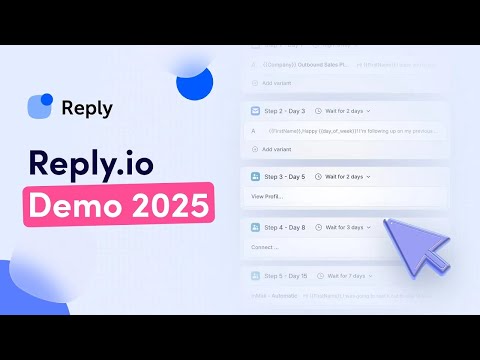
Shows how to combine email, LinkedIn actions, and manual tasks into a single automated outreach workflow.
All demos from “Reply.io Demo 2025: Get your first clients with personalized cold outreach”
- 2:510:52Sourcing leads with Reply.io filtersDemonstrates using the built-in database and filters to identify target companies and prospects based on intent and firmographic data.Reply.io· Build a list from ICP filters
- 5:430:57Setting up multichannel sequencesCurrentShows how to combine email, LinkedIn actions, and manual tasks into a single automated outreach workflow.Reply.io· Multichannel (email+LI+call)
- 6:531:37Email deliverability and inbox managementWalkthrough of the deliverability dashboard, monitoring domain reputation, and managing multiple sender accounts to avoid spam.Reply.io· Set up domains & inboxes (SPF/DKIM/DMARC)
- 8:352:36Analyzing outreach performance and reportingDetailed view of the reporting dashboard, tracking meetings booked, sequence efficiency, and team performance metrics.Reply.io· Sync leads to CRM
- Watch “Reply.io Demo 2025: Get your first clients with personalized cold outreach” →
Multichannel (email+LI+call)
 1:053:58Setting up Reply.io Webhook SubscriptionsThe video demonstrates how to configure API keys and set up webhook subscriptions within Reply.io to trigger events for bounces and responses.Konstantinos Christopoulos
 3:192:30Building a conditional multichannel sequenceA step-by-step walkthrough of creating a sequence that branches based on LinkedIn connection status and engagement, including email templates and LinkedIn automation steps.Reply
 2:160:57Creating a multichannel sequence in Reply.ioThe video demonstrates how to select sequence templates in Reply.io, including multichannel options that combine email and LinkedIn steps.Simple Answers
- 5:440:18Managing replies in the Reply.io InboxThe presenter shows the unified inbox feature where users can manage conversations and follow-ups from their campaigns.Simple Answers
 8:083:15Setting up a multichannel sequence in Reply.ioWalks through the creation of a sequence involving LinkedIn touches, AI-generated personalized messages, and email follow-ups.Business Solution
- 5:430:57Setting up multichannel sequencesCurrentShows how to combine email, LinkedIn actions, and manual tasks into a single automated outreach workflow.Reply