Outreach: Tutorials, Prompts, Use cases

Agentic AI platform for revenue orchestration, prospecting, and deal management.
Outreach is an AI-driven revenue platform that automates sales workflows and provides deep deal insights for sales, marketing, and success teams. It utilizes AI agents to assist reps with prospecting, meeting preparation, and forecasting to accelerate deal velocity and revenue growth.
Features
- AI-powered sales engagement and prospecting
- Automated meeting preparation and participant briefings
- Real-time conversation intelligence and rep coaching
- Predictive sales forecasting and pipeline management
- Intelligent workflow automation via Agent Studio
- Mutual Action Plans for deal alignment
- Universal conversational AI agent (Outreach Omni)
- Revenue intelligence and churn risk detection
Outreach Tutorials

 Outreach
 Outreach
 Outreach
 Outreach
 Outreach
 Outreach
 Outreach
 Outreach
 Outreach
 Outreach
 Sendspark
 Outreach
Outreach Prompts
Outreach Alternatives

The easy-to-use sales CRM designed to help teams close more deals.

Scale cold email outreach with AI-powered lead generation and automated deliverability.

Scale personalized outbound and GTM automation with AI-powered data enrichment.

The AI-powered sales platform for prospecting, lead generation, and deal automation.


Scale cold email outreach with AI-powered deliverability and unlimited mailboxes.

Automate LinkedIn and email outreach to generate more replies effortlessly.

Scale LinkedIn outbound with unlimited sender accounts for one fixed cost.

A comprehensive go-to-market platform for B2B intelligence and sales engagement.

All-in-one platform for cold outreach and lead generation automation.

Automated LinkedIn and email outreach for high-converting sales sequences.

Professional-grade irrigation solutions for residential, commercial, and agricultural landscapes.

B2B sales intelligence platform for finding accurate contact and company data.

The leading AI-powered revenue orchestration platform for sales and customer success.

AI-powered sales engagement platform for multichannel outreach and lead generation.

Advanced sales prospecting tool for targeting, tracking, and engaging B2B leads.

The world's safest LinkedIn and email omnichannel outreach automation platform.

AI-powered live conversation platform to supercharge sales activity and pipeline.

Comprehensive email verification with 99%+ accuracy and real-time API integration.

Premium sales intelligence and compliant B2B data for global pipeline growth.
AI-powered sales platform for automated prospecting, outreach, and meeting scheduling.

The all-in-one white-label sales and marketing platform for agencies.

Real-time email verification and list cleaning to improve deliverability.

Automate lead generation and data extraction across major social media platforms.

AI-powered LinkedIn outreach and lead generation platform for scaling sales teams.

AI-powered outbound platform for personalized multichannel outreach at scale.

Multichannel sales engagement platform for cold email, LinkedIn, and calling outreach.

Human-powered AI sales acceleration for 10x more live decision-maker conversations.

Outreach Use cases
What is Outreach AI?
Outreach is an enterprise-grade sales execution platform that serves as a central hub for revenue teams. While the term "outreach" often refers to community service, in the context of sales tech, Outreach.io is a sophisticated tool for prospecting, managing deals, and forecasting. It is primarily built for high-volume Sales Development Representatives (SDRs) and Account Executives (AEs) who need to maintain consistency across multichannel communications.
Unlike simple email tools, Outreach utilizes AI agents to assist with meeting preparation and deal velocity. It is best suited for larger B2B organizations that require deep CRM integration and robust analytics to manage complex sales cycles.
Real-World Use Cases and Demo Data
Based on our catalog of 41 demo clips, users prioritize research and personalization above simple automation. The most frequent demonstrations include:
- AI Account & Prospect Research (18 clips): The most popular use-case involves using AI to automatically research accounts to prepare for high-touch outreach.
- Multichannel Sequences (6 clips): Reps demonstrate how to coordinate email, LinkedIn, and phone calls within a single unified sequence.
- CRM Sync & Lead Management (4 clips): Tutorials often focus on the deep integration with Salesforce to ensure activity data is pushed automatically to the CRM.
- Personalized Cold Emails (4 clips): Demonstrations show how to tailor messaging at scale to improve reply rates.
- Autonomous AI SDR (2 clips): Emerging workflows feature AI agents that prospect and book meetings independently.
Getting Started with the Outreach App
To start using Outreach for beginners, the first step is configuring your ecosystem. You must link your email and map your CRM fields (typically Salesforce) so that account updates reflect in real-time.
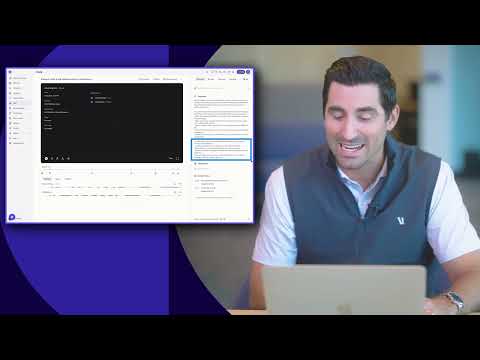
A typical workflow begins in the "360 view," which acts as a personal command center. Here, you can execute a "Universal Task Flow," where the platform prioritizes your daily emails, calls, and LinkedIn tasks. You can use the built-in dialer to call prospects directly while the AI (Kaia) records and transcribes the meeting for future discovery questions.
Tips and Common Pitfalls
According to tutorial insights and user feedback, the onboarding process is a significant undertaking. Expect a "beast" of an onboarding period—often 2 to 3 weeks—before a team is fully proficient.
Key Tips:
- A/B Testing: Use the platform to run A/B tests on subject lines to identify what drives the best open rates.
- Avoid the "Clunky" UI: New users often find the interface chaotic. Start with "Outreach 101" basics, focusing on one sequence type before expanding to multichannel workflows.
- Compliance: When using the power dialer, ensure you are legally compliant with call recording laws in your prospect's jurisdiction.
Outreach Alternatives
If you are looking for Outreach competitors, the market offers several specialized tools. Salesloft is the most direct enterprise alternative, often compared for its similar feature set. For teams focused heavily on data and lead generation, Apollo (70 demos) or ZoomInfo (50 demos) are frequently used. If your focus is high-volume cold email with simpler pricing, Instantly (81 demos) or Smartlead (69 demos) are popular choices mentioned in community discussions like Reddit.
Frequently asked questions
What does Outreach do?
Outreach automates sales cadences, manages deal pipelines, and uses AI to guide sales conversations and forecasting. It functions as a command center for sales reps to execute emails, calls, and LinkedIn tasks in a prioritized flow.
Is Outreach a good company?
Outreach is a well-established enterprise platform with a 3.8-star rating on Glassdoor. It is highly regarded for its robust automation and Salesforce integration, though users often note it has a steep learning curve and premium pricing.
How to use Outreach for beginners?
Beginners should start by syncing their CRM and setting up a basic sequence under the 'Content' tab. It is recommended to follow an 'Outreach University' or 101-style tutorial to navigate the interface, as onboarding typically takes 2-3 weeks.
What is Outreach Kaia?
Kaia is Outreach’s conversation intelligence feature. It records and transcribes meetings in real-time, providing live content cards and summarizing next steps to help reps stay focused on the conversation.
What are the best Outreach alternatives?
Does Outreach have an AI agent?
Yes, Outreach features an Autonomous AI SDR agent designed to prospect and book meetings on its own. It also uses assistive AI to help reps generate email follow-ups and summarize discovery questions.
How much does Outreach cost?
Outreach uses a quote-based pricing model, typically ranging from $100 to $160 per user per month. It generally requires a 12-month contract and a minimum seat count, making it an investment geared toward enterprise teams.