HeyReach: Tutorials, Prompts, Use cases
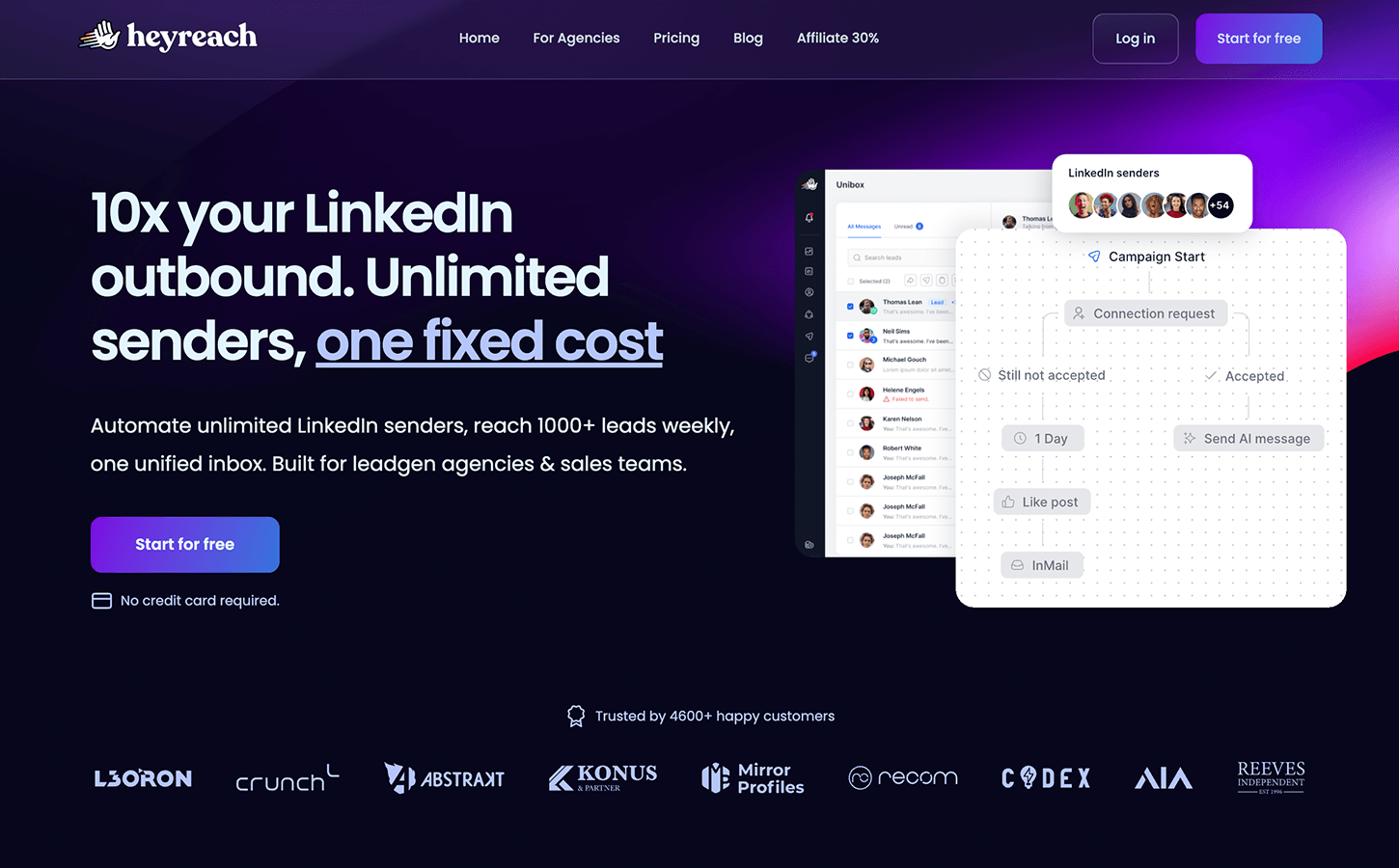

Scale LinkedIn outbound with unlimited sender accounts for one fixed cost.
HeyReach is a LinkedIn automation platform designed for agencies and sales teams to execute high-volume outreach safely. It enables users to manage multiple accounts, automate manual tasks, and integrate with multichannel tools to accelerate lead generation.
Features
- Unlimited LinkedIn sender accounts
- Multi-account management (MCP)
- Automated multichannel outreach
- Native Instantly and Smartlead integrations
- Unified shared inbox for all accounts
- Campaign activity tracking and analytics
- Developer API and CLI access
- Pre-built Make and N8N workflow templates
HeyReach Tutorials

 HeyReach
 HeyReach
 Matt Lucero
 Tim Yakubson
 HeyReach
 HeyReach
 HeyReach
 HeyReach
 HeyReach
 Tim Yakubson
 HeyReach
 Instantly
 HeyReach
 HeyReach
 HeyReach
 HeyReach
 Business Solution
 HeyReach
 Tim Yakubson
 HeyReach
 HeyReach
 LeadLoft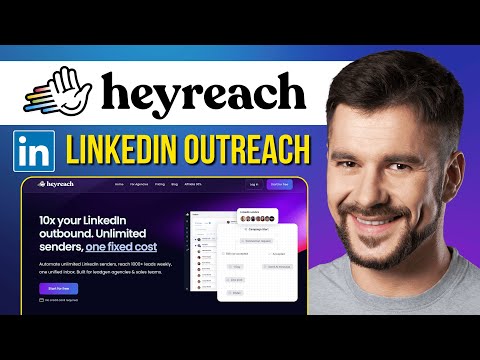
 Success Minder
 Salesforge
 Brandon Charleson - AI Powered Junkie
HeyReach Alternatives

The easy-to-use sales CRM designed to help teams close more deals.

Scale cold email outreach with AI-powered lead generation and automated deliverability.

Scale personalized outbound and GTM automation with AI-powered data enrichment.

The AI-powered sales platform for prospecting, lead generation, and deal automation.


Scale cold email outreach with AI-powered deliverability and unlimited mailboxes.

Automate LinkedIn and email outreach to generate more replies effortlessly.

A comprehensive go-to-market platform for B2B intelligence and sales engagement.

All-in-one platform for cold outreach and lead generation automation.

Agentic AI platform for revenue orchestration, prospecting, and deal management.

Automated LinkedIn and email outreach for high-converting sales sequences.

Professional-grade irrigation solutions for residential, commercial, and agricultural landscapes.

B2B sales intelligence platform for finding accurate contact and company data.

The leading AI-powered revenue orchestration platform for sales and customer success.

AI-powered sales engagement platform for multichannel outreach and lead generation.

Advanced sales prospecting tool for targeting, tracking, and engaging B2B leads.

The world's safest LinkedIn and email omnichannel outreach automation platform.

AI-powered live conversation platform to supercharge sales activity and pipeline.

Comprehensive email verification with 99%+ accuracy and real-time API integration.

Premium sales intelligence and compliant B2B data for global pipeline growth.
AI-powered sales platform for automated prospecting, outreach, and meeting scheduling.

The all-in-one white-label sales and marketing platform for agencies.

Real-time email verification and list cleaning to improve deliverability.

Automate lead generation and data extraction across major social media platforms.

AI-powered LinkedIn outreach and lead generation platform for scaling sales teams.

AI-powered outbound platform for personalized multichannel outreach at scale.

Multichannel sales engagement platform for cold email, LinkedIn, and calling outreach.

Human-powered AI sales acceleration for 10x more live decision-maker conversations.

HeyReach Use cases
What is HeyReach?
HeyReach is a specialized LinkedIn automation tool designed to help sales teams and agencies bypass the limitations of single-account outreach. Unlike standard automation tools that focus on one profile, HeyReach is built for high-volume lead generation through multi-account management. It allows users to connect multiple LinkedIn profiles, rotate them within campaigns, and manage all responses in a centralized "Unibox."
Real-World Use Cases
Based on our analysis of 56 demo clips, users primarily leverage HeyReach for high-volume prospecting without triggering security flags.
- Auto-connect & Message Safely (36 clips): This is the most documented task. Users set up automated sequences that include profile views, connection requests, and follow-up messages.
- Scrape Sales Navigator (8 clips): Demos show how to extract lead data directly from Sales Navigator search URLs to build targeted lists.
- Multichannel Outreach (6 clips): While primarily a LinkedIn tool, tutorials demonstrate integrating HeyReach with email and call workflows to reach prospects across different platforms.
- Inbox Rotation (1 clip): A key feature for agencies, this allows a single campaign to be distributed across several LinkedIn accounts to stay within daily activity limits.
How to Get Started with HeyReach
To begin, you must connect your LinkedIn account using the HeyReach Chrome extension. This is a critical step for security; the extension facilitates the login without requiring you to share sensitive credentials directly.
- Account Setup: Install the extension and log in to your LinkedIn profile in a separate tab. Navigate to the LinkedIn accounts tab in HeyReach to sync the profile.
- Import Leads: You can upload a CSV or, as seen in many tutorials, paste a Sales Navigator search URL. HeyReach will then scrape the relevant job titles and company data.
- Build a Sequence: Use the drag-and-drop builder to create an "if/else" workflow. For example, if a lead accepts a connection, wait two days before sending a message.
- Manage Replies: Use the "Unibox" to respond to all incoming messages without logging in and out of different LinkedIn profiles.
Tips for Safe Automation
A common concern is whether HeyReach is safe or if it will get an account banned. To mitigate risk, tutorials suggest setting daily limits to 20-25 connection requests per account. Using proxies is also recommended when managing multiple accounts to ensure each profile appears to be operating from a unique IP address. Avoid aggressive mass-spamming, as LinkedIn's algorithms can still detect unnatural patterns even with automation tools.
HeyReach Alternatives
If you are looking for different features or pricing models, consider these alternatives frequently compared by users:
- Dripify: Often compared for its robust LinkedIn-specific sequences.
- Waalaxy: A popular choice for those needing a simpler interface or a freemium tier.
- Clay: Frequently used alongside HeyReach for advanced data enrichment before starting outreach.
- Instantly or Smartlead: Better suited if your primary focus is cold email rather than LinkedIn.
Frequently asked questions
Is HeyReach safe to use with LinkedIn?
HeyReach is designed with safety features like inbox rotation and daily activity limits to mimic human behavior. However, account safety depends on your settings; experts recommend staying under 25 connection requests per day per account and using proxies to avoid detection.
How do I connect LinkedIn to HeyReach?
You connect by installing the HeyReach Chrome extension. Once installed, log in to your LinkedIn account in one tab, then go to the 'LinkedIn Accounts' section in HeyReach and select 'Connect Account' to sync the session securely.
Can HeyReach scrape Sales Navigator?
Yes, one of the primary use cases identified in our demo data is scraping Sales Navigator. You can paste a search URL directly into the 'Leads' tab, and the tool will extract profile details like job titles and locations for your campaign.
What is the HeyReach Unibox?
The Unibox is a centralized inbox that aggregates messages from every LinkedIn account you have connected. This allows you to manage all conversations and book meetings from one screen without switching between different LinkedIn profiles.
Does HeyReach offer a lifetime deal?
While HeyReach has been known to offer lifetime deals in the past on platforms like AppSumo, their current pricing typically follows a monthly subscription model. Check their official site or recent Reddit reviews for the most current promotional offers.
How does HeyReach compare to Dripify?
HeyReach is generally preferred by agencies because it allows for 'unlimited' account rotation and centralized management at a flat rate. Dripify is often favored by individual users or smaller teams for its ease of use and specific sequence templates.