Recraft: AI Tutorials & Prompts


Recraft is the only generative AI design tool built expressly for designers, illustrators and marketers. You can create digital illustrations, vector art, icons, and 3D graphics in a uniform brand style – and then edit them with AI design tools on Recraft’s infinite canvas.
Recraft Tutorials
41 demos

May 2026 · 202 viewsRecraft
Recraft0:220:37Recraft
Generate images from prompt examples in Recraft StudioThe user demonstrates how to browse categories in Recraft Studio Collections, select a 3D illustration, and use its underlying prompt to generate a new variation.Text to Image
1:090:20Recraft
Use images as visual references in Recraft StudioThe video shows how to select a vector illustration from the Collections library and use the 'use as reference' feature to guide the visual direction of a new generation.Image to Image1:290:16Recraft
Apply designs to scenes using Recraft MockupsThe user demonstrates selecting a scene from the Mockups tab in Recraft Studio and using the 'use as mockup' function to overlay a logo or design onto the scene.AI Product Photography
May 2026 · 2.4K viewsRecraft
Recraft0:180:45Recraft
Generate photorealistic images with Recraft V4.1 ProThe user selects the Recraft V4.1 Pro model and enters a short prompt to generate a realistic lifestyle image with natural skin textures and soft lighting.AI Realistic Image Generator1:030:42Recraft
Create 3D style scenes in Recraft StudioThe video demonstrates using Recraft V4.1 Pro to render a 3D scene, highlighting improved material reactions to light and cleaner gradients on glossy surfaces.AI Image Generator
Nov 2025 · 1.7K viewsRecraft
Recraft0:261:10Recraft
Create a custom brand style in RecraftThe user demonstrates how to upload reference images to Recraft, adjust style weights, and generate a test image to save a custom 'Modern Cowboy' aesthetic.AI Style Transfer1:421:38Recraft
Generate product packaging images with text promptsUsing the custom style, the demonstrator generates various beef jerky pouch designs in Recraft by entering detailed descriptive prompts.AI Product Photography4:342:44RecraftPrompt
Create and expand illustrations in RecraftThe user selects a vintage botanical style to generate a cinematic illustration and uses the 'expand canvas' feature to extend the artwork for packaging use.AI Expand Image
Mar 2026 · 3.6K viewsRecraft
Recraft1:251:20Recraft
Generate images with Recraft V4 ProThe user demonstrates how to select the V4 Pro model, set aspect ratios, and enter a manual prompt to generate high-quality editorial images directly on the canvas.AI Image Generator2:580:14RecraftNano Banana
Reference-based editing with external modelsThe video shows switching to an external model (Nano Banana 2) to perform image-to-image editing by attaching reference images and describing changes.Image to Image3:121:11Recraft
Visual discovery using Exploration ModeThe user demonstrates Exploration Mode in Recraft, showing how a single prompt generates eight diverse concept drafts and how to refine them using the similarity slider.AI Image Generator
Jan 2026 · 1.2K viewsRecraft
Recraft7:001:06Recraft
Generate AI images and vector graphics in RecraftThe demonstrator shows how to use the prompt field to generate a raster image of a cat and then switches models to generate vector graphics and icons.AI Image Generator8:440:33Recraft
Apply pixel art style to AI generationsGary demonstrates selecting the 'Pixel Art' style from the Recraft library to transform a simple prompt into a stylized image without complex prompt engineering.AI Style Transfer18:151:21RecraftPrompt
Style referencing with image attachmentsThe user demonstrates dragging and dropping an external image into the prompt panel to use as a style reference for generating a consistent food photography shot.AI Style Transfer
Jan 2026 · 949 viewsRecraft
Recraft1:180:41Recraft
Generate images in Manual Mode with Recraft StudioThe video demonstrates how to use the bottom chat panel in Recraft Studio to select models, styles, and aspect ratios before generating an image directly onto the canvas.AI Image Generator2:220:09Recraft
Object removal with Edit Area toolThe 'Edit Area' tool is shown on the Recraft canvas, where a user highlights a specific part of an image to erase it while maintaining the background.AI Object Remover/Eraser
Dec 2025 · 1.4K viewsRecraft
Recraft0:110:48Recraft
Generate 3D assets using Recraft built-in stylesThe video shows how to select a 3D style like 'clean plastic' or 'isometric icon' from the Recraft styles menu and generate a set of consistent assets with a custom color palette.AI Image Generator1:060:30Recraft
Create a custom 3D style from a reference imageThe user demonstrates uploading a reference image to Recraft, saving it as a custom style, and then using that style to generate consistent 3D characters.AI Style Transfer1:400:28RecraftNano Banana
Transform images to 3D with NanoBanana ProThe tutorial shows how to upload an image and use the NanoBanana Pro model within Recraft to convert it into a 3D style using a specific transformation prompt.AI Style Transfer
Oct 2025 · 1.2K viewsRecraft
Recraft1:180:32Recraft
Create a custom AI style in RecraftThe user uploads a reference image and uses prompt engineering with the note 'glossy skin' to create and save a reusable custom style named 'spectrum'.AI Style Transfer2:040:18Recraft
Extend image aspect ratio in RecraftThe demonstration shows selecting a portrait image and extending it to a horizontal aspect ratio using Recraft's generative fill capabilities without changing the prompt.AI Expand Image2:220:22RecraftNano BananaPrompt
Add products to images using Nana Banana modelThe user demonstrates pinning an image and using the Nana Banana model with a text prompt to realistically add a silver mascara tube near a model's eye.AI Inpainting2:440:16Recraft
Create a campaign mockup in RecraftThe user uses the 'mockupize' feature to import the previously created logo and overlay it onto a campaign visual to create a final asset.AI Product Photography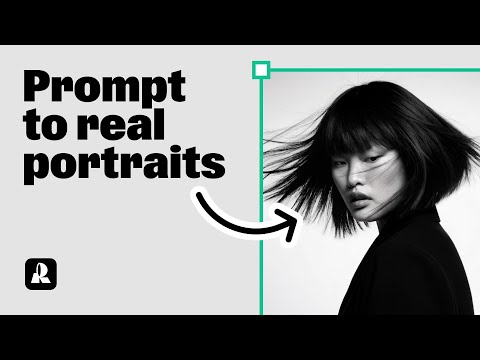
Sep 2025 · 1.3K viewsRecraft
Recraft0:190:32Recraft
Generate a portrait with Hardflash style in RecraftThe user demonstrates how to select the 'Hardflash' curated style in Recraft V3 and enter a detailed prompt to generate a photorealistic portrait.AI Realistic Image Generator1:020:28Recraft
Advanced prompting for specific aesthetics in RecraftThe video shows how to refine a prompt with specific clothing details, expressions, and an East Asian aesthetic to generate a high-quality portrait.Text to Image1:300:26Recraft
Using Natural Light style for expressive portraitsThe user switches to the 'Natural Light' style in Recraft to generate portraits with clear emotions and detailed accessories.AI Style Transfer