Advanced prompting for specific aesthetics in Recraft
 Recraft
Demo summary
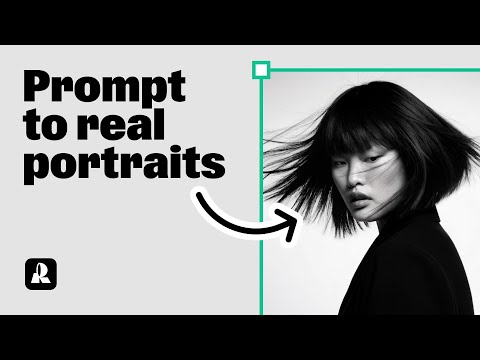
The video shows how to refine a prompt with specific clothing details, expressions, and an East Asian aesthetic to generate a high-quality portrait.
Step-by-step
- Enter a detailed prompt specifying clothing textures like embroidered traditional robes with dragon and floral patterns.
- Define specific color tones such as green and blue.
- Add descriptive character traits like a calm and dreamy expression.
- Set an East Asian aesthetic in the prompt.
- Click Recraft to generate the image.
Tips
- Use less obvious, highly specific clothing descriptions to push the AI beyond simple results.
- Incorporate specific moods and expressions to refine the atmosphere of the portrait.
Highlights
“the results come out really solid”
All demos from “Create stunning photorealistic portraits with AI | Recraft Tutorial”
- 0:190:32Generate a portrait with Hardflash style in RecraftThe user demonstrates how to select the 'Hardflash' curated style in Recraft V3 and enter a detailed prompt to generate a photorealistic portrait.Recraft· AI Realistic Image Generator
- 1:020:28Advanced prompting for specific aesthetics in RecraftCurrentThe video shows how to refine a prompt with specific clothing details, expressions, and an East Asian aesthetic to generate a high-quality portrait.Recraft· Text to Image
- 1:300:26Using Natural Light style for expressive portraitsThe user switches to the 'Natural Light' style in Recraft to generate portraits with clear emotions and detailed accessories.Recraft· AI Style Transfer
- 1:560:21Comparing different styles with the same promptThe demonstration shows how to copy a generated image and switch styles (e.g., to Studio or Hardflash) to see how the style choice transforms the same prompt.Recraft· AI Style Transfer
- 2:231:16Creating a custom AI style from a reference imageThe user walks through creating a custom style by uploading a reference image, setting 'style level prompts' for consistent rules, and choosing between Style Essentials or Composition.Recraft· AI Style Transfer
- 3:390:24Applying a saved custom style to new promptsThe tutorial shows how to access a saved custom style from the 'My Styles' tab and apply it to a new prompt to maintain a consistent look.Recraft· AI Style Transfer
- Watch “Create stunning photorealistic portraits with AI | Recraft Tutorial” →
Text to Image
 0:220:37Generate images from prompt examples in Recraft StudioThe user demonstrates how to browse categories in Recraft Studio Collections, select a 3D illustration, and use its underlying prompt to generate a new variation.Recraft
 7:130:25Artistic image generation with Recraft (Reave)The creator demonstrates the 'Reave' (Recraft) model's ability to generate images with an 80s film aesthetic and high typography quality.Roboverse
- 1:020:28Advanced prompting for specific aesthetics in RecraftCurrentThe video shows how to refine a prompt with specific clothing details, expressions, and an East Asian aesthetic to generate a high-quality portrait.Recraft