Recraft: Transform images to 3D with NanoBanana Pro

 Recraft
Demo summary
The tutorial shows how to upload an image and use the NanoBanana Pro model within Recraft to convert it into a 3D style using a specific transformation prompt.
Step-by-step
- Upload your image to the canvas and select it
- Choose Nano Banana Pro from the external models list
- Paste the detailed 3D conversion prompt into the prompt field
- Click generate
Options
- Attach additional reference images to the generation
- Reuse the same prompt across multiple images for consistency
Tips
- Use a prompt that specifically details lighting, shading, and surface textures to achieve a clean 3D style
All demos from “Recraft 3D tutorial: generate consistent 3D Styles, Characters & Icons step-by-step”
- 0:110:48Generate 3D assets using Recraft built-in stylesThe video shows how to select a 3D style like 'clean plastic' or 'isometric icon' from the Recraft styles menu and generate a set of consistent assets with a custom color palette.Recraft· AI Image Generator
- 1:060:30Create a custom 3D style from a reference imageThe user demonstrates uploading a reference image to Recraft, saving it as a custom style, and then using that style to generate consistent 3D characters.Recraft· AI Style Transfer
- 1:400:28Transform images to 3D with NanoBanana ProCurrentThe tutorial shows how to upload an image and use the NanoBanana Pro model within Recraft to convert it into a 3D style using a specific transformation prompt.Recraft· AI Style Transfer
- Watch “Recraft 3D tutorial: generate consistent 3D Styles, Characters & Icons step-by-step” →
AI Style Transfer
 6:210:41Create custom styles for brand consistencyThe walkthrough shows how to upload reference images to create and save a custom style that can be applied to future generations in Recraft.Recraft
 8:440:33Apply pixel art style to AI generationsGary demonstrates selecting the 'Pixel Art' style from the Recraft library to transform a simple prompt into a stylized image without complex prompt engineering.Recraft
- 18:151:21Style referencing with image attachmentsThe user demonstrates dragging and dropping an external image into the prompt panel to use as a style reference for generating a consistent food photography shot.Recraft
- 44:074:25Build a custom AI styleThe user walks through creating a custom style by uploading reference images, setting style-level prompts, and adjusting weights for texture and composition.Recraft
- 1:060:30Create a custom 3D style from a reference imageThe user demonstrates uploading a reference image to Recraft, saving it as a custom style, and then using that style to generate consistent 3D characters.Recraft
- 1:400:28Transform images to 3D with NanoBanana ProCurrentThe tutorial shows how to upload an image and use the NanoBanana Pro model within Recraft to convert it into a 3D style using a specific transformation prompt.Recraft
 0:261:10Create a custom brand style in RecraftThe user demonstrates how to upload reference images to Recraft, adjust style weights, and generate a test image to save a custom 'Modern Cowboy' aesthetic.Recraft
 1:180:32Create a custom AI style in RecraftThe user uploads a reference image and uses prompt engineering with the note 'glossy skin' to create and save a reusable custom style named 'spectrum'.Recraft
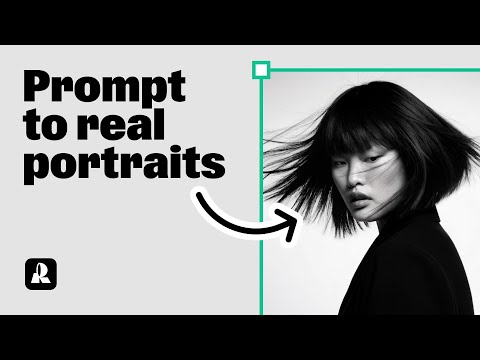 1:300:26Using Natural Light style for expressive portraitsThe user switches to the 'Natural Light' style in Recraft to generate portraits with clear emotions and detailed accessories.Recraft
- 1:560:21Comparing different styles with the same promptThe demonstration shows how to copy a generated image and switch styles (e.g., to Studio or Hardflash) to see how the style choice transforms the same prompt.Recraft
- 2:231:16Creating a custom AI style from a reference imageThe user walks through creating a custom style by uploading a reference image, setting 'style level prompts' for consistent rules, and choosing between Style Essentials or Composition.Recraft
- 3:390:24Applying a saved custom style to new promptsThe tutorial shows how to access a saved custom style from the 'My Styles' tab and apply it to a new prompt to maintain a consistent look.Recraft