Recraft: Create custom styles for brand consistency

 Recraft
Demo summary
The walkthrough shows how to upload reference images to create and save a custom style that can be applied to future generations in Recraft.
Step-by-step
- Open the styles menu
- Click Create Style
- Upload one or more reference images
- Add a short description
- Generate a test image
- Save the style
Options
- Upload multiple reference images to capture the desired look
Tips
- Use custom styles for branding or visual series where consistency is critical
Highlights
“one of the most powerful consistency tools in the product and image gen space”
All demos from “Recraft Studio Full Walkthrough — V4, Video Tools, Exploration Mode & More”
- 1:251:20Generate images with Recraft V4 ProThe user demonstrates how to select the V4 Pro model, set aspect ratios, and enter a manual prompt to generate high-quality editorial images directly on the canvas.Recraft· AI Image Generator
- 2:580:14Reference-based editing with external modelsThe video shows switching to an external model (Nano Banana 2) to perform image-to-image editing by attaching reference images and describing changes.Recraft· Image to Image
- 3:121:11Visual discovery using Exploration ModeThe user demonstrates Exploration Mode in Recraft, showing how a single prompt generates eight diverse concept drafts and how to refine them using the similarity slider.Recraft· AI Image Generator
- 6:210:41Create custom styles for brand consistencyCurrentThe walkthrough shows how to upload reference images to create and save a custom style that can be applied to future generations in Recraft.Recraft· AI Style Transfer
- 7:020:22Generate and apply mockupsThe user demonstrates the 'Mockup-ize' tool to transform images into editable surfaces for placing logos and designs.Recraft· AI Product Photography
- Watch “Recraft Studio Full Walkthrough — V4, Video Tools, Exploration Mode & More” →
AI Style Transfer
- 6:210:41Create custom styles for brand consistencyCurrentThe walkthrough shows how to upload reference images to create and save a custom style that can be applied to future generations in Recraft.Recraft
 8:440:33Apply pixel art style to AI generationsGary demonstrates selecting the 'Pixel Art' style from the Recraft library to transform a simple prompt into a stylized image without complex prompt engineering.Recraft
- 18:151:21Style referencing with image attachmentsThe user demonstrates dragging and dropping an external image into the prompt panel to use as a style reference for generating a consistent food photography shot.Recraft
- 44:074:25Build a custom AI styleThe user walks through creating a custom style by uploading reference images, setting style-level prompts, and adjusting weights for texture and composition.Recraft
 1:060:30Create a custom 3D style from a reference imageThe user demonstrates uploading a reference image to Recraft, saving it as a custom style, and then using that style to generate consistent 3D characters.Recraft
- 1:400:28Transform images to 3D with NanoBanana ProThe tutorial shows how to upload an image and use the NanoBanana Pro model within Recraft to convert it into a 3D style using a specific transformation prompt.Recraft
 0:261:10Create a custom brand style in RecraftThe user demonstrates how to upload reference images to Recraft, adjust style weights, and generate a test image to save a custom 'Modern Cowboy' aesthetic.Recraft
 1:180:32Create a custom AI style in RecraftThe user uploads a reference image and uses prompt engineering with the note 'glossy skin' to create and save a reusable custom style named 'spectrum'.Recraft
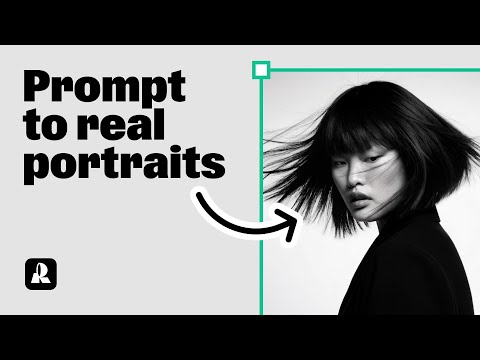 1:300:26Using Natural Light style for expressive portraitsThe user switches to the 'Natural Light' style in Recraft to generate portraits with clear emotions and detailed accessories.Recraft
- 1:560:21Comparing different styles with the same promptThe demonstration shows how to copy a generated image and switch styles (e.g., to Studio or Hardflash) to see how the style choice transforms the same prompt.Recraft
- 2:231:16Creating a custom AI style from a reference imageThe user walks through creating a custom style by uploading a reference image, setting 'style level prompts' for consistent rules, and choosing between Style Essentials or Composition.Recraft
- 3:390:24Applying a saved custom style to new promptsThe tutorial shows how to access a saved custom style from the 'My Styles' tab and apply it to a new prompt to maintain a consistent look.Recraft