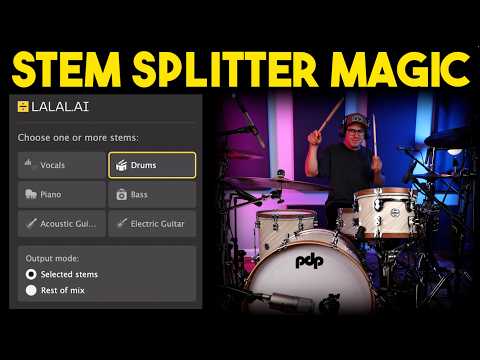
Removing drums from a mix with LALAL.AI

 Lalal.Ai
Demo summary
The narrator shows how to extract drum stems and create a drumless version of a track using the AI splitter.
Step-by-step
- Select the Drums stem separation option
- Upload the audio track to the AI splitter
- Preview the extracted drum stem to check for beat clarity
- Preview the drumless version of the track to verify separation
- Download the separated stems
Options
- Extract beats from pop/vocal tracks
- Extract drums from rock tracks with high frequency crossover
Tips
- Use the extracted drum stems to create loops for new compositions
- Check the drumless track specifically for snare bleed to ensure clean separation
Highlights
“it's pulled it out really well and in the drumless track now you can't hear drums at all”
All demos from “LALAL.AI: The Ultimate AI Stem Splitter?”
- 1:051:41Extracting strings from a track with LALAL.AIThe user uploads a track and selects the 'strings' stem separation type to isolate the string section from the rest of the audio.Lalal.Ai· AI Vocal Remover & Stem Splitter
- 2:461:18Isolating piano stems using LALAL.AIThe narrator demonstrates selecting the 'piano' stem option and creating new previews to separate the piano part from a vocal and string arrangement.Lalal.Ai· AI Vocal Remover & Stem Splitter
- 4:530:48Synthesizer stem separation in LALAL.AIThe user tests the synthesizer stem splitter on an indie pop track to isolate a specific synth line.Lalal.Ai· AI Vocal Remover & Stem Splitter
- 5:410:55Extracting bass lines with LALAL.AIThe narrator demonstrates the 'bass' separation feature to pull a baseline out of a song for use in a backing track or cover.Lalal.Ai· AI Vocal Remover & Stem Splitter
- 6:362:12Acoustic guitar extraction using LALAL.AIThe video shows the process of isolating an acoustic guitar stem from a complex mix containing drums, bass, and vocals.Lalal.Ai· AI Vocal Remover & Stem Splitter
- 9:021:15Separating lead and backing vocals in LALAL.AIThe user demonstrates the 'lead and back' separation setting to split a vocal track into distinct melody and harmony stems.Lalal.Ai· AI Vocal Remover & Stem Splitter
- 10:172:01Removing drums from a mix with LALAL.AICurrentThe narrator shows how to extract drum stems and create a drumless version of a track using the AI splitter.Lalal.Ai· AI Vocal Remover & Stem Splitter
- 12:421:05Removing reverb and echo with LALAL.AIThe user demonstrates the 'Echo and Reverb remover' feature to process a wet vocal track and make it sound dry and professional.Lalal.Ai· AI Audio Enhancer & Noise Reduction
- Watch “LALAL.AI: The Ultimate AI Stem Splitter?” →
AI Vocal Remover & Stem Splitter
 0:411:37Split vocals and instrumentals with LALAL.AI appThe user demonstrates dragging an audio file into the LALAL.AI standalone app, selecting the V6 Andromeda neural network, and processing a vocal/instrumental split.Spinlight Studio
- 3:070:20Extract drums using LALAL.AIThe user demonstrates isolating drum stems from an instrumental track within the LALAL.AI app to prepare for a drum replacement task.Spinlight Studio
- 4:482:31Real-time stem splitting with LALAL.AI VST pluginThe user demonstrates the LALAL.AI VST plugin inside Logic Pro, showing how to switch between 'Selected Stems' and 'Rest of Mix' modes to isolate audio in real time.Spinlight Studio
- 9:301:21Separate lead and backing vocalsThe user demonstrates the 'Lead and Back' separation feature in the LALAL.AI app to split a vocal track into three distinct files.Spinlight Studio
- 12:431:12Extract acoustic guitar stemsThe user demonstrates selecting the acoustic guitar stem option in LALAL.AI to extract and then boost the guitar levels within Logic Pro.Spinlight Studio
 2:321:25Stem separation with LALAL.AIThe creator uploads an audio file to the LALAL.AI website and demonstrates splitting the track into vocal and instrumental stems, as well as isolating the bass track.Lanewood Studios
- 17:051:14Using the LALAL.AI VST plugin in a DAWThe creator demonstrates the LALAL.AI VST plugin inside Cubase, showing how to toggle specific stems and adjust latency for real-time local AI processing.Lanewood Studios
 0:151:20Extract vocals and instrumentals with LALAL.AIThe user selects the 'vocal and instrument' option, uploads a file, and plays back the generated previews to evaluate the isolation quality and reverb handling of LALAL.AI.Vince Xmetric
- 1:350:49Isolate drums using LALAL.AIThe user demonstrates the drum extraction feature, playing the isolated drum stem and the remaining track to check for artifacts and usability.Vince Xmetric
- 2:241:51Advanced stem splitting and de-echo settingsThe user selects the 'Andromeda' model and enables advanced settings like 'lead and back separation' and 'de-echo' to split a song into lead vocals, backing vocals, and instrumentals.Vince Xmetric
- 4:530:49Extracting synthesizers from a trackThe user selects the 'Synthesizer' stem option for a synth-heavy song and generates previews to test how well the tool separates electronic instruments.Vince Xmetric
 1:521:23Isolating vocals and drums with LALAL.AI pluginThe creator demonstrates the LALAL.AI plugin within a DAW, toggling between vocal and drum isolation modes and adjusting latency settings to reduce artifacts.Coskun