Removing reverb and echo with LALAL.AI

 Lalal.Ai
Demo summary
The user demonstrates the 'Echo and Reverb remover' feature to process a wet vocal track and make it sound dry and professional.
Step-by-step
- Select the Echo and Reverb remover feature
- Upload or select the song containing the wet vocals
- Process the track to isolate the dry vocal stem
Tips
- Use this feature to obtain dry vocals for creating remixes
Highlights
“that's pretty cool it's definitely eliminated Echo and Reverb the vocals sound really quite dry”
All demos from “LALAL.AI: The Ultimate AI Stem Splitter?”
- 1:051:41Extracting strings from a track with LALAL.AIThe user uploads a track and selects the 'strings' stem separation type to isolate the string section from the rest of the audio.Lalal.Ai· AI Vocal Remover & Stem Splitter
- 2:461:18Isolating piano stems using LALAL.AIThe narrator demonstrates selecting the 'piano' stem option and creating new previews to separate the piano part from a vocal and string arrangement.Lalal.Ai· AI Vocal Remover & Stem Splitter
- 4:530:48Synthesizer stem separation in LALAL.AIThe user tests the synthesizer stem splitter on an indie pop track to isolate a specific synth line.Lalal.Ai· AI Vocal Remover & Stem Splitter
- 5:410:55Extracting bass lines with LALAL.AIThe narrator demonstrates the 'bass' separation feature to pull a baseline out of a song for use in a backing track or cover.Lalal.Ai· AI Vocal Remover & Stem Splitter
- 6:362:12Acoustic guitar extraction using LALAL.AIThe video shows the process of isolating an acoustic guitar stem from a complex mix containing drums, bass, and vocals.Lalal.Ai· AI Vocal Remover & Stem Splitter
- 9:021:15Separating lead and backing vocals in LALAL.AIThe user demonstrates the 'lead and back' separation setting to split a vocal track into distinct melody and harmony stems.Lalal.Ai· AI Vocal Remover & Stem Splitter
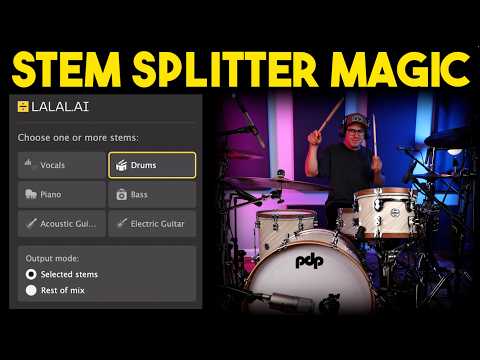
- 10:172:01Removing drums from a mix with LALAL.AIThe narrator shows how to extract drum stems and create a drumless version of a track using the AI splitter.Lalal.Ai· AI Vocal Remover & Stem Splitter
- 12:421:05Removing reverb and echo with LALAL.AICurrentThe user demonstrates the 'Echo and Reverb remover' feature to process a wet vocal track and make it sound dry and professional.Lalal.Ai· AI Audio Enhancer & Noise Reduction
- Watch “LALAL.AI: The Ultimate AI Stem Splitter?” →
AI Audio Enhancer & Noise Reduction
 10:040:53Remove reverb with LALAL.AI De-echoThe user demonstrates the 'de-echo' setting in LALAL.AI to remove reverberation from a vocal recording, showing the before and after results.Lanewood Studios
 13:571:00Remove background noise from vocalsThe user demonstrates the 'Voice and Noise' cleaning feature, showing how the app removes traffic noise from a spoken recording using the 'Normal' noise canceling setting.Spinlight Studio
 12:050:54Remove vocal reverb with de-reverb modelThe narrator selects the de-reverb model in the software to process a track with heavy echo, demonstrating the removal of reverb from the vocal stem.Parlogram
 5:160:27Remove echo and reverb with LALAL.AIThe narrator uploads a recording with significant room echo and demonstrates the tool's ability to produce a dry, studio-like vocal output.AI BORDER
- 12:421:05Removing reverb and echo with LALAL.AICurrentThe user demonstrates the 'Echo and Reverb remover' feature to process a wet vocal track and make it sound dry and professional.Spinlight Studio