demobook

Video to Video

150 clips across 39 tools — filter and play.

150 clips
  1. 2:18:444:56Day-for-night conversion in FusionA complex node workflow demonstration involving brightness adjustments, color tinting, and localized light masks to turn a daytime house shot into a night scene.DaVinci Resolve · advanced
  2. 2:570:20Animate AI influencer with Hickfield AIThe creator demonstrates an alternative motion control method using Hickfield AI to map video movement onto a generated influencer image.Higgsfield
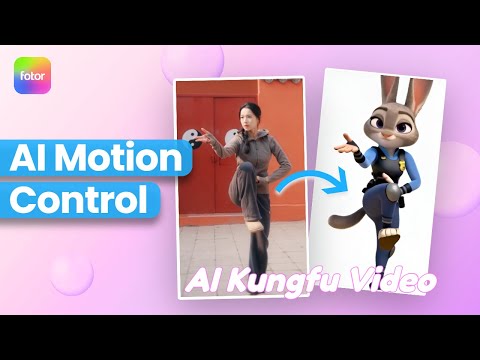
  3. 4:080:57Animate characters with Viggle AIThe video shows how to upload a reference image and a source video to Viggle AI to transfer motion and create a dancing character animation.VViggle.Ai
  4. 7:521:32Video-to-Video manipulation with Runway Gen-1The user demonstrates uploading a video to the Gen-1 interface to modify its style and content using presets and text prompts.Runway · intermediate
  5. 10:050:26Animate characters with Runway Act-OneThe video demonstrates the Act-One tool, showing how a character image can follow the facial expressions and movements of a source video.Runway · intermediate
  6. 10:381:35Cloning a viral video with Pollo AI AgentThe user copies a TikTok video link and uses the 'clone viral videos' feature in Pollo AI to generate a storyboard and new AI-rendered scenes based on the original content.Pollo AI · beginner · Social Media & Content Creation
  7. 26:322:34Transfer human motion with VACE and Multi-TalkThe demo shows how to use a control video of a person dancing to drive the body movements of a reference image while simultaneously applying a Spanish lip-sync track.XCAT 3.0 · Wan
  8. 1:350:40Generate and extend video with 'Metallic' templateThe creator uses the Gemini Omni 'metallic' template to generate a video of his avatar and then uses a follow-up prompt to continue the scene from the last frame.Gemini · Veo · beginner
  9. 1:390:35Perform character swap with Wan.videoThe user shows how to use the 'Character Swap' feature on Wan.video by uploading a source video and the generated influencer image to create a free AI animation.WWan · Wan
  10. 11:100:45Replicate an external video with TopView Video AgentThe user uploads a raw video file downloaded from the Facebook Ad Library into TopView to generate a new version featuring a different model and specific product images.TTopview Ai
  11. 7:240:31Motion control and background replacementThe user demonstrates transferring motion from a source video of a man running into a new generated environment (horror hallway) using Higgsfield AI.Higgsfield
  12. 9:071:17Object swapping with Kling AI Multi-elementsA demonstration of the Multi-elements feature in Kling AI where the user highlights himself in a walking video and uses a reference image to swap his body for a giant robot.Kling AI · Kling · beginner
  13. 12:411:00Transform video scenes with Runway Gen-3 AlphaThe user demonstrates uploading a video of himself riding a bike into Runway and using text prompts to transform the environment into a blizzard and a heavy downpour.Runway · intermediate
  14. 17:060:48Restyle video backgrounds with Kling 3.0 OmniEditThe creator demonstrates the OmniEdit model by uploading a video and using a text prompt to change the background to a snowy mountain while keeping the subject intact.Higgsfield · Kling
  15. 10:250:41Motion and character matching with Vidu Q2 ProUsing the video reference tab in Vidu Q2 Pro, the creator demonstrates how to take the movement from one video and apply it to a different character from RefHub.VVidu
  16. 2:280:44Swap human character for 3D Pixar model in MochaThe creator demonstrates swapping a real person in a video with a 3D Pixar-style character using Mocha, showing the transfer of lip movements and hand gestures.ComfyUI · Wan · advanced
  17. 20:110:27Generating final character swap videoThe video shows the K-Sampler process and the final rendered output of a character replacement task within ComfyUI.ComfyUI · Wan · advanced
  18. 5:351:01Character replacement using Recast StudioA walkthrough of the Recast tool on Higgsfield AI, showing how to replace a video character's entire appearance, voice, and background using presets or custom images.Higgsfield
  19. 7:520:46Character animation with Higgsfield AnimateThe creator uses Higgsfield Animate (WAN 2.2) to animate a static character image based on the movements of a source video, turning a person holding a pen into an explorer with a candle.Higgsfield
  20. 15:111:55Transfer performance with Runway Act-OneThe tutorial shows how to use Runway Act-One (referred to as Act Two) by uploading a 'driving video' of a person speaking and a target character video to transfer the facial performance and lip-sync.Runway · intermediate
  21. 4:580:53Animate and restyle videos with Meta AIThe user demonstrates Meta AI's video tools, specifically showing how to restyle a drone shot into a 'dark fantasy' look and how to animate a static image into a 5-second video.AI at Meta · beginner · Social Media & Content Creation
  22. 0:450:50Create seamless transitions with Kling O1The user demonstrates how to upload two separate frames (a medium shot and a close-up) to Kling O1 and use a prompt to generate a smooth AI transition between them.Kling AI · Kling · beginner
  23. 2:390:29Swap objects in video with Kling O1The user demonstrates replacing a plant on a desk with a plastic water bottle while maintaining the same position using Kling O1's video-to-video capabilities.Kling AI · Kling · beginner
  24. 3:080:36Replace sky in video using image referenceThe creator demonstrates how to upload a video and a reference image to Kling O1 to replace the sky and animate clouds with natural motion.Kling AI · Kling · beginner
  25. 6:310:50Create video style variations in DreaminaThe demonstration shows how to adjust prompts and reference images to change the lighting and mood of a video while keeping the core product consistent.Dreamina · Seedance
  26. 11:460:30Replace products in reference videosThe video shows how to use an existing video as a reference in Dreamina to swap out the original product with a new one while maintaining the same motion and pacing.Dreamina · Seedance
  27. 0:460:34Auto Object Swap with Pika AIThe video demonstrates the 'Auto Object Swap' method in Pika AI, showing how to upload a video, enter a prompt, and provide a reference image to replace an object automatically.PPika
  28. 1:200:20Manual Object Swap using Pika AI BrushThis clip shows the manual method in Pika AI where the user selects the 'Use Brush' tool to highlight a specific object for replacement before generating the final video.PPika
  29. 1:480:18Add characters to footage using Higgsfield AIThe demo shows how to add a new character to existing footage by attaching a character sheet and using a text prompt within the Premiere Pro plugin.Adobe Firefly · beginner
  30. 2:120:18Change clothing in video with Higgsfield AIThe user uses the 'Draw the Video' tool to highlight a person's clothes and changes them to pajamas using a text prompt.Adobe Firefly · beginner
  31. 2:350:15Replace video backgrounds with Higgsfield AIThe demonstrator shows how to swap a real-world background for a generated sunset view using the plugin's generative editing capabilities.Adobe Firefly · beginner
  32. 2:520:22Generate AI transitions in Premiere ProThe user demonstrates creating a dynamic transition between two frames by attaching start and end frames to the Higgsfield AI video generation tool.Adobe Firefly · beginner
  33. 3:160:20Generate multi-shot camera anglesThe demo shows how to use a prompt to generate alternative camera angles (left side and lower angle) from a single piece of footage.Adobe Firefly · beginner
  34. 6:350:57Edit video with Runway AlephThe demonstrator uses the Aleph tool to modify a generated video by replacing a horse with a 'fire horse' using simple text instructions.Runway · intermediate
  35. 19:030:52AI Video Motion Control with Kling 3.0The video shows the process of using a personal video recording as a motion capture input to drive the movements of an AI-generated character using the Kling 3.0 model inside Higgsfield.Higgsfield · Kling
  36. 6:111:10Create and animate a digital influencerThe creator demonstrates generating a completely fictional character from a text prompt and then using a viral dance video as a motion reference to animate that character.Arcads
  37. 4:090:43Refine character consistency with Vidu Q2 ProThe user shows how to take a generated video from Q3 and use it as a reference in Vidu Q2 Pro to maintain character consistency and lighting while adding new elements.VVidu
  38. 9:570:45Change camera angles using Runway AlephThe creator demonstrates the model's ability to generate a completely different camera angle of a subject from a single original video shot.Runway · intermediate
  39. 0:210:16Accessing Kling Motion Control on HiggsfieldThe creator shows the Higgsfield interface, navigating to the video tab and explaining how to upload a source motion video and a target character image.Higgsfield · Kling
  40. 0:302:05Create environment transitions with PikaframesThe creator demonstrates using Pika's Pikaframes tool to animate a transition between two real-life video keyframes, moving a subject from an indoor to an outdoor setting.PPika
  41. 2:530:43Morph clothing and locations with PikaThe user shows how to stitch multiple Pikaframes generations together to create a seamless morphing effect between different outfits and locations.PPika
  42. 1:231:00Replace objects in video with Kling O1The creator demonstrates how to upload a video of a car drifting and use a reference image of a Porsche to replace the original car using Kling O1's video-to-video feature.Kling AI · Kling · beginner
  43. 3:220:30Swap characters in a video using Kling O1The user shows how to replace a person in a video with a different character by uploading a reference image and prompting Kling O1 to change the subject while maintaining camera motion.Kling AI · Kling · beginner
  44. 4:290:37Predict and generate the next sceneThe demo shows how to use an original video and a reference image of a logo to have Kling O1 generate a subsequent shot that follows the initial scene's context.Kling AI · Kling · beginner
  45. 5:060:36Change camera angles with video-to-videoThe creator demonstrates changing a static shot of a person in a car to an overhead tracking shot of a Porsche by providing a reference image and specific camera instructions to Kling O1.Kling AI · Kling · beginner
  46. 15:344:59Character replacement with Wan AnimateThe creator demonstrates using Wan Animate and SAM 3 to mask a character in a reference video and replace them with a new character from a static image while maintaining the original motion.ComfyUI · Wan · advanced
  47. 21:072:43Cartoon animation with Wan SCAILThe user shows how to animate a cartoon ballerina using a real-person video as a motion reference via the Wan SCAIL workflow in ComfyUI.ComfyUI · Wan · advanced
  48. 38:592:37Character animation with Runway Act OneA demonstration of Runway's Act One tool, where a driving video of the presenter is used to animate a static image of Nicolas Cage, matching facial expressions and lip movements.Runway · intermediate
  49. 11:401:55Transform video environment and lighting with Kling O1The creator demonstrates how Kling O1 can take an original video of a car and regenerate the scene into a futuristic city at night while maintaining the car's motion and brake light timing.Kling AI · Kling · beginner
  50. 14:021:49Style transfer and lighting adjustment on green screen footageUsing Kling O1, the creator shows how to style transfer a SWAT team uniform onto green screen footage of himself, highlighting how the AI adds realistic fire reflections and lighting to his face.Kling AI · Kling · beginner
  51. 18:220:58Replace clothing and background in talking head videoThe video shows the process of using a reference image to replace a person's shirt and jacket with a leather outfit and hat while keeping the person's identity intact in Kling O1.Kling AI · Kling · beginner
  52. 21:311:11Change video camera angles with Kling O1The demonstration shows how to prompt Kling O1 to change a front-facing video into a 3/4 profile or side profile angle while maintaining the environment and objects like a microphone.Kling AI · Kling · beginner
  53. 25:240:56Simulate shallow depth of field and environment changeThe creator shows how Kling O1 can take a video on a white background and transform it into a zombie apocalypse scene while accurately blurring the background to match a shallow depth of field.Kling AI · Kling · beginner
  54. 34:534:27Step-by-step video-to-video workflow in Kling O1A full walkthrough showing how to generate a green screen video in Kling 2.5 Turbo, download it, and then use Kling O1 to replace the background with a torch-lit coal mine environment.Kling AI · Kling · beginner
  55. 11:370:19Changing video lighting via natural language in Google FlowThe user demonstrates dragging a video into the Google Flow agent box and using a text prompt to change the lighting to a cinematic style with heavy shadows and smoke.Google Whisk · beginner
  56. 9:290:49Chain video clips using video-to-video referenceThe creator demonstrates how to maintain continuity by uploading the first generated video as a reference for the second clip in Seedance 2.0, ensuring the motion and environment flow naturally.OpenArt · Seedance · intermediate
  57. 8:150:26Using Keyframes to guide video generationThe demo shows how to slide an image to a later point in the timeline to use it as a target keyframe, allowing the model to generate the action leading up to that specific visual.ComfyUI · LTX Video · advanced
  58. 8:581:51Video-to-Video Editing with Google OmniThe demonstration shows Google Omni performing video-to-video tasks, such as replacing a physical object with a laptop, turning a piece of paper into a Pokémon card, and changing a character's clothing or species while maintaining motion.GGoogle Omni
  59. 9:471:24Using Expression Restore with LivePortraitThe video shows the 'expression restore' feature which uses LivePortrait to map eye movements and facial expressions from the target video onto the source face.Facefusion · intermediate
  60. 8:200:47Morphing transitions with Kling O1A demonstration of using Kling O1 to morph the iris of an eye into a ball of fire by providing specific start and end frames and a descriptive prompt.Kling AI · Kling · beginner
  61. 1:110:55Recreate viral video structure with Pippit AIThe user demonstrates uploading a reference video to Pippit AI, selecting the Sora 2 model, and generating a new vertical video that mimics the original's pacing and logic.PPippit · Sora
  62. 17:272:04Apply anime styles to footage with Video to VideoA selfie video is uploaded to Pollo AI and transformed into a 'cute anime' style using the video-to-video restyling tool.Pollo AI · beginner · Social Media & Content Creation
  63. 1:470:33Create multi-shot sequences with camera controlThe user feeds a generated video back into Seedance 2.0 and applies a multi-shot prompt to control camera movements like tracking shots and close-ups.Bytesplus · Seedance
  64. 1:391:00Setting up a Reference Video in Pippit AIThe user demonstrates how to initiate a project in Pippit AI by clicking the lamp icon, uploading a reference clip, and selecting the Sora 2 model to automatically generate a descriptive prompt.PPippit · Sora
  65. 2:520:46Generating and reviewing AI video outputThe demo shows the real-time analysis interface in Pippit AI and compares an original reference clip with the AI-generated result that mirrors its rhythm and structure.PPippit
  66. 1:560:39Video-to-video restylization with LTX 2.3The creator demonstrates LTX 2.3's video-to-video capabilities by applying a restylization to a source video of himself moving his hands, showing how the model maintains hand and lip-sync consistency.LTX Studio · LTX Video · intermediate · Advertising & Marketing Creative
  67. 4:330:31Video editing and object replacement in Vidu Q2 ProThe user uploads an existing video and uses a text prompt to remove a laptop and replace it with a newspaper using the Vidu Q2 Pro model.VVidu
  68. 15:352:08Final video generation with Wan 2.1The demonstration shows how to use the Wan 2.1 V2V model to combine the generated 3D motion and a reference character image into a final, high-quality AI video animation.ComfyUI · Wan · advanced
  69. 4:130:33Generating Video from First and Last Frames in HiggsfieldThe user shows the process of taking an anamorphic wide shot and its modified version (with the character removed) to generate a video transition using Higgsfield's video mode.Higgsfield
  70. 8:192:06Convert 3D Scene into FPS Game with MiniMax M3MiniMax M3 updates the previously generated subway scene into a playable first-person shooter (FPS) with weapon mechanics, bullet holes, and footstep audio.MiniMax · Hailuo
  71. 1:003:01Generate character-consistent video with Wan 2.6 R2VThe creator demonstrates a ComfyUI workflow using the Wan 2.6 API node to transform a 5-second reference video of himself into a new scene while maintaining character consistency and native audio lip-sync.ComfyUI · Wan · advanced
  72. 5:170:33Multi-reference video generation in Wan 2.6A demonstration of using multiple input videos (a subject, a motorcycle, and a location) within the Wan 2.6 workflow to generate a complex scene of the subject riding a specific bike in a specific setting.WWan · Wan
  73. 13:210:51AI Motion Control with Klings 2.6The user demonstrates 'Motion Control' by uploading a reference video of a person dancing and an image of a different person to make the second person mimic the dance moves.Arcads · Kling
  74. 4:581:14Video-to-video style transfer with Domo AIThe creator demonstrates transforming an existing video into a 'soft toy' animation style using Domo AI's video-to-video feature.DomoAI · beginner · Social Media & Content Creation
  75. 5:561:11Simulating physics and terrain in OmniThe creator demonstrates how changing the terrain prompt (e.g., to ice or dust) affects the physical behavior and visual effects of the vehicle in the generated video.GGoogle Omni
  76. 8:340:31Applying custom logos to video objectsThe creator uploads a custom logo and prompts the model to apply it as a theme across the car in an existing video clip while keeping the camera angle consistent.GGoogle Omni · Veo
  77. 5:290:41Transform video style with DomoAI Video to VideoThe user applies the 'Sketch Animate' template to an existing video clip to completely change its visual style while maintaining the motion.DomoAI · beginner · Social Media & Content Creation
  78. 2:181:56Multi-character motion tracking in Viggle V4The video shows the Multitrack feature in Viggle V4, where a source video is uploaded and the AI tracks multiple subjects to replace them with custom characters while preserving motion.VViggle.Ai · Seedance
  79. 3:210:29Create AI video from reference media in PippitThe creator shows how to select the Seedance 2.0 model, upload a reference video or image, and set video duration to generate a realistic clip of a person cooking pasta.PPippit · Seedance
  80. 1:075:19Transform video environment with OpenArt VFXThe presenter demonstrates how to import a video of a woman in a parking lot and use a reference image and masking tools to transform the background into an ancient underground crypt.OpenArt · intermediate
  81. 13:530:29Add complex VFX elements via promptingThe user demonstrates how to turn a tripod into a sci-fi weapon by using specific prompts to generate muzzle flashes, sparks, and smoke effects over a live-action performance.OpenArt · intermediate
  82. 3:510:36Using Pika.art mobile browser interfaceThe demo walks through the Pika.art mobile site, showing the prompt bar, effect icons, model switcher, and the process of uploading video from a camera roll.PPika
  83. 4:031:00Generating Guide Videos with BFS NodeThe demo shows how to use the BFS Node extension to combine a reference face image and a driving video into a green-screen guide video required for the LTX sampling process.ComfyUI · LTX Video · advanced
  84. 5:030:47Injecting Latent Constraints with Add Guide MultiThe video demonstrates using the 'Add Guide Multi' node from the KJ Node extension to inject the guide video constraints and VAE-encoded latents into the sampling pipeline.ComfyUI · LTX Video · advanced
  85. 6:271:22Apply visual style presets in Gemini OmniThe user demonstrates various style templates including Noir, 80s music video, Origami, and Pixelate to transform the look of generated video clips.GGoogle Omni
  86. 10:170:31Restyle video into Anime with OpenArtThe user demonstrates the Restyle Video feature by converting a generated boat scene into a Ghibli-inspired animation style.OpenArt · intermediate
  87. 6:110:43Video-to-Video style transfer with DomoAIThe user demonstrates the video-to-video feature by uploading a clip and applying a Japanese anime style preset to transform the visual aesthetic while maintaining the original movement.DomoAI · beginner · Social Media & Content Creation
  88. 15:040:30Perform video-to-video editsThe presenter applies a text prompt to an existing video to change the environment to a night scene with heavy rainstorms.Morphic · intermediate · Advertising & Marketing Creative
  89. 7:012:06Edit video scenes with Kling O1Using the Kling O1 tool, the demonstrator tags an existing video and uses a text prompt to change the entire background scene from a rainy street to a snowy hill station.Kling AI · Kling · beginner
  90. 6:461:03Modify existing video with AI using Luma Ray 3The user demonstrates the 'Modify' feature by uploading a real video of himself and using a reference image to change the background and lighting while preserving his performance.LLuma Dream Machine Arena · Dream Machine
  91. 1:120:41Swap objects in video with PixVerse ModifyThe creator uses the 'Swap' tool in PixVerse to select a perfume bottle in a video and replace it with a soda bottle by uploading a reference image.PPixverse AI
  92. 2:420:36Restyle video footage with PixVerse ModifyThe video shows how to apply a '3D animation' style to a realistic video clip using the PixVerse restyle presets while maintaining original motion.PPixverse AI
  93. 0:520:52Transform backyard footage into a swamp with OpenArt VFXThe user demonstrates uploading a video to OpenArt, selecting a 10-second clip, and using a mask to replace the grass in a backyard with an alligator-filled swamp using a reference image.OpenArt · intermediate
  94. 4:350:41Clone a viral video using a link in Pollo AIThe creator shows the 'clone viral video' feature where they paste a YouTube Short link into Pollo AI, select a 'Ghibli' visual style, and generate a new animated version of the original content.Pollo AI · beginner · Social Media & Content Creation
  95. 2:130:21Transform dancing video to anime styleA demonstration of converting a dancing video into an anime style using GoEnhance AI with adjusted frame rate settings for smoother motion.GoEnhance AI · beginner
  96. 4:080:14Apply specific clothing to characters in AI videoThe user demonstrates how to use a reference image of a jacket and a character image to generate a video where the character is wearing that specific item.GoEnhance AI · beginner
  97. 7:271:04Recreate social media videos with Video AdaptThe user demonstrates the 'Video Adapt' feature by dropping a TikTok link into Higgsfield to have the agent rebuild the video's structure while applying the user's specific brand colors and style.Higgsfield
  98. 8:050:47Video-to-video consistency in HiggsfieldThe creator demonstrates using a previously generated video as a reference in Higgsfield to maintain lighting, mood, and environment consistency in a new scene.Higgsfield
  99. 4:450:51AI Video Generation with OpenArt ElementsThe user demonstrates how to upload a 3D playblast video and master reference images into OpenArt to generate a consistent, high-quality product animation.OpenArt · intermediate
  100. 8:310:27Replace video background with OpenArt VFXThe creator demonstrates the 'Replace Background' feature in OpenArt to swap the background of a watch animation for a clean blue studio look while preserving the foreground object.OpenArt · intermediate