Audio equalization in Movavi Video Editor
 Movavi Video Editor
Demo summary
The creator shows how to use the built-in equalizer and presets to enhance the bass and clarity of a voiceover.
Step-by-step
- Select the audio clip on the timeline
- Go to the Equalizer tool
- Choose a template or manually adjust the frequency sliders
- Drag the bass levels up to enhance the low end
- Adjust the sliders to create a custom EQ shape
Options
- Choose from a number of pre-made templates
Tips
- Use the equalizer to create crisp, professional-sounding audio
Highlights
“I can't tell you how essential this is to have to create beautiful crisp audio”
All demos from “🎬 Best Movavi Video Editing Tips and Tricks”
- 1:260:21Apply custom LUTs in Movavi Video EditorThe creator demonstrates how to import and apply a custom Look-Up Table (LUT) to color grade flat footage in Movavi Video Editor.Movavi Video Editor· AI Video Editor
- 1:540:28Manual color grading in Movavi Video EditorA step-by-step walkthrough of using manual color adjustments like brightness, contrast, and saturation to enhance video quality in Movavi.Movavi Video Editor· AI Video Editor
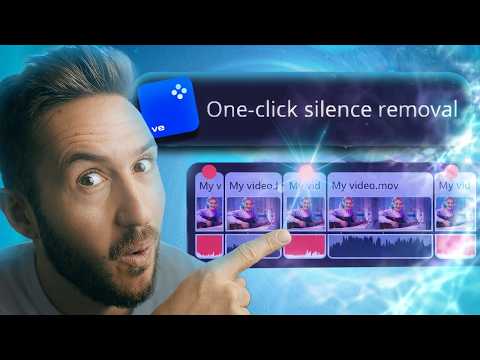
- 2:270:40Automatic silence removal in Movavi Video EditorThe video shows how to use the AI-powered silence removal tool to automatically detect and cut dead air from a video clip.Movavi Video Editor· AI Video Editor
- 3:430:15AI background removal in Movavi Video EditorThe creator demonstrates the precision background removal tool to isolate a subject from their environment without a green screen.Movavi Video Editor· AI Video Editor
- 3:580:37Apply and adjust overlay effects in Movavi Video EditorThe demo shows how to apply the 'fluttering foliage' overlay effect and adjust its opacity to create a new background environment.Movavi Video Editor· AI Video Editor
- 5:040:24Copy and paste effects between clips in MovaviA demonstration of the workflow for copying applied effects from one timeline clip and pasting them onto multiple other clips simultaneously.Movavi Video Editor· AI Video Editor
- 5:341:00AI motion tracking in Movavi Video EditorThe creator shows how to use AI motion tracking to attach a subscribe sticker to a moving face in the video frame.Movavi Video Editor· AI Video Editor
- 7:100:53Generate and style auto-subtitles in MovaviThe video demonstrates the automatic subtitle generation feature and how to apply different visual styles and fonts to the resulting text.Movavi Video Editor· AI Video Editor
- 8:120:36Picture-in-picture mode for screen recordingsThe creator demonstrates how to use the one-click picture-in-picture tool to overlay a talking head video on top of a screen recording.Movavi Video Editor· AI Video Recording
- 9:570:29AI beat detection for music editingThe demo shows how to use the beat detection tool to generate markers on the timeline for precise cutting to the rhythm of a song.Movavi Video Editor· AI Video Editor
- 10:320:11AI noise removal in Movavi Video EditorA brief demonstration of the AI-driven noise removal tool to clean up audio recordings.Movavi Video Editor· AI Audio Enhancer & Noise Reduction
- 10:450:24Audio equalization in Movavi Video EditorCurrentThe creator shows how to use the built-in equalizer and presets to enhance the bass and clarity of a voiceover.Movavi Video Editor· AI Audio Editor
- Watch “🎬 Best Movavi Video Editing Tips and Tricks” →
AI Audio Editor
 7:320:31Automatic beat detection for musicThe video shows Movavi's beat detection tool analyzing a music track and placing markers on the timeline to assist with rhythmic editing.Dylan John
- 10:450:24Audio equalization in Movavi Video EditorCurrentThe creator shows how to use the built-in equalizer and presets to enhance the bass and clarity of a voiceover.Matt Loui
 3:540:18Apply audio effectsA demonstration of dragging and dropping the 'Radio' audio effect onto a clip to change its sound profile.Matthias Dangl
 6:300:12Normalize audio levels in MovaviThe demonstration shows selecting an audio clip and checking the 'Auto volume level' (normalize) option to automatically even out loudness across clips.Movavi Vlog