Animate images into ASMR videos with HitPaw VikPea
 HitPaw VikPea
Demo summary
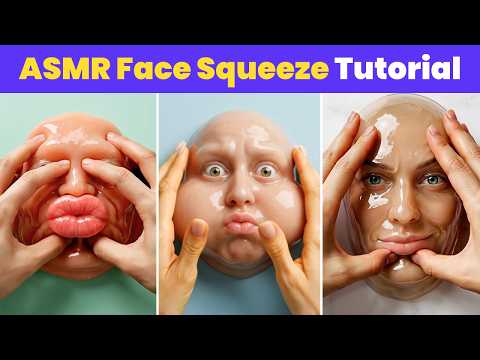
The creator demonstrates using HitPaw VikPea's AI video generator with the Kling or Veo 3 models to animate a static image into a face-squeezing ASMR video.
Step-by-step
- Open HitPaw VikPea and click on AI video generator
- Select a video model such as Kling or Veo 3
- Import your static image
- Paste your video prompt into the text area
- Select the desired duration and aspect ratio
- Turn on the native audio button
- Click generate
Options
- Use the Kling model
- Use the Veo 3 model
- Try other available video models
Tips
- Copy and paste video prompts directly from ChatGPT for better results
- Enable native audio to enhance the ASMR effect of the video
Highlights
“Now we simply head to HitPaw VikPea for video generation.”
All demos from “How to Make Face Squeeze ASMR Videos| Face AI ASMR Video Tutorial | New AI Niche”
- 0:420:25Generate slime face images with HitPaw FotorPeaThe video shows the process of using HitPaw FotorPea's AI generator and the Nano Banana 2 model to convert text prompts into slime-themed facial images.HitPaw FotorPea· Text to Image
- 1:070:32Animate images into ASMR videos with HitPaw VikPeaCurrentThe creator demonstrates using HitPaw VikPea's AI video generator with the Kling or Veo 3 models to animate a static image into a face-squeezing ASMR video.HitPaw VikPea· Image to Video
- Watch “How to Make Face Squeeze ASMR Videos| Face AI ASMR Video Tutorial | New AI Niche” →
Image to Video
- 1:070:32Animate images into ASMR videos with HitPaw VikPeaCurrentThe creator demonstrates using HitPaw VikPea's AI video generator with the Kling or Veo 3 models to animate a static image into a face-squeezing ASMR video.HitPaw
 1:510:28Convert image to video using HitPaw VikPeaThe creator shows the process of uploading an image to the HitPaw video generator, selecting a model, and generating a smooth cinematic video clip.Gujju Edition