Generate ASMR video with Google Veo 3 via Gemini

 Gemini
Demo summary
The creator demonstrates pasting a prompt into Gemini to use Google Veo 3 for generating a video of slicing crystal fruit with synchronized sound effects.
Step-by-step
- Copy your video generation prompt
- Open Gemini
- Paste the prompt into the input field
- Generate the video
Watch out for
- Gemini is limited to three free Veo 3 credits per day
Tips
- Don't waste your limited daily credits
Highlights
“Notice how well the sound syncs with the slicing. It's super relaxing.”
All demos from “These AI Make Viral ASMR Glass Fruits Cutting Videos in Minutes | Relaxing AI ASMR Tutorial”
- 3:090:30Generate Google Veo 3 prompts in ChatGPTThe user shows how to prompt ChatGPT to generate detailed text-to-video prompts specifically formatted for Google Veo 3, including audio synchronization instructions.ChatGPT· AI Video Prompt Generator
- 3:390:32Generate ASMR video with Google Veo 3 via GeminiCurrentThe creator demonstrates pasting a prompt into Gemini to use Google Veo 3 for generating a video of slicing crystal fruit with synchronized sound effects.Gemini· Text to Video
- 4:390:24Configure Google Veo 3 settings in Google FlowThe video shows how to navigate model settings in Google Flow, selecting between Veo 3 Fast and Quality modes and enabling the audio model.Google Flow· AI Video Generator
- 6:520:16Generate starting frames with Dreamina AIThe creator demonstrates using Dreamina AI's image generator to paste a prompt and generate a high-quality starting frame for an ASMR video.Dreamina· Text to Image
- 7:080:29Animate images with Kling AI and sound effectsThe user demonstrates uploading an image to Kling AI, pasting an animation prompt, and checking the box for built-in sound effects to generate a final ASMR clip.Kling AI· Image to Video
- Watch “These AI Make Viral ASMR Glass Fruits Cutting Videos in Minutes | Relaxing AI ASMR Tutorial” →




Text to Video
 3:340:54Text-to-video generation in Google GeminiThe creator uses Google Veo 3 within the Gemini interface to generate an 8-second video of a scientist speaking specific lines from a text prompt.Tim Harris AI
 2:201:02Generate video with audio in Google Veo 3The user demonstrates entering a text prompt into the Gemini interface to generate an 8-second cinematic video of a cookie including a specific narrated voiceover and sound effects using Google's Veo 3 model.Kevin Stratvert
 14:180:28Generate video using Grok on Gemini Gen AIThe demonstration shows using the Gemini Gen AI platform to generate a video clip using the Grok model for zero credits.Brain Project
 5:341:55Unlimited video generation using Gemini Business (Vidu 1.1)The user demonstrates a trick to get a 30-day free trial of Gemini Business using temporary emails to generate cinematic, watermark-free videos using the Vidu 1.1 model.Everything For All
 1:500:30Generate physics-based video with Gemini OmniThe user demonstrates Gemini Omni's physics understanding by prompting it to create a video of a ceramic teapot falling and shattering on a tile floor.AI Master
 3:180:19Generate video from custom text promptThe user demonstrates Gemini Omni's text-to-video capability by prompting it to show his avatar in a suit eating spaghetti at a restaurant.Paul J Lipsky
- 3:390:32Generate ASMR video with Google Veo 3 via GeminiCurrentThe creator demonstrates pasting a prompt into Gemini to use Google Veo 3 for generating a video of slicing crystal fruit with synchronized sound effects.Monetize with AI
 8:041:07Create skydiving video with Google Veo 3.1 via GeminiThe video shows the process of inputting a complex prompt into Gemini to generate an 8-second clip of a grandmother skydiving into a Super Bowl stadium using the Veo 3.1 model.AI Master
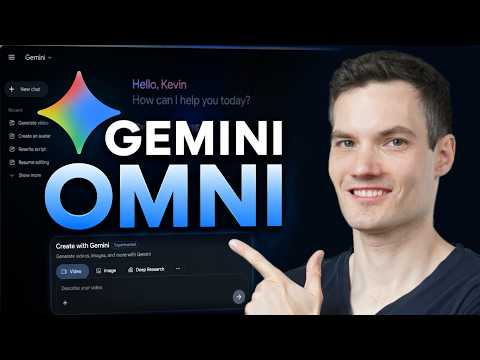 0:461:08Generate video from text with Gemini OmniThe user demonstrates how to navigate to the video icon in Gemini and enter a text prompt to generate a cinematic video of a storefront using the Omni model.Kevin Stratvert
 1:581:20Generate cinematic video with Google Veo 3The video shows how to activate the video tool in Gemini and enter a detailed prompt to generate a slow-motion shot of chocolate chip cookies using the Veo 3 model.Kevin Stratvert
- 4:081:13Refine video prompts using Gemini AIThe user demonstrates asking Gemini to write a more descriptive, cinematic prompt for a cookie-baking scene and then using that output to generate a better video.Kevin Stratvert
 0:580:26Accessing Google Veo 3 in GeminiThe user demonstrates how to navigate to the video generation tab within the Gemini Advanced interface to access the Google Veo 3 model.Austin Armstrong