Animate images with Kling AI and sound effects

 Kling AI
Demo summary
The user demonstrates uploading an image to Kling AI, pasting an animation prompt, and checking the box for built-in sound effects to generate a final ASMR clip.
Step-by-step
- Go to Kling AI
- Upload your saved image
- Paste the animation prompt
- Check the box for built-in sound effects
- Click generate
Watch out for
- Generation may take several hours to complete
Tips
- Use the built-in sound effects feature for ASMR-style clips
All demos from “These AI Make Viral ASMR Glass Fruits Cutting Videos in Minutes | Relaxing AI ASMR Tutorial”
- 3:090:30Generate Google Veo 3 prompts in ChatGPTThe user shows how to prompt ChatGPT to generate detailed text-to-video prompts specifically formatted for Google Veo 3, including audio synchronization instructions.ChatGPT· AI Video Prompt Generator
- 3:390:32Generate ASMR video with Google Veo 3 via GeminiThe creator demonstrates pasting a prompt into Gemini to use Google Veo 3 for generating a video of slicing crystal fruit with synchronized sound effects.Gemini· Text to Video
- 4:390:24Configure Google Veo 3 settings in Google FlowThe video shows how to navigate model settings in Google Flow, selecting between Veo 3 Fast and Quality modes and enabling the audio model.Google Flow· AI Video Generator
- 6:520:16Generate starting frames with Dreamina AIThe creator demonstrates using Dreamina AI's image generator to paste a prompt and generate a high-quality starting frame for an ASMR video.Dreamina· Text to Image
- 7:080:29Animate images with Kling AI and sound effectsCurrentThe user demonstrates uploading an image to Kling AI, pasting an animation prompt, and checking the box for built-in sound effects to generate a final ASMR clip.Kling AI· Image to Video
- Watch “These AI Make Viral ASMR Glass Fruits Cutting Videos in Minutes | Relaxing AI ASMR Tutorial” →




Image to Video
 7:291:18Animate transitions with Kling 2.1The creator demonstrates the image-to-video process using Kling 2.1, setting a start frame of a unicorn and an end frame of a hunter to create a seamless 10-second zooming transition.Dan Kieft
 15:090:34Keyframe transitions with Kling AIThe creator demonstrates uploading a starting illustration and an end photo into Kling AI to generate a seamless transition between two frames.Tao Prompts
 7:551:21Convert images to video with Kling AIThe demonstration shows uploading a static image of an owl and using a text prompt to animate it into a slow-motion flight sequence.Jason Gandy
 2:200:36Animate a reference image with Kling 3.0The narrator demonstrates image-to-video by uploading a reference image of a man and entering a prompt for him to walk towards a dragon using the Kling 3.0 model.Tao Prompts
- 7:080:29Animate images with Kling AI and sound effectsCurrentThe user demonstrates uploading an image to Kling AI, pasting an animation prompt, and checking the box for built-in sound effects to generate a final ASMR clip.Monetize with AI
 4:030:39Animate scenes with Kling 2.6The video shows the process of using the 'image to video' feature, uploading a panel as a start frame, and applying a camera movement prompt using the Kling 2.6 model.Mira AI
 2:471:07Animate images into ASMR videos with Kling AIThe user demonstrates uploading an image to Kling AI, using the Deep Seek tool to refine the prompt, and generating a video with synchronized AI sound.AI Century
 10:041:33Animate images using Kling and KlingThe video shows how to take a generated image into the video tab, select a model like Kling, and use ChatGPT-generated video prompts to create a 5-10 second cinematic clip.Dan Kieft
 6:580:58Generate video with Kling 3 Omni using referencesThe user demonstrates using Kling 3 Omni's 'Text with reference' and 'multi shot' features, uploading the previously created 3D world images as visual guides for video generation.AI Video School
 3:321:08Generating consistent character angles with Multi-shotUsing a single image reference, the creator shows how to describe multiple camera angles and actions for a character to generate a consistent 12-second multi-scene video.Dan Kieft
- 15:001:06Image-to-video with start and end framesThe creator demonstrates the image-to-video method by setting a specific start frame and using multi-shot prompts to control the motion and narrative flow.Dan Kieft
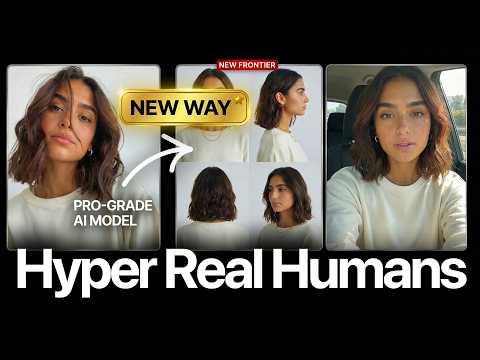 17:020:28Motion transfer with Kling AIThe creator shows how to use Kling Motion Transfer to map the movements from a real 'driving video' of himself onto a static AI influencer image.Sirio