AI Image Combiner
Blend or merge multiple images into one composition.
AI Image Combiner Tutorials

 AI Creator Hub

 Techvid Ai
 Luca
Luca 

 The AI Advantage

 Blog With Ben

 Nate Herk | AI Automation

 DGI Kaos
 Dan Kieft

 100x Engineers

 Isa does AI
 Kevin Stratvert
 Recraft

 Mariana Montoya

 Roboverse
 Youri van Hofwegen

 Urban Decoders

 Kyle Friel | AI Software
 Sergei Chyrkov

 Malva AI

 Higgsfield AI
 Dan - Smart Tutorials

 Pokecut

 Version 2.0
 NightCafe
 Digital Bossq
 Dan Kieft
 Alex Followell | AI Automation

 Leon van Zyl
 Shark Numbers

 BIM Design Studio
 Bob Doyle Media

 AI PIPELINE
 AI Picks
 The Skillhouse
 Roboverse
 AI Video School
 Sebastian Kamph
 FILM CRUX

 pixaroma
 Shark Numbers

 WebPro Education

 Kieran Hayes Photography

 Zori Design
 Sebastian Kamph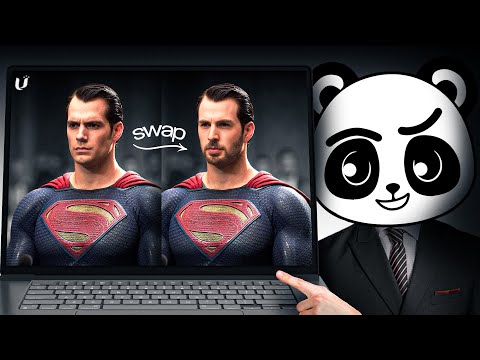
 Artificial Quotient
 Dan - Smart Tutorials

 Greg Isenberg

 GraFeeXa
 The Wall Street Journal

 AI様の下僕
 insMind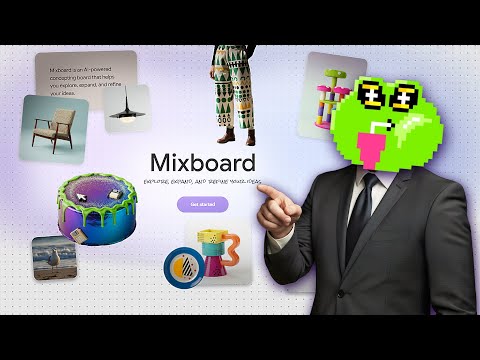
 Tutorials For You
AI Image Combiner Prompts
AI Image Combiner Tools
All-in-one AI creative studio for images, video, music, and models.
A node-based visual workflow engine for professional AI image and video generation.
All-in-one AI-powered photo and video creation and editing platform.
AI-powered concepting board to explore, expand, and refine creative ideas.
Convert text, images, and videos into high-quality AI animations and art.
A fair-code workflow automation platform combining visual building with custom code.
Google’s multimodal AI assistant for writing, planning, and creative brainstorming.
An experimental AI tool for image-to-image prompting and visual storytelling.
Create cinematic AI videos and images with advanced character consistency.
AI-powered photo editor for creative desktop, tablet, and mobile editing.
AI-powered node-based platform for professional design and creative workflows.
Create high-converting video ads using realistic AI actors and avatars.
AI-native cloud infrastructure and advanced multimodal models for enterprise growth.
Advanced AI conversational assistant for text generation and problem solving.
All-in-one AI creative platform for high-quality video and image generation.
The most controllable AI image generation and design tool for creators.
The collaborative interface design tool for teams to build products together.
All-in-one AI video generator powered by leading generative models.
Google's advanced text-to-image model for high-fidelity photorealistic creative assets.
All-in-one AI creative suite for images, videos, and audio generation.
Unified multimodel API for high-performance AI at a fraction of the cost.
Next-generation AI creative studio for high-fidelity video and image generation.
A powerful creative AI suite for real-time image, video, and 3D generation.
The ultimate professional music creation experience for Mac and iPad.
An independent research lab exploring new mediums of thought through AI imagery.
Create stunning AI-generated art using multiple state-of-the-art algorithms and models.
Transform text and photos into high-quality AI-generated videos and viral content.
AI-powered photo editor for studio-quality portraits and e-commerce product images.
Professional AI design platform for photorealistic images and editable vector graphics.
Agent-native image generation and editing using code-based intermediate representations.
Next-generation AI for high-fidelity video generation and world simulation.
AI Image Combiner Industries
What is an AI Image Combiner?
An AI image combiner uses artificial intelligence to merge two or more images into a single, cohesive visual. Unlike traditional collage makers, these tools analyze lighting, shadows, and textures to create a seamless blend. You might use this to place yourself in a new location, swap a character's outfit, or combine two architectural styles into a new concept.
Common use cases found in our demo database include "clothing replacement" (swapping a shirt for a jacket) and "character consistency" (merging a face reference with a specific background). Whether you want to combine two people in one photo or create a cinematic composition, AI handles the complex masking and color matching for you.
The General Workflow to Combine Images
While every tool has a unique interface, most successful AI image merging follows this standard process:
- Upload Source Images: Select 2 to 4 images. Usually, one acts as the "base" (the background or subject) and the others act as "references" (style, clothing, or face).
- Set the Aspect Ratio: Manually set your output resolution (e.g., 9:16 for Reels or 16:9 for YouTube). Relying on 'default' settings often leads to unpredictable results when mixing square and portrait sources.
- Write a Blending Prompt: Describe how the images should interact. For example, "Put the person from image 2 into the jacket from image 1, matching the shadows and lighting."
- Generate and Refine: Run the generator. If the physics or colors look off, tweak the prompt to be more specific about the placement of elements.
Which Tools Handle Image Merging Best?
Based on our first-party data, these are the most demonstrated tools for combining images:
- OpenArt (5 demos): Popular for its intuitive interface and strong prompt-to-image blending capabilities.
- Mixboard (4 demos): Frequently used for creative fusions and mixing different artistic vibes.
- ComfyUI (4 demos): The choice for advanced users who need granular control over nodes like "Empty Latent Image" and "Image Concatenate."
- insMind (4 demos): A top-rated web-based option for quick, seamless photo merging.
- Gemini & ChatGPT (3+ demos): Useful for conversational merging where you describe the desired output in natural language.
Tips for Better AI Blending
- Be Specific with Garments: Instead of saying "change clothes," use prompts like "replace a camel tan long sleeve top with a white button shirt."
- Match Resolutions: For the most realistic results, use source photos with similar lighting angles and resolutions.
- Watch the Credits: Use 'High' resolution instead of 'Ultra' to save on processing costs while still getting quality results.
- Avoid Overcomplicating: Overly complex descriptions can actually make the final result worse. Let the AI do the heavy lifting for the actual blending.
- Check Physics: Always compare the final output against your source images to ensure the AI handled shadows and textures realistically.
Frequently asked questions
How do I combine two images with AI for free?
Can I combine two people into one photo with AI?
Yes, you can use an AI image combiner to place a person from one photo into a scene with another. For the best results, use a prompt that explicitly asks the AI to 'match colors, shadows, and textures' so the lighting looks natural for both people.
What is the best AI image combiner on Reddit?
How do I use an AI image combiner online?
Can I merge images without signing up?
While some tools require an account to save your work, many browser-based AI combiners allow for quick generations. However, advanced workflows like those in ComfyUI or Midjourney typically require a login to access their processing power.
Why does my AI merged image look messy?
Messy results often happen when prompts are too complex or when the source images have vastly different lighting. Try simplifying your prompt and ensuring there is a space between any specific parameters or codes you are using.