NightCafe Creator: Fuse images and sketches with Nano Banana Pro
 NightCafe Creator
Demo summary
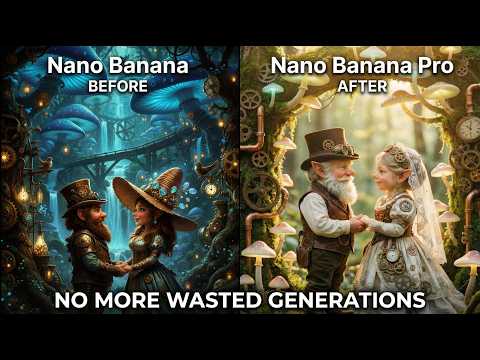
The creator demonstrates how to select the Nano Banana Pro model in NightCafe's advanced mode and fuse a character sketch with a Renaissance painting background using a text prompt.
Step-by-step
- Ensure Advanced Mode is toggled on
- Select 'Browse all models' and choose 'Nano Banana Pro'
- Upload a character sketch as a reference image in the start image settings
- Add a second image, such as a Renaissance painting from the free images library, to serve as the background
- Enter your text prompt
- Select the output resolution (High or Ultra)
- Adjust the aspect ratio if a non-default shape is desired
- Click to generate the image
Options
- Use the 'free images' search within NightCafe for backgrounds
- Choose between High and Ultra output resolutions
- Manually adjust aspect ratio or let it default to match start images
Watch out for
- Prompt Magic may trigger a warning that requires attention before proceeding
Tips
- Use 'High' resolution instead of 'Ultra' to save on credit costs
- Pay close attention to system warnings rather than clicking past them
Highlights
“the bananas are ready. This is insane... that is great.”
All demos from “This AI Art Upgrade Is Bigger Than You Think”
- 5:001:50Fuse images and sketches with Nano Banana ProCurrentThe creator demonstrates how to select the Nano Banana Pro model in NightCafe's advanced mode and fuse a character sketch with a Renaissance painting background using a text prompt.NightCafe Creator· AI Image Combiner
- 6:501:11Edit AI images with natural language instructionsThe user shows the 'prompt to edit' feature in NightCafe, using Nano Banana Pro to transform a generated character into a cyberpunk style using simple conversational text.NightCafe Creator· AI Inpainting
- 8:010:54Targeted image transformations in NightCafeThe video demonstrates applying specific edits like blurring the background and increasing color saturation to an existing image using the Nano Banana Pro model.NightCafe Creator· AI Photo Editor
- Watch “This AI Art Upgrade Is Bigger Than You Think” →
AI Image Combiner
- 5:001:50Fuse images and sketches with Nano Banana ProCurrentThe creator demonstrates how to select the Nano Banana Pro model in NightCafe's advanced mode and fuse a character sketch with a Renaissance painting background using a text prompt.NightCafe