Imagine.art: Image editing and composition
 Imagine.art
Demo summary
The creator demonstrates the edit tool by uploading a logo and a portrait, combining them into a new composition, and then animating the result.
Step-by-step
- Open the Edit tool
- Upload the primary media file (e.g., a logo)
- Upload a second image (e.g., a portrait) to combine them
- Set the orientation to 4x3
- Click Create to generate options
- Select a preferred image from the results
- Click Animate and choose between High or Low motion settings
Options
- Choose between High and Low animation intensity
- Select from four different generated image variations
Tips
- Stick to the default model for standard image composition tasks
Highlights
“There is very little input from me here, but let's see the output... Pretty cool.”
All demos from “Most Premium Generative AI Tool? ImagineArt Review”
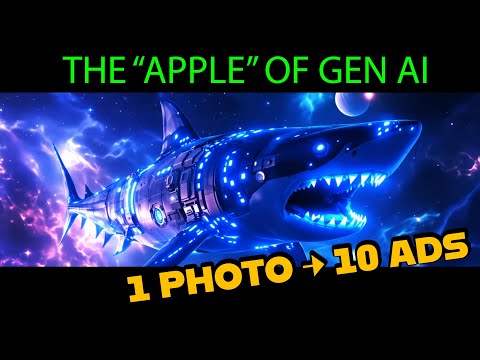
- 2:000:51Generate images with Imagine Art 1.5 and Flux 1.1The user demonstrates generating a sci-fi shark image using the in-house Imagine Art 1.5 model and then switches to Flux 1.1 Ultra to compare the high-quality outputs.Imagine.art· Text to Image
- 3:030:29Animate images with Kling 2.6 ProThe creator uses the Kling 2.6 Pro model within ImagineArt to animate a previously generated image, utilizing the preview mode to test motion before final generation.Imagine.art· Image to Video
- 3:470:32Create product mockups using ImagineArt AppsThe user demonstrates the 'Apps' section by uploading a 2D logo and using presets to generate realistic product shots in various environments like space and cityscapes.Imagine.art· AI Product Photography
- 5:230:30Upscale and animate imagesThe video shows the built-in enhancement tools to upscale a static image and convert it into a video using the platform's animation models.Imagine.art· Image to Video
- 5:570:52Text-to-video generation with Kling 2.6 ProThe user generates a sci-fi video from a text prompt using the Kling 2.6 Pro model, demonstrating the inclusion of AI-generated sound.Imagine.art· Text to Video
- 6:490:47Image editing and compositionCurrentThe creator demonstrates the edit tool by uploading a logo and a portrait, combining them into a new composition, and then animating the result.Imagine.art· AI Image Combiner
- 7:362:24Automate product photography with ImagineFlowA detailed walkthrough of the ImagineFlow visual workflow builder, showing how a single headphone photo is processed through nodes to generate five different marketing campaign styles automatically.Imagine.art· AI Product Photography
- Watch “Most Premium Generative AI Tool? ImagineArt Review” →
AI Image Combiner
- 6:490:47Image editing and compositionCurrentThe creator demonstrates the edit tool by uploading a logo and a portrait, combining them into a new composition, and then animating the result.Shark Numbers