Mixboard: Combine multiple images into a single scene
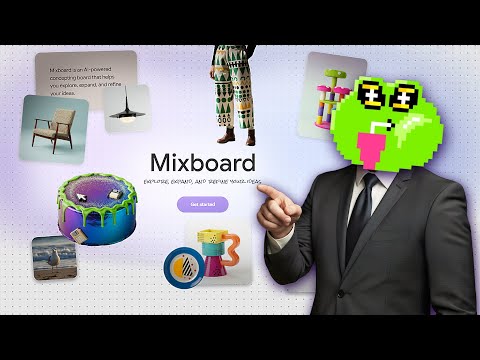
 Mixboard
Demo summary
The user selects several generated monster images and uses Mixboard to merge them into a single cohesive scene.
Step-by-step
- Select several generated images at once
- Use Mixboard to place the selected images into the same scene
Watch out for
- Characters in the generated scene may not be 100% consistent with the original source images
- Specific details on creatures (such as eyes or paws) may change during the merging process
Highlights
“the characters on the generated image look not bad, but not all of them are 100% consistent”
All demos from “How to Use GOOGLE MIXBOARD (FREE)”
- 0:170:27Generate and iterate images from text in MixboardThe user demonstrates generating multiple 3D cartoon monster images from a text prompt and shows how to create variations of a selected image.Mixboard· Text to Image
- 1:050:24Combine multiple images into a single sceneCurrentThe user selects several generated monster images and uses Mixboard to merge them into a single cohesive scene.Mixboard· AI Image Combiner
- 1:290:29Generate character variations from an uploaded portraitThe user uploads a portrait of a woman and uses Mixboard to generate new images of the same person performing a morning routine.Mixboard· AI Person Generator
- 2:020:39Modify character attributes like hair and makeupThe demonstration shows how to use text prompts to change a subject's hairstyle to a bobcut and apply Halloween makeup while maintaining facial consistency.Mixboard· AI Inpainting
- 2:410:20Apply specific products to a person in MixboardThe user uploads an image of sunglasses and prompts Mixboard to generate images of a specific girl wearing those exact glasses.Mixboard· AI Clothing Try-on
- 3:280:40Mockup logos on apparel and accessoriesThe video shows Mixboard being used to place a custom logo onto realistic mockups of hats, t-shirts, and bags.Mixboard· AI Product Photography
- Watch “How to Use GOOGLE MIXBOARD (FREE)” →
AI Image Combiner
 2:560:32Merge objects into an existing sceneThe user selects an image of a table lamp and an interior scene, prompting the AI to add the lamp to the table with realistic lighting effects.BIM Design Studio
- 5:260:24Blend two architectural elevationsThe user selects two different residence types and uses the 'blend' command to synthesize a unique third architectural style from the original forms.BIM Design Studio
 6:070:39Adding objects and combining imagesThe creator demonstrates adding a floor lamp to a scene and attempting to combine two separate images (sofa and wooden panels) into one concept.Zori Design
- 1:050:24Combine multiple images into a single sceneCurrentThe user selects several generated monster images and uses Mixboard to merge them into a single cohesive scene.Tutorials For You