Image Generation & Editing Tools for Social Media & Content Creation
81 clips
3:170:51Change camera angles using Reve image editingThe video shows how to use an existing AI-generated image to create new versions from different perspectives, such as a side profile and a back view, while maintaining character consistency.Clipfly · beginner · Social Media & Content Creation
0:490:19Remove image background with Adobe ExpressThe creator demonstrates how to use free online tools like Adobe Express to remove the background from a product photo for further editing.Adobe Express · beginner · Social Media & Content Creation
0:270:25Image face swap with VidMage AIThe user demonstrates how to swap a face in a static image by uploading a personal photo and applying it to a picture of an older man using VidMage AI.VidMage · beginner · Social Media & Content Creation
1:290:32Multi-face swap in photosThe demonstration shows VidMage AI automatically detecting multiple faces in a group photo and replacing all of them with the user's face simultaneously.VidMage · beginner · Social Media & Content Creation
2:400:26Remove objects from images with VidMage AIThe user demonstrates the object removal tool by brushing over an object on a beach photo and using the AI to erase it seamlessly.VidMage · beginner · Social Media & Content Creation
3:080:35Change clothing color with VidMage AIThe video shows the 'clothes changer' feature where the user selects the lower body of a subject and changes black jeans to red jeans with one click.VidMage · beginner · Social Media & Content Creation
4:471:20Generate and edit AI images in Microsoft DesignerThe demonstration shows how to use the Visuals tool to generate a specific AI image from a text prompt and apply edits such as background removal and blur.Microsoft Designer · DALL-E · beginner · Social Media & Content Creation
3:100:45Swap faces in photos with VidMageThe video demonstrates how to upload a source image and a target face to perform a seamless face swap on a portrait using VidMage.VidMage · beginner · Social Media & Content Creation
4:430:26Multi-face swap in group photos and videosThe demonstration shows how VidMage detects multiple faces in a single file and allows the user to assign different faces for a group swap.VidMage · beginner · Social Media & Content Creation
3:131:43Generate AI images with MeiGen AIThe user enters a text prompt for a realistic city with neon lights and flying cars into MeiGen AI and demonstrates the resulting 4K image generation process.MeiGen · beginner · Social Media & Content Creation
3:150:31Photo face swap with Beart AIThe creator shows the process of uploading a red carpet photo of Johnny Depp and a personal portrait to Beart AI to perform a static image face swap.BeArt AI Face Swap · beginner · Social Media & Content Creation
0:001:04Restore and colorize old photos with AI EaseThe user demonstrates uploading a low-quality black and white photo to AI Ease, selecting the 4K enhancement and colorization options, and showing the before-and-after results.AI Ease · beginner · Social Media & Content Creation
1:040:29Enhance portrait details using AI EaseA second demonstration showing the drag-and-drop upload process and the resulting facial detail restoration on a vintage portrait using AI Ease.AI Ease · beginner · Social Media & Content Creation
1:330:20Batch photo restoration in AI EaseA final quick walkthrough of processing a third image to demonstrate the consistency of the AI Ease restoration tool.AI Ease · beginner · Social Media & Content Creation
1:352:06Upscale images with Microsoft DesignerThe user demonstrates navigating to designer.microsoft.com, selecting the 'Upscale' tool under 'Edit with AI', and uploading a low-quality photo to enhance its resolution and detail.Microsoft Designer · beginner · Social Media & Content Creation
4:210:31Download upscaled 4K images from Microsoft DesignerThe video shows the process of selecting a file format and downloading the final 4K upscaled image from the Microsoft Designer interface.Microsoft Designer · beginner · Social Media & Content Creation
0:470:26Generate images from text with AI EaseThe user demonstrates how to enter a text prompt and select an aspect ratio to generate a new image using the AI Ease image generator.AI Ease · beginner · Social Media & Content Creation
1:131:07Create professional and themed headshots with AI EaseThe video shows the process of uploading a photo and selecting styles like 'Christmas' or 'Business' to generate professional AI headshots.AI Ease · beginner · Social Media & Content Creation
2:200:30Recolor specific image elements using AI EaseThe tool is shown identifying specific parts of an uploaded image and applying a new color shade naturally to those areas.AI Ease · beginner · Social Media & Content Creation
3:290:39Create passport size photos with AI EaseThe demonstration shows selecting a country to set dimensions and uploading a photo which AI Ease automatically crops to official passport standards.AI Ease · beginner · Social Media & Content Creation
1:300:37Photo face swap with VidMage AIThe user demonstrates how to upload a target image and a source face to perform a realistic photo face swap using VidMage AI.VidMage · beginner · Social Media & Content Creation
3:300:14Image upscaling in VidMage AIThe tool is shown enhancing an image's resolution and background details through its AI image upscaler feature.VidMage · beginner · Social Media & Content Creation
5:470:22Remove objects from imagesA demonstration of the object removal tool where a brush is used to highlight and erase an unwanted element from a photo.VidMage · beginner · Social Media & Content Creation
2:300:42Swap faces in photos with VidMage AIThe user demonstrates the two-step process of uploading a base photo and a target face to generate a realistic face swap using VidMage AI.VidMage · beginner · Social Media & Content Creation
0:551:29Swap faces in photos with Vidmage.aiThe user demonstrates how to upload a base image and a target face photo to Vidmage.ai to perform a seamless single-face swap in a static image.VidMage · beginner · Social Media & Content Creation
3:130:42Multi-face swap in a single imageVidmage.ai is shown replacing multiple different faces within one photo simultaneously by uploading multiple target face images.VidMage · beginner · Social Media & Content Creation
0:540:50Photo face swap with Vidmage AIThe user demonstrates how to upload a target image and a reference face to perform a single-person face swap using Vidmage AI.VidMage · beginner · Social Media & Content Creation
2:371:03Multiple face swap in photos with Vidmage AIThe creator demonstrates swapping multiple faces in a single photo by uploading a group image and two different reference face images.VidMage · beginner · Social Media & Content Creation
2:062:34Swap faces in images using AI Face SwapThe user demonstrates the step-by-step process of selecting a source face and a target face in the AI Face Swap 2.5.4 software, generating the swap, and saving the final result.AI Face Swap · beginner · Social Media & Content Creation
4:401:23Face swapping celebrities with AI Face SwapThe software is shown swapping the faces of Leonardo DiCaprio and Mr. Bean by pairing detected faces and generating a high-quality composite image.AI Face Swap · beginner · Social Media & Content Creation
0:240:55Generate AI avatar images with Easy-Peasy.AIThe video demonstrates using the Easy-Peasy.AI image generator and the Seedream model to create a professional avatar from a text prompt.Easy-Peasy.AI · Seedream · beginner · Social Media & Content Creation
1:360:18Edit and iterate AI avatar designsThe user shows how to modify an existing AI avatar by changing hairstyles, clothing, and backgrounds using the 'edit image' feature.Easy-Peasy.AI · beginner · Social Media & Content Creation
0:550:35Image face swap with VidMage AIThe user demonstrates how to upload a base image and a target face to perform an instant face swap on a photo using VidMage AI.VidMage · beginner · Social Media & Content Creation
2:050:30Multiple face swap in group photosVidMage AI is used to detect multiple faces in a group photo and swap each one with different individual target images.VidMage · beginner · Social Media & Content Creation
2:430:33Batch face swap across multiple imagesThe user demonstrates uploading up to 30 photos to apply a single target face across all of them simultaneously using the batch swap feature.VidMage · beginner · Social Media & Content Creation
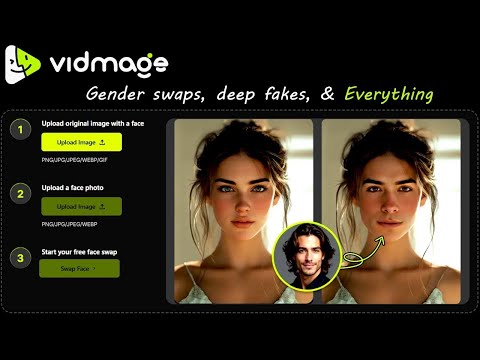
3:160:20Gender swap using VidMage AIThe demonstration shows swapping a female face with a male face to change the gender appearance in a photo.VidMage · beginner · Social Media & Content Creation
3:360:30Deep fake face swap for realistic resultsThe video shows the 'deep fake' mode of VidMage AI, which uses advanced AI to create a more natural and harder-to-detect face replacement.VidMage · beginner · Social Media & Content Creation
0:161:02Generate AI images with Microsoft DesignerThe video demonstrates how to use the Image Creator tool in Microsoft Designer to generate images from text prompts and customize them using the 'edit prompt' feature.Microsoft Designer · DALL-E · beginner · Social Media & Content Creation
0:260:35Swap faces in videos using Reface appThe video demonstrates taking a selfie and selecting a target video clip within the Reface app to automatically swap the user's face onto a celebrity, followed by saving the result as a GIF or video.Reface · beginner · Social Media & Content Creation
2:440:24Remove image background with Adobe ExpressThe user demonstrates uploading a photo to Adobe Express to remove the background, resulting in a high-resolution transparent image for free.Adobe Express · beginner · Social Media & Content Creation
3:040:35Real-time face swap using Vidmage CameraThe creator shows the Vidmage Camera interface where his live webcam feed is instantly swapped with another face and demonstrates toggling specific facial feature masks.VidMage · beginner · Social Media & Content Creation
3:420:35Using Vidmage AI face swap in a Zoom callThe user demonstrates selecting the 'Vidmage Camera' as the video source within Zoom to appear with a swapped face during a live meeting.VidMage · beginner · Social Media & Content Creation
0:480:26Swap faces using Face AIThe user navigates the Face AI interface to upload images and generate a clean face swap result.AI Face Swap · beginner · Social Media & Content Creation
1:140:19Photo face swapping with Face AIA demonstration of the photo face swap tool on Face AI, showing the upload process and the final result appearing on the right side of the interface.AI Face Swap · beginner · Social Media & Content Creation
2:260:52Change clothing in photos with AI EaseThe user demonstrates how to upload a photo to AI Ease and select a new outfit style to automatically replace the clothing in the image.AI Ease · beginner · Social Media & Content Creation
3:180:58Generate professional headshots with AI EaseThe video shows the process of selecting a professional style and uploading a selfie to AI Ease to generate a high-quality career headshot.AI Ease · beginner · Social Media & Content Creation
4:180:47Change hairstyles using AI EaseThe demonstrator uploads a photo and uses the AI Ease hairstyle feature to apply a new long-hair style to the subject.AI Ease · beginner · Social Media & Content Creation
0:351:47Generate images using AI with BasedLabsThe video demonstrates how to use BasedLabs to generate images by selecting a model, entering positive and negative prompts, and adjusting aspect ratios.BasedLabs · beginner · Social Media & Content Creation
2:221:15Swap faces in photos with BasedLabsThe tutorial shows the BasedLabs face swap tool, where a base image and target image are uploaded to realistically replace a face.BasedLabs · beginner · Social Media & Content Creation
3:371:29Upscale low-resolution images with BasedLabsThe presenter demonstrates the AI image upscaler in BasedLabs, showing how to upload a photo and adjust the scale factor to enhance resolution.BasedLabs · beginner · Social Media & Content Creation
0:090:39Enhance and upscale images with ArtingAIThe video demonstrates uploading a low-resolution photo to ArtingAI and using the 'generate' feature to sharpen details and increase image quality, followed by a before-and-after comparison.Artingai · beginner · Social Media & Content Creation
1:091:08Generate and download images with AI EaseThe video shows the process of using the AI Ease Image Generator, including entering a prompt, selecting a 'Dark Fantasy' style, setting the aspect ratio, and downloading the final result.AI Ease · beginner · Social Media & Content Creation
1:510:50Photo face swap with VidMage AIThe user demonstrates uploading a source image and a target face to VidMage AI, resulting in a realistic face replacement in a static photo.VidMage · beginner · Social Media & Content Creation
3:320:56Multi-face swap in photosVidMage AI is shown detecting four distinct faces in a single photo and allowing the user to upload four different replacement faces for a group swap.VidMage · beginner · Social Media & Content Creation
5:030:42Batch face swap processingThe user demonstrates the batch face swap tool by uploading multiple images and applying a single target face to all of them at once.VidMage · beginner · Social Media & Content Creation
0:310:13Create product collaboration reels with Foxy AIThe video demonstrates how to upload a product picture to Foxy AI to automatically generate a promotional reel or collaboration item.Foxy · beginner · Social Media & Content Creation
0:280:46Portrait retouching with AirBrush StudioThe video demonstrates how to use AirBrush Studio's magic retouch and manual sliders to enhance skin, teeth, eyes, and hair on a portrait image.Airbrush Studio · beginner · Social Media & Content Creation
1:140:27Batch sync edits in AirBrush StudioThe user shows how to select multiple images and use the 'sync' feature to apply the same portrait retouching settings across an entire set of photos.Airbrush Studio · beginner · Social Media & Content Creation
1:510:35Body reshaping and liquefy toolsThe demonstration shows the pucker and bloat tools in AirBrush Studio being used to adjust body proportions and facial features like jawlines and cheekbones.Airbrush Studio · beginner · Social Media & Content Creation
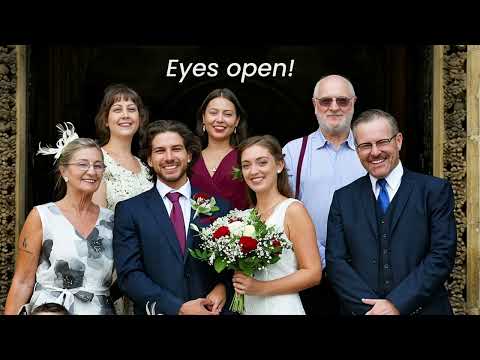
2:260:35Fixing closed eyes and facial expressionsAirBrush Studio is shown detecting faces in a group photo and using the 'face fix eyes' and 'emotion' features to correct closed eyes and adjust expressions.Airbrush Studio · beginner · Social Media & Content Creation
3:010:27Removing background objects with Magic EraserThe video demonstrates using the 'Magic' removal tool to automatically detect and erase a passerby from the background of a photo.Airbrush Studio · beginner · Social Media & Content Creation
3:350:16Generative image expansionThe user demonstrates changing the aspect ratio and using the AI 'expand' feature with a prompt to fill in vacant areas of an image.Airbrush Studio · beginner · Social Media & Content Creation
3:510:11Upscaling image resolution to 4KThe demonstration shows how to use the image editing menu to increase photo resolution up to Ultra HD or 4K quality.Airbrush Studio · beginner · Social Media & Content Creation
2:572:28Build an image-to-image workflow in Easy-Peasy AIThe user demonstrates how to upload a reference image, connect it to an 'image to image' node, and use a 'text input' node to generate a futuristic cityscape.Easy-Peasy.AI · beginner · Social Media & Content Creation
2:161:09Generate AI images with Easy Peasy AIThe presenter walks through the image generation interface, showing how to enter a text prompt, select models like Nano Banana Pro, and adjust settings for size and quality.Easy-Peasy.AI · Nano Banana · beginner · Social Media & Content Creation
0:240:43Browse and copy prompts from Meigen AIThe user demonstrates how to navigate the Meigen AI community gallery, hover over images to reveal prompts, and copy a reusable postcard template.MeiGen · beginner · Social Media & Content Creation
0:111:05Apply effects with Magic Brush in YouCam PerfectThe user demonstrates how to select a photo and use the Magic Brush tool in the YouCam Perfect app to draw rainbow and sparkle effects directly onto an image.Youcam Makeup · beginner · Social Media & Content Creation
0:080:21Adjust facial expressions in AirBrush StudioThe video demonstrates using the 'Emotion' tools within the Portrait Retouch menu of AirBrush Studio to toggle between smile and neutral expressions on a portrait.Airbrush Studio · beginner · Social Media & Content Creation
0:171:32Install BeautyPlus on Android via Google Play StoreThe video demonstrates how to search for 'BeautyPlus' in the Google Play Store, verify the developer as Pixocial Technology, and install the application to access the photo editing interface.BeautyPlus · beginner · Social Media & Content Creation
2:071:01Generate YouTube thumbnails with Microsoft DesignerThe user demonstrates entering a text prompt for a tech video thumbnail and using Microsoft Designer to generate and download the resulting graphic.Microsoft Designer · DALL-E · beginner · Social Media & Content Creation
2:161:18Convert photos to anime style with BeautyPlus AI filtersThe creator demonstrates selecting a photo from the gallery and applying the 'Higuro' AI filter within the BeautyPlus app to generate an animated version of the image.BeautyPlus · beginner · Social Media & Content Creation
0:500:17Remove image background with YouCam PerfectThe user demonstrates how to use the 'Cutout' tool in the YouCam Perfect app to automatically detect and remove the background from a photo.Youcam Makeup · beginner · Social Media & Content Creation
1:070:36Clone objects in a photo using YouCam PerfectThe demonstration shows how to select an object by drawing over it and using the 'Clone' feature to duplicate it within the same image.Youcam Makeup · beginner · Social Media & Content Creation
1:430:13Apply photo filters in YouCam PerfectThe user selects and applies a visual filter to the photo to change its aesthetic style.Youcam Makeup · beginner · Social Media & Content Creation
1:560:35Add effects with Magic Brush in YouCam PerfectThe video shows how to use the 'Magic Brush' tool to draw decorative effects, including sparkles and rainbows, onto a photo.Youcam Makeup · beginner · Social Media & Content Creation
0:120:53Fix blinked eyes with Airbrush StudioThe video demonstrates using Airbrush Studio's 'Face Fix' tool to replace closed eyes in a photo by uploading reference images and generating AI-blended results.Airbrush Studio · beginner · Social Media & Content Creation
8:470:56Face swap for character consistency using FakeFaceThe video demonstrates using FakeFace to swap the face of a newly generated video with the original influencer's face to ensure 100% visual consistency.FakeFace · beginner · Social Media & Content Creation
0:151:24Install and verify YouCam Perfect on AndroidThe video demonstrates searching for 'YouCam Perfect' in the Google Play Store, verifying the developer as Perfect Mobile Corp, and installing the application.Youcam Makeup · beginner · Social Media & Content Creation
0:541:16Generate AI images with BasedLabsThe video demonstrates how to select a model, choose frame sizes, and generate a custom AI image using the BasedLabs interface.BasedLabs · beginner · Social Media & Content Creation
2:220:41Face swap images using BasedLabsThe creator shows how to upload a base image and a target face to perform an AI face swap, including the use of a comparison slider.BasedLabs · beginner · Social Media & Content Creation
3:170:39Upscale and enhance images with BasedLabsA demonstration of the AI image enhancement tool where a low-resolution photo is uploaded and transformed into a high-resolution version.BasedLabs · beginner · Social Media & Content Creation
Image Generation & Editing Tasks
- AI Face Swap Generator28
- Text to Image7
- AI Photo Editor7
- AI Image Upscaler6
- AI Inpainting4
- AI Background Remover3
- AI Image Generator3
- AI Image/Photo Enhancer3
- AI Object Remover/Eraser3
- AI Photo Restoration3
- AI Clothing Removal2
- AI Headshot Generator2
- Image to Image2
- AI Photo Filter1
- AI Passport Photo1
- AI Profile Picture Generator1
- AI Style Transfer1
- Gender Swap AI1
- AI Product Photography1
- AI Photo Culling1
- AI Expand Image1