AI Clothing Try-on
Preview retail garments on a model or yourself in a virtual fitting room.
AI Clothing Try-on Tutorials

 Fashion Diffusion AI | For Brands & Designers

 Alwi Batarilan

 Shark Numbers

 TechVibe
 Youri van Hofwegen
 Artificicy AI

 Drew Tutorial
 Magic Hour AI
 Bob Doyle Media

 Zorvex Tech

 WeShop AI
 Artificial Quotient

 Roboverse
 The AI Hustle

 Claid - AI product photography suite
 Taylor Bay Studios

 Eigi and AI

 Infotech4you - مروي سليمان
 Buy it Sell it
 Excelerator
 Simon Crowe

 Photoroom

 Portal Seven

 Anangsha Alammyan

 CryptoCareer

 Artturi Jalli
 Yaroflasher

 AI Master

 Creative Pad Media
 Creative Pad Media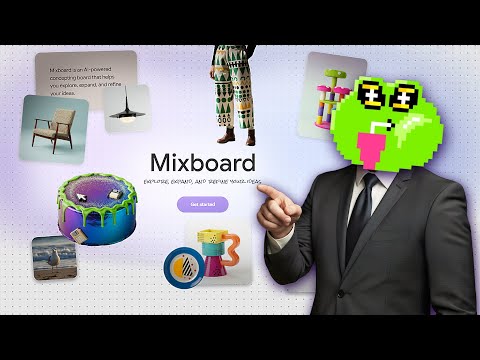
 Tutorials For You
 1ClickTutorial
 Website Learners
 Youri van Hofwegen
 WeShop AI
 Caffeinated Blogger
AI Clothing Try-on Tools
Browser-based AI suite for instant image and video editing and transformation.
Create cinematic AI videos and images with advanced character consistency.
AI-powered concepting board to explore, expand, and refine creative ideas.
Turn selfies into 4K professional AI headshots in under an hour.
AI fashion model generator transforming flat lays into high-end on-model photos.
AI-powered product photography studio for high-converting e-commerce and fashion imagery.
AI-powered online video maker and editor with professional templates.
All-in-one AI image and video generation platform for e-commerce and marketing.
All-in-one AI video and image creation platform for professional content.
The AI content engine for startups to rank on Google and LLMs.
All-in-one AI studio for professional video and image creation.
Create high-converting video ads using realistic AI actors and avatars.
A node-based visual workflow engine for professional AI image and video generation.
All-in-one AI creative platform for high-quality video and image generation.
All-in-one AI fashion design, virtual try-on, and photoshoot platform.
Advanced AI image generation and editing with streamlined SDXL model support.
Google’s multimodal AI assistant for writing, planning, and creative brainstorming.
Unified multimodel API for high-performance AI at a fraction of the cost.
Next-generation AI creative studio for high-fidelity video and image generation.
A comprehensive AI creative suite for video, image, and audio generation.
AI-powered photo editor and listing studio for professional e-commerce visuals.
All-in-one AI studio for professional photo and video creation and editing.
Agent-native image generation and editing using code-based intermediate representations.
The ultimate AI creative studio for high-definition image and video generation.
AI-powered face swapping for photos, videos, and GIFs without watermarks.
AI Clothing Try-on Industries
What is AI Clothing Try-on?
AI clothing try-on is a digital workflow that allows you to swap garments onto a person in a photo while maintaining the subject's pose, face, and background. Whether you are a shopper looking for a virtual fitting room or an e-commerce owner needing to generate product shots, these tools eliminate the need for physical samples and photoshoots. Users typically use this technology to test different outfit styles, reuse a single model image for multiple product designs, or visualize how a specific piece of clothing fits their body proportions.
Step-by-Step Virtual Try-on Workflow
While every app has a unique interface, the general process for a successful virtual try-on follows these steps:
- Upload the Base Image: Start with a clear, front-facing, full-body photo of the person (the model or yourself).
- Select the Garment: Upload a high-quality image of the clothing item. This can be a flat-lay product photo or a screenshot from a retail site.
- Define the Area: Most tools require you to select the specific body part (e.g., "Upper Body" or "Lower Body") to ensure the AI applies the texture correctly.
- Prompting: Use descriptive text to guide the AI. Referencing specific image variables (like "Dress the person in image one with the jacket from image two") helps the system understand which elements to keep and which to replace.
- Refine and Upscale: If the initial result has minor errors, regenerate the image. Once satisfied, use an upscaler to improve the resolution for professional use.
Best AI Clothing Try-on Tools
Based on our catalog of 39 real-world demonstrations, these are the most frequently used tools for this task:
- Pincel (5 demos): A top choice for quick, web-based clothing swaps and general image editing.
- Mixboard & Higgsfield (3 demos each): Popular for more creative fashion modifications and video-based previews.
- Claid & WeShop AI (2 demos each): These are specialized for e-commerce, helping brands generate studio-quality model shots from flat-lay photos.
Tips for Realistic Results
To get the most out of an AI clothes changer online, follow these tips from expert tutorials:
- Match the Style: Choose replacement garments that have a similar shape and coverage to what the subject is already wearing. Swapping a t-shirt for a hoodie works better than swapping a tank top for a heavy winter coat.
- Lighting and Drape: Ensure the lighting on the garment photo matches the original model photo to avoid a "pasted-on" look. Focus on maintaining natural fabric drape to keep the physics realistic.
- Avoid Out-of-Bounds Errors: Keep the model inside the crop frame. If crop lines go out of bounds, the background may turn white, creating a disparity with your original scene.
- Consistency: Use the "Nano" model settings where available for the best image modification results, and always use 4K settings for maximum realism.
Frequently asked questions
Is there an AI clothes changer free online?
How do I use AI clothing try on for men?
What is the best AI clothing try on app?
How does Google's virtual try-on work?
Google's AI try-on is integrated into Google Shopping. When you select an eligible product, you can tap 'Try it on' and upload a photo of yourself to see how the garment renders on your specific body type and proportions.
Can I use AI to try on clothes from any website?
Why does the AI add accessories I didn't ask for?
AI models often hallucinate subtle details like necklaces or watches to complete a 'look' based on the training data. If this happens, you may need to regenerate the image or use a more specific negative prompt to exclude accessories.
How do I maintain character consistency while changing outfits?
Instead of regenerating the entire image, use a dedicated clothing swap tool or 'Inpainting' feature. This allows you to modify only the garment area while keeping the face, background, and lighting exactly the same.