Swap faces in photos with VidMage

 VidMage
Demo summary
The video demonstrates how to upload a source image and a target face to perform a seamless face swap on a portrait using VidMage.
Step-by-step
- Upload the original source photo
- Upload the target photo containing the face you want to use
- Click the swap button
- Wait a few seconds for the system to generate the output
Options
- Swap faces in single-person portraits (selfies or headshots)
- Swap multiple faces in group photos
Tips
- Use this tool for social media, posters, or advertising materials where skin texture and color matching are important
Highlights
“Using it is extremely straightforward.”
All demos from “VidMage vs Traditional Editing — Why This AI Wins Every Time”
- 3:100:45Swap faces in photos with VidMageCurrentThe video demonstrates how to upload a source image and a target face to perform a seamless face swap on a portrait using VidMage.VidMage· AI Face Swap Generator
- 3:550:48Video face swapping using VidMageA walkthrough of uploading a source video and a target face to VidMage to generate a video face swap that preserves expressions and lighting.VidMage· AI Face Swap Video
- Watch “VidMage vs Traditional Editing — Why This AI Wins Every Time” →
AI Face Swap Generator
 1:510:50Photo face swap with VidMage AIThe user demonstrates uploading a source image and a target face to VidMage AI, resulting in a realistic face replacement in a static photo.Tech Ai
- 3:320:56Multi-face swap in photosVidMage AI is shown detecting four distinct faces in a single photo and allowing the user to upload four different replacement faces for a group swap.Tech Ai
- 5:030:42Batch face swap processingThe user demonstrates the batch face swap tool by uploading multiple images and applying a single target face to all of them at once.Tech Ai
 1:300:37Photo face swap with VidMage AIThe user demonstrates how to upload a target image and a source face to perform a realistic photo face swap using VidMage AI.AiMinds
 0:540:50Photo face swap with Vidmage AIThe user demonstrates how to upload a target image and a reference face to perform a single-person face swap using Vidmage AI.Techvid Ai
- 2:371:03Multiple face swap in photos with Vidmage AIThe creator demonstrates swapping multiple faces in a single photo by uploading a group image and two different reference face images.Techvid Ai
 0:270:25Image face swap with VidMage AIThe user demonstrates how to swap a face in a static image by uploading a personal photo and applying it to a picture of an older man using VidMage AI.Eigi and AI
- 1:290:32Multi-face swap in photosThe demonstration shows VidMage AI automatically detecting multiple faces in a group photo and replacing all of them with the user's face simultaneously.Eigi and AI
 2:300:42Swap faces in photos with VidMage AIThe user demonstrates the two-step process of uploading a base photo and a target face to generate a realistic face swap using VidMage AI.Jelly AI
 0:551:29Swap faces in photos with Vidmage.aiThe user demonstrates how to upload a base image and a target face photo to Vidmage.ai to perform a seamless single-face swap in a static image.AI Zayan
- 3:130:42Multi-face swap in a single imageVidmage.ai is shown replacing multiple different faces within one photo simultaneously by uploading multiple target face images.AI Zayan
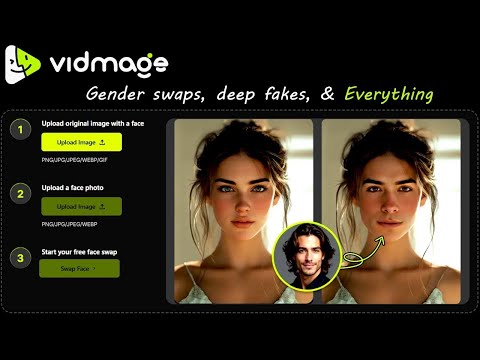 0:550:35Image face swap with VidMage AIThe user demonstrates how to upload a base image and a target face to perform an instant face swap on a photo using VidMage AI.Tech Ai