AI Image/Photo Enhancer
119 clips across 46 tools — filter and play.
119 clips
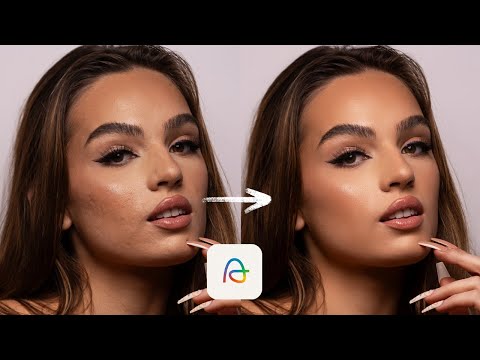
0:170:07Remove skin blemishes with Evoto AIThe video demonstrates Evoto AI automatically clearing acne and blemishes while maintaining natural skin texture.Evoto · intermediate · Professional Photography
0:360:10Remove glare and stray hairs with Evoto AIThe software is demonstrated removing distracting lens glare and stray hairs from a subject's face.Evoto · intermediate · Professional Photography
0:520:12Apply dynamic AI color looks in Evoto AIThe tool analyzes image data to apply tailored color adjustments that adapt to the specific photo.Evoto · intermediate · Professional Photography
7:591:14Enhance skin texture with Freepik Skin EnhancerThe video shows the 'Skin Enhancer' tool within Freepik being applied to a retouched photo to restore realistic skin pores and texture using the 'Faithful' setting.Freepik · beginner · Graphic Design & Vector Art
6:451:39Color grading and HSL adjustmentsThe creator demonstrates manual color correction using saturation, contrast, and HSL (Hue, Saturation, Luminance) sliders to enhance skin tones and background colors.Filmora · intermediate · Social Media & Content Creation
7:180:35Adding contrast to flat footageThe creator demonstrates increasing the contrast slider to add 'pop' and depth to a washed-out image.DaVinci Resolve · advanced
8:010:27Adjusting color saturationThe demonstration shows how to use the saturation tool to make colors more vibrant while monitoring skin tones.DaVinci Resolve · advanced
1:080:54Enhance satellite imagery with Gemini AIThe creator demonstrates taking a low-resolution Google Earth screenshot and using Gemini AI (Nano Banana) with specific prompts to generate a high-quality, drone-style photograph of the site.Gemini · Nano Banana · beginner
10:360:51AI portrait skin retouchingA demonstration of uploading a portrait and using an enhancement prompt to smooth skin while maintaining realistic pore texture.Ai Content Engine · Nano Banana · beginner · Advertising & Marketing Creative
7:392:21Refine skin texture with Enhancer V3 Skin FixThe video demonstrates using Enhancer V3's 'imperfect skin' and 'hyper realism' toggles to add realistic skin details like pores and freckles to an AI-generated face.Kora Reality · beginner
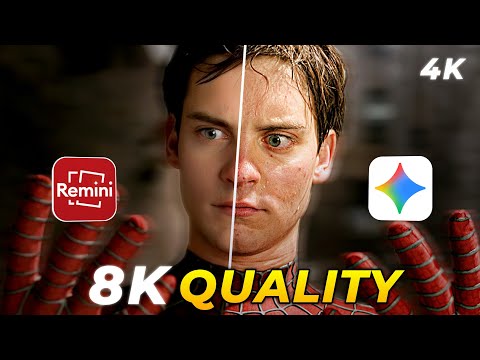
2:281:36Enhance photo quality with ReminiThe user selects a low-quality image from the gallery and uses the 'Enhance' feature in the Remini app to improve clarity and detail, showing a side-by-side before and after comparison.RRemini · beginner
8:280:21Blending multiple upscale results with Layer MasksThe user shows how to use a layer mask and a black brush to selectively blend the results of different upscaling algorithms on a single image.Photoshop · advanced
9:491:38Enhance and upscale photos with Krea AIThe user uploads a low-quality photo and uses Krea's Enhance tool to increase resolution and sharpness while attempting to modify details like sunglasses.Krea AI · Flux · intermediate
3:121:47Portrait retouching with Skin AIThe video shows using Skin AI in Luminar Neo to automatically remove blemishes and even out skin tones using a single slider, followed by shine removal for a matte finish.Luminar Neo · intermediate · Professional Photography
4:590:37Enhance facial features with Face AIThe creator demonstrates Face AI to add iris flare to eyes, enlarge eyes, and adjust lip color and contrast on a portrait.Luminar Neo · intermediate · Professional Photography
16:180:34Dodge and Burn retouchingThe creator shows how to use the Dodge and Burn tool in Luminar Neo to enhance a subject's cheekbones with subtle lighting adjustments.Luminar Neo · intermediate · Professional Photography
0:491:02Blemish removal and skin retouching on male portraitThe creator demonstrates using Evoto's blemish removal slider to instantly clear shaving rash and spots while using the matte slider to maintain natural skin texture.Evoto · intermediate · Professional Photography
1:512:34Advanced facial retouching and skin unificationA demonstration of Evoto's 'Unify Body Complexion' and 'Dodge and Burn' features to match skin tones between face and body and smooth skin while retaining texture.Evoto · intermediate · Professional Photography
4:250:31Removing stray hairs and smoothing lipsThe video shows Evoto's AI tools for removing flyaway hairs outside the figure outline and smoothing wrinkled or dry lips.Evoto · intermediate · Professional Photography
6:300:46Removing eye veins and unifying face complexionThe demo shows the removal of red veins in the eyes and the use of 'Unify Face Complexion' to fix red puffy eye bags.Evoto · intermediate · Professional Photography
9:371:56Real-time tethered shooting and retouchingThe creator connects a Sony a7 IV to Evoto to demonstrate how images can be captured and have a retouching preset applied automatically within three seconds.Evoto · intermediate · Professional Photography
12:070:35Adding artificial catch lights to eyesThe video shows how to add, rotate, and position different catch light styles to eyes using Evoto's brightening section.Evoto · intermediate · Professional Photography
5:420:52Enhance image clarity and detailThe video demonstrates the AI Enhance tool, including a specialized portrait mode, to boost resolution and add fine details to an image.DZine AI · intermediate
6:233:59Fix AI skin texture with Enhancer AIThe creator demonstrates using Enhancer AI to add realistic skin pores and texture to an AI-generated image using the 'Skin Texture Adjuster' and 'Skin Realism Level' sliders.Enhancer AI · beginner
8:500:32Fix skin texture with Enhancor V4 UpscalerThe creator demonstrates the Enhancor V4 model, which specifically targets skin pores and micro-textures to make AI-generated faces look more human.Enhancor · beginner
12:561:46Stacking Nyx and Iris enhancementsThe user shows how to enable multiple enhancements in preferences to stack the Nyx model (for general shapes) with the Iris model (for fine details).Topaz Photo Ai · intermediate · Professional Photography
6:590:45Enhance product quality with Product BeautifierThe Product Beautifier tool is shown analyzing an old pair of shoes to clean up details, sharpen colors, and enhance the overall image quality.PhotoRoom · beginner · Ecommerce & Product Photography
3:181:10Retaining Freckles and Removing BlemishesThe demo shows how to use the dedicated freckle slider in Evoto AI to preserve natural skin texture while simultaneously removing acne and other imperfections.Evoto · intermediate · Professional Photography
4:280:59Facial Retouching and Skin MattifyingDemonstration of the eye bag removal, marionette line smoothing, and matte skin texture presets to create a polished portrait look.Evoto · intermediate · Professional Photography
5:270:29Unify Face Complexion ToolShowing the AI Unify Face Complexion tool in Evoto AI, which balances uneven skin tones and patchiness for a consistent facial appearance.Evoto · intermediate · Professional Photography
5:560:30Adding Eye Catch LightsThe creator uses the catch light tool to add artificial reflections to a subject's eyes, breathing life into portraits shot in the shade.Evoto · intermediate · Professional Photography
6:260:36AI Face Contouring and HighlightingUsing the makeup tools in Evoto AI to add shape and dimension to a model's face with contour and highlight sliders.Evoto · intermediate · Professional Photography
7:020:36Individual Multi-Subject RetouchingDemonstrating how Evoto AI identifies and allows independent retouching of different people within the same photograph.Evoto · intermediate · Professional Photography
2:401:41Basic photo enhancements in Luminar NeoThe user demonstrates the 'Essentials' panel in Luminar Neo, showing how to use Enhance AI, Structure AI, Super Contrast, and the Dodge and Burn brush tool on a photo.Luminar Neo · intermediate · Professional Photography
8:460:37Portrait retouching with Skin and Face AIThe creator uses Skin AI for shine removal and smoothing, and Face AI for eye enhancement and lip saturation in Luminar Neo.Luminar Neo · intermediate · Professional Photography
48:121:21Enhancing and upscaling imagesThe user demonstrates the 'Enhance' tool to fix pixelated photos and shows the 'Portrait Mode' toggle for maintaining facial accuracy during upscaling.DZine AI · intermediate
5:540:17Enhance image detail with Krea Edit nodeThe creator uses the Krea Edit node within the Weavy workflow to add realistic lighting and detail to the composited movie poster.Weavy · advanced
7:270:23Portrait enhancement and eye editingThe presenter shows the portrait-specific tools in Luminar Neo, demonstrating eye color changes, eye whitening, and skin smoothing.Luminar Neo · intermediate · Professional Photography
2:280:55Restore faces with Face Recovery ModelThe demonstrator uses the Face Recovery Generation 2 model to fix blurry or low-quality facial features in an AI-generated portrait.Gigapixel · intermediate · Professional Photography
3:330:28Remove compression artifacts with Low Res ModelThe user demonstrates fixing heavy compression artifacts on a sneaker image using the Low Res model and the fixed compression parameter.Gigapixel · intermediate · Professional Photography
4:150:41Generating AI art with and without 'Enhance'A 'plant mom' prompt is used to demonstrate the difference between standard generation and the 'Enhance' feature in Reve, showing the resulting typography and graphics.Reve AI · intermediate
1:070:55Enhance low resolution images with ArtGuru AIThe user demonstrates uploading a blurry, low-quality image to ArtGuru.AI's photo enhancer to reduce noise and improve clarity, showing a side-by-side comparison.Artguru · beginner
2:020:33Sharpen portrait details with ArtGuru AIA second demonstration of the photo enhancer showing how ArtGuru AI refines skin details and sharpens a portrait image into 4K quality.Artguru · beginner
4:183:26Real-time portrait retouching with Evoto AIThe demo shows how to use Evoto AI's sliders to remove acne, reduce dark circles, smooth hair, brighten eyes, and remove background distractions instantly during a live shoot.Evoto · intermediate · Professional Photography
12:210:57Color adjustment and real-time retouching previewThe video shows the color adjustment panel in Evoto AI, demonstrating how to tweak exposure and details similarly to Lightroom while maintaining AI portrait retouching.Evoto · intermediate · Professional Photography
18:261:24AI Skin Retouching and Stray Hair RemovalBen demonstrates the 'Wedding Radiance' retouching preset in Aftershoot, showing how it removes blemishes and stray hairs while preserving skin texture on raw files.AfterShoot · intermediate · Professional Photography
12:531:53Using Quality Settings (--q 4) for Enhanced DetailThe video demonstrates the impact of the quality 4 setting on image detail and texture using Photoshop to compare the results against standard quality.Midjourney · intermediate
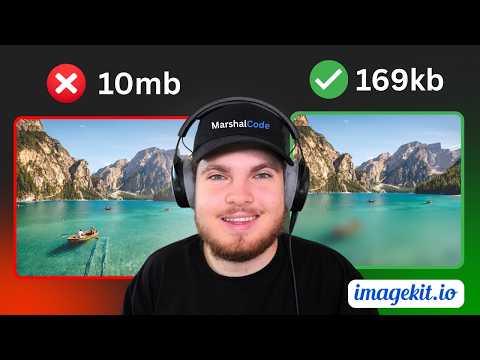
2:320:41Automatic format optimization for imagesThe presenter demonstrates how ImageKit automatically converts a JPEG to AVIF or WEBP based on browser support to reduce file size without changing the URL.ImageKit · intermediate · Developer / API
2:301:06Enhance image quality with InsMind AI EnhancerThe video shows the AI image enhancer tool being used to sharpen a blurry portrait, restoring facial details and upgrading the image to Ultra HD.insMind · beginner · Ecommerce & Product Photography
1:582:31Natural portrait retouching with AftershootManny demonstrates blemish removal, skin smoothing, and eye brightening on a client rebranding portrait using Aftershoot's feminine subject selection.AfterShoot · intermediate · Professional Photography
4:481:50Fashion skin retouching in AftershootThe video shows a more aggressive retouching workflow for a fashion edit, including maxing out blemish removal and adjusting skin smoothing masks.AfterShoot · intermediate · Professional Photography
9:581:11Male portrait retouching with AftershootManny switches the software to masculine mode to demonstrate subtle blemish removal and eye brightening on a male client portrait.AfterShoot · intermediate · Professional Photography
11:150:44Natural headshot touchup for menA demonstration of using Aftershoot to perform minimal, natural-looking touchups on a male construction worker's headshot.AfterShoot · intermediate · Professional Photography
12:041:01Shadowed face brightening and retouchingManny shows how to use the face brighten and blemish removal tools in Aftershoot on a client portrait shot in heavy shadow.AfterShoot · intermediate · Professional Photography
1:450:38Restore facial details with Lupa AI Face RecoveryA demonstration of the 'High-Fidelity' mode and 'Face Recovery' tool in Lupa AI to reconstruct blurry or distorted facial features while maintaining the subject's identity.Lupa · beginner
0:492:54RAW development and tonal range adjustment in Luminar NeoThe creator demonstrates how to use the Develop RAW tool and Curves in Luminar Neo to establish a proper black and white point while monitoring clipping warnings.Luminar Neo · intermediate · Professional Photography
7:050:43Targeted noise reduction with AI maskingThe creator applies the Denoise tool to a specific area of the image using Luminar Neo's AI masking to clean up digital noise in the sky.Luminar Neo · intermediate · Professional Photography
25:443:15Enhancing details with Accent AI and Foliage EnhancerThe creator uses Accent AI, Structure AI, and the Foliage Enhancer tool to pop details in the grass and mountains, including adjusting the hue of the greens.Luminar Neo · intermediate · Professional Photography
2:521:51Recovering highlights and shadows with Develop RAWThe creator demonstrates how to use the Develop RAW tool in Luminar Neo to recover sky detail and brighten dark shadows without washing out the image.Luminar Neo · intermediate · Professional Photography
4:531:36Sharpening and noise reduction in Luminar NeoA demonstration of zooming into a photo to apply sharpening and luminosity-based noise reduction to clean up grain in flat areas like the sky.Luminar Neo · intermediate · Professional Photography
6:491:00Enhancing photos with Accent AI and Sky EnhancerThe video shows the application of Enhance AI's 'Accent AI' and 'Sky Enhancer' sliders to automatically balance tones and boost blue sky saturation.Luminar Neo · intermediate · Professional Photography
3:430:21Navigating the Let's Enhance editing interfaceThe video shows the Let's Enhance platform interface, including controls for light adjustment, upscale type selection, and preset filters.Let's Enhance · beginner
2:200:40Enhance image quality using V2 Pro modelA second image is processed using the V2 Pro model on ImgUpscaler.ai to demonstrate sharper edges and natural-looking detail enhancement.Imgupscaler AI · beginner
5:141:10Enhance image quality with Photo EnhancerThe user demonstrates the Photo Enhancer tool to improve the sharpness and detail of a blurry image, showing a side-by-side comparison.Picsman · beginner · Ecommerce & Product Photography
0:160:34Enhance lighting with Accent AI in Luminar NeoThe creator demonstrates using the Enhance AI tool with a linear gradient mask and the Accent AI slider to add natural brightness to specific areas of a photo.Luminar Neo · intermediate · Professional Photography
1:220:32Fine-tune contrast with SupercontrastThe user demonstrates the Supercontrast tool in Luminar Neo, adjusting mid-tones and shadows to prevent the image from looking flat.Luminar Neo · intermediate · Professional Photography
1:540:30Adjust color balance with Color HarmonyThe creator uses Color Harmony to adjust warmth, brilliance, and color contrast to emphasize blue pastel tones and make reds stand out.Luminar Neo · intermediate · Professional Photography
4:260:55Compare 10S nodes vs stock LTX 2.3 workflowA side-by-side comparison is shown between a standard LTX 2.3 generation and one using the 10S nodes to demonstrate improved face consistency and sharpness.ComfyUI · LTX Video · advanced
3:510:41AI Image Enhancement with Accent AIThe video shows the 'Enhance AI' tool in Luminar Neo, specifically using the Accent slider to automatically balance exposure between the sky and foreground.Luminar Neo · intermediate · Professional Photography
7:031:14Landscape editing with Structure AIThe demo illustrates using the Structure AI tool to add clarity and texture to a landscape photo, comparing the results to Lightroom's clarity slider.Luminar Neo · intermediate · Professional Photography
14:562:05Portrait retouching with Face and Skin AIThe video demonstrates AI-powered portrait tools including Face Light, Eye Enhancer, and Skin Smoothing to remove imperfections and brighten features.Luminar Neo · intermediate · Professional Photography
1:390:39One-tap image enhancement in FotorThe creator demonstrates Fotor's 'One Tap Enhance' tool to automatically adjust lighting and color on a camping photo.Fotor · beginner
3:151:00Upscale images with AI Image EnhancerThe user demonstrates the AI Image Enhancer in Wondershare UniConverter, using the auto-enhancer model to sharpen and denoise a low-quality image.Wondershare UniConverter · beginner
2:250:56One-click color and horizon correction in EvotoMark demonstrates the 'Auto Color Correction' and 'AI Horizon Correction' tools in Evoto to instantly fix tonality and leveling on portrait and studio shots.Evoto · intermediate · Professional Photography
30:062:27Adjust Image Quality on the flyThe video demonstrates using the quality prop to dynamically change image compression levels, showing the visual difference between 90% and 5% quality.Next.js · advanced · Developer / API
4:511:17Raw Denoise in Topaz PhotoThe video demonstrates the Raw Denoise filter applied to a Bayer sensor raw file, showing the resulting loss of contrast and detail compared to DxO Pure Raw.Topaz Photo Ai · intermediate · Professional Photography
8:050:46Non-Raw Denoise on JPEG imagesThe creator shows Topaz Photo's Denoise Max model processing a Fuji raw file converted to JPEG, comparing successful noise removal on a bird photo versus failure on a rodeo photo.Topaz Photo Ai · intermediate · Professional Photography
19:080:31Recover Faces toolThe Recover Faces tool is shown processing both large and small faces, demonstrating how it reconstructs facial details with a characteristic plastic sheen.Topaz Photo Ai · intermediate · Professional Photography
0:381:09Refine freckle realism in Draw Things with Z Image TurboThe creator demonstrates how to reduce the 'blotchy' appearance of freckles by lowering the text guidance value from 1.0 to 0.7 within the Draw Things interface using the Z Image Turbo model.Draw Things · intermediate
1:330:19Correct iris position and match skin tonesThe demo shows AI Iris Correction for fixing gaze direction and the Eyedropper tool in AI Body Complexion to unify face and body skin tones.Evoto · intermediate · Professional Photography
16:350:58Enhance AI image realism with Flora Enhancer V4The user demonstrates how to run an AI-generated portrait through the Enhancer V4 model in Flora to add skin imperfections and realistic textures.FLORA · Nano Banana · intermediate · Advertising & Marketing Creative
4:060:24Enhance image quality using Pollo AIThe creator shows a before-and-after comparison of a photograph that was processed through Pollo AI's image enhancement tool to improve clarity.Pollo AI · beginner · Social Media & Content Creation
12:244:15Add shine to jewelry using DZine AIThe demonstration shows using the 'Shining Jewelry' image-to-image model in DZine AI to add contrast and glow to a ring while using 'Structure Match' settings to preserve the original shape.DZine AI · intermediate
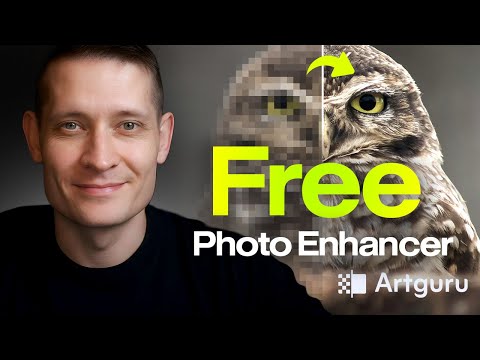
0:231:17Enhance blurry wildlife photos with Artguru AIThe creator demonstrates uploading a noisy, out-of-focus owl photo to Artguru AI, which automatically reduces noise and sharpens details before downloading the HD upscaled result.Artguru · beginner
2:350:24Recover background details in landscape photosThe user shows how Artguru AI recovers fine background details and textures in a landscape image that was previously blurred.Artguru · beginner
4:080:58Remove image noise with HitPaw FotorPeaThe video shows the Denoise model in action, specifically using the 'realistic denoise' setting to remove grain and noise from a low-quality image.HitPaw FotorPea · beginner
0:281:10Selecting AI models in AnyEnhancerThe user demonstrates how to import a file into AnyEnhancer and walks through various AI models including Intelligent Enhancement, Resolution Enhancement, Face Restoration, and Colorization.AnyEnhancer · beginner
0:090:39Enhance and upscale images with ArtingAIThe video demonstrates uploading a low-resolution photo to ArtingAI and using the 'generate' feature to sharpen details and increase image quality, followed by a before-and-after comparison.Artingai · beginner · Social Media & Content Creation
39:241:12Enhance photo details with AI DetailerThe user attempts to fix a noisy, soft image of a strawberry splash by using the AI Detailer to add texture and sharpness based on a descriptive prompt.Pincel · beginner
1:320:45Enhance portraits with Face ModelHitPaw FotorPea's Face Model is shown refining facial features using Soft, Soft V2, and Sharp modes with a real-time preview.HitPaw FotorPea · beginner
3:120:27Remove image noise and grainThe video shows the Denoise model in HitPaw FotorPea being used to remove grain from low-light photos while preserving detail.HitPaw FotorPea · beginner
4:300:13Export enhanced photosThe final step of the workflow is shown, where the user clicks the export button to save the processed high-quality photo.HitPaw FotorPea · beginner
4:310:41Enhance image texture with Details ContrastThe demonstration shows how to use the Details Contrast slider in Leonardo AI to make textures like bushes and shadows pop without changing the original image structure.Leonardo AI · intermediate
2:540:47Enhance facial features and hair color in LightXThe user shows how to use the 'Face Enhance' tool to change hair and lipstick colors with single taps, as well as adjusting eye contrast and teeth whiteness.LightX · beginner
1:352:01Natural wildlife photo editing in Luminar NeoThe creator demonstrates basic adjustments in Luminar Neo including cropping, using the AI Noiseless tool for denoising, and adjusting tone and white balance via the Develop module.Luminar Neo · intermediate · Professional Photography
4:061:34Enhancing image pop and structure with AIThe demo shows how to use Enhance AI's accent slider for exposure and color pop, followed by Structure AI with manual brush masking to sharpen specific details on a bird.Luminar Neo · intermediate · Professional Photography
4:181:09Enhance photo details and test Digital Art modeA photo of a boy holding a box is processed using AIEnhancer to sharpen text and skin details, followed by a comparison with the 'Digital Art' mode output.AI Enhancer · beginner
2:151:01Restore facial details in webcam photosHitPaw FotorPea is shown processing webcam portraits using 'Face Restoration' and various presets like 'Soft' and 'Sharp' to enhance facial features and clarity.HitPaw FotorPea · beginner
1:181:17Enhance and upscale portrait photos with ArtguruThe user demonstrates how to upload a portrait to Artguru's photo enhancer to reduce noise, refine skin details, and upscale the image to HD.Artguru · beginner
0:431:28Enhance portrait images with HitPaw FotorPeaThe video demonstrates using the Face Restoration model and AI Upscale model in HitPaw FotorPea to sharpen facial details, hair texture, and clothing in low-resolution snapshots.HitPaw FotorPea · beginner