Auto-connect & message safely
Automate LinkedIn connections and messages within safe limits.
Auto-connect & message safely Tutorials

 HeyReach

 Waalaxy | We make LinkedIn Outreach f*cking easy

 Matt Lucero
 Vincent Robin
 Vincent Robin
 Vincent Robin

 Tim Yakubson
 HeyReach
 AIMS Consulting Services
 HeyReach
 Mark Colgan | Outbound Prospecting & Pipeline
 Waalaxy | We make LinkedIn Outreach f*cking easy
 Waalaxy | We make LinkedIn Outreach f*cking easy
 Daniel Grinshpun | SaaS Growth Agency
 HeyReach
 Expandi
 HeyReach
 AIMS Consulting Services
 Tim Yakubson
 SoftSavvy
 Vincent Robin
 Vincent Robin
 Expandi
 HeyReach
 BizGuide
 HeyReach
 Instantly
 Salesforge
 SoftSavvy
 Business Solution
 AbovethePhiltrum
 Waalaxy | We make LinkedIn Outreach f*cking easy
 SoftSavvy
 Waalaxy | We make LinkedIn Outreach f*cking easy
 HeyReach
 SoftSavvy
 Waalaxy | We make LinkedIn Outreach f*cking easy
 HeyReach
 SmartReach.io
 Business Solution
 HeyReach
 Bharat Singh
 HeyReach
 HeyReach
 Tim Yakubson
 Dripify
 Dripify
 Waalaxy | We make LinkedIn Outreach f*cking easy
 Dripify
 Dripify
 Dripify
 Dripify
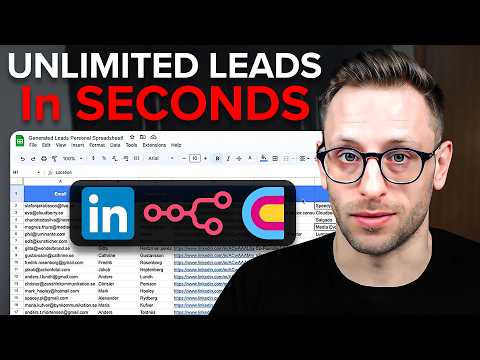
 Nick Saraev
 HeyReach
 HeyReach
 LeadLoft
 Richard Woods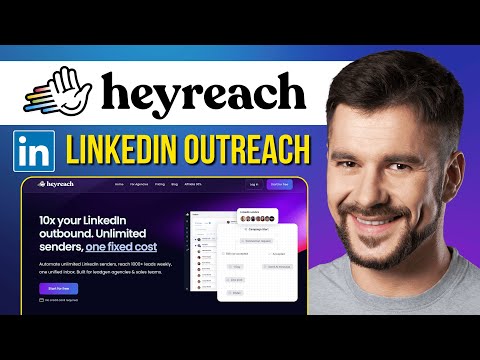
 Success Minder
 Robert Lyon
Auto-connect & message safely Tools
Automate LinkedIn and email outreach to generate more replies effortlessly.
Scale LinkedIn outbound with unlimited sender accounts for one fixed cost.
Automated LinkedIn and email outreach for high-converting sales sequences.
The world's safest LinkedIn and email omnichannel outreach automation platform.

AI-powered LinkedIn outreach and lead generation platform for scaling sales teams.
Automate lead generation and data extraction across major social media platforms.
Multichannel sales engagement platform for cold email, LinkedIn, and calling outreach.
What is Safe Auto-Connecting?
Auto-connecting involves using software to send invitations and follow-up messages to prospects automatically. You would use this when scaling B2B sales, recruiting, or networking to save hours of manual data entry. The "safe" aspect is critical; without randomized delays and strict volume caps, platforms like LinkedIn can detect bot behavior and temporarily or permanently restrict your profile.
The General Workflow for Safe Automation
To automate outreach without risking your account, follow this tool-agnostic process demonstrated in our library:
- Targeting: Use platform filters (like Sales Navigator) to build a highly specific list of leads.
- Account Syncing: Connect your profile via a secure browser extension or cloud-based proxy to maintain a consistent IP address.
- Sequence Building: Create a multi-step flow that includes viewing a profile, waiting 24 hours, sending a connection request, and then a follow-up message only if they accept.
- Personalization: Use variables to insert the recipient's first name or company to avoid looking like a mass-blaster.
- Setting Triggers: Configure "stop" conditions so the automation halts the moment a human replies to your message.
Top Tools for Safe Messaging
According to DemoBook’s first-party data, these tools are the most frequently demonstrated for reliable automation:
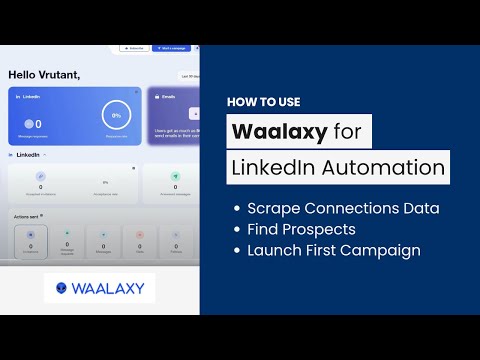
- Waalaxy (37 demos): Highly popular for combining LinkedIn actions with email outreach in a single sequence.
- HeyReach (36 demos): Frequently used by agencies to manage multiple accounts with centralized safety controls.
- Dripify (24 demos): A top choice for solopreneurs due to its advanced "human behavior" simulation and easy-to-use cloud interface.
- Expandi (12 demos): Often cited for its safety-first approach, using dedicated IP addresses to mimic local logins.
Tips and Common Mistakes
Real-world tutorials highlight several pitfalls to avoid:
- The Warm-up Phase: Never start at full volume. Begin with 5–10 requests per day and gradually increase over 2–4 weeks.
- Pending Invites: A high number of ignored, pending invitations is a red flag. Use tools like Snov.io or Waalaxy to automatically withdraw invites that haven't been accepted within 7–10 days.
- Over-Automation: Avoid sending messages 24/7. Set your tool to only run during standard business hours in your target's timezone to look human.
Prompt and Setting Advice
When drafting your automated notes, keep them under 300 characters. Our sampled prompts show that a simple "Hi {{firstname}}, I saw your recent post about {{topic}} and wanted to connect" has a significantly higher acceptance rate than a long sales pitch. Always ensure your time delays between actions are set to at least 60–90 seconds.
Frequently asked questions
Is there a free LinkedIn message automation tool?
How many LinkedIn connection requests can I send per day safely?
For a standard account, limit yourself to 20–30 requests per day. If you have a premium or Sales Navigator account, you can safely scale to 50–80 requests, provided you use a tool that mimics human pacing.
What are common mistakes with automated messages?
The biggest mistakes include skipping the account warm-up phase, failing to personalize the 'first name' field correctly, and not setting the automation to stop once a lead replies, which leads to awkward, irrelevant follow-ups.
Can I auto-reply to text messages on Android or iPhone?
Yes. Android users often use Google Messages' 'Schedule Send' or apps like 'Safe Driving - Calls & SMS Reply' for hands-free responses. iPhone users typically rely on the native 'Do Not Disturb While Driving' feature or Apple Shortcuts to trigger auto-replies.
Is LinkedIn automation safe in 2026?
It is safe if you use 'human-like' behavior. This means using tools that incorporate randomized delays, daily action caps, and browser-based execution rather than high-speed API calls that trigger platform security filters.