Waalaxy: Scheduling LinkedIn messages and reminders

 Waalaxy
Demo summary
Shows how to schedule a message for a specific time and set reminders to follow up on conversations later.
All demos from “Waalaxy Inbox: the alternative to LinkedIn Messaging”
- 0:500:36Managing LinkedIn prospects with Waalaxy CRM InboxThe demo shows the CRM interface within the Waalaxy Inbox, including tagging prospects, viewing activity logs, and editing prospect data directly from the conversation view.Waalaxy· Auto-connect & message safely
- 1:440:13Advanced LinkedIn conversation filteringShows how to filter LinkedIn messages by unread status, tags, or scheduled messages to optimize prospecting workflows.Waalaxy· Auto-connect & message safely
- 1:570:43Creating and using saved replies for LinkedInDemonstrates creating pre-written messages with variables like first name and company name, and accessing them directly within the LinkedIn interface.Waalaxy· Auto-connect & message safely
- 2:400:34Scheduling LinkedIn messages and remindersCurrentShows how to schedule a message for a specific time and set reminders to follow up on conversations later.Waalaxy· Auto-connect & message safely
- Watch “Waalaxy Inbox: the alternative to LinkedIn Messaging” →
Auto-connect & message safely
 31:201:41Managing replies with the Waalaxy InboxDemonstrates the unified inbox for managing LinkedIn replies, including scheduling follow-up messages and using filters to find prospects who haven't been answered.Waalaxy | We make LinkedIn Outreach f*cking easy
- 36:031:14Automating lead imports with Auto-importExplains and shows how to set up triggers for automatic lead imports from Sales Navigator saved searches or profile visits.Waalaxy | We make LinkedIn Outreach f*cking easy
 10:513:01Setting up a LinkedIn connection sequenceA walkthrough of selecting a campaign template, writing a personalized invitation message using variables like 'first name', and launching the automated sequence.Vincent Robin
- 15:132:11Managing leads and inbox tags in WaalaxyShows how to filter leads within the Waalaxy dashboard and use tags to organize prospects based on their interest level or response.Vincent Robin
 22:181:30Extract leads from LinkedIn post reactionsWalks through the 'Auto-magnet' feature to scrape profiles of people who reacted to a specific LinkedIn post.Vincent Robin
 22:071:39Importing LinkedIn leads and starting a connection campaignDemonstrates how to import a list of prospects from LinkedIn into Waalaxy and initiate a connection request campaign.Waalaxy | We make LinkedIn Outreach f*cking easy
- 35:373:37Scraping LinkedIn post commenters for outreachShows how to use Waalaxy to automatically import and message people who have commented on a specific LinkedIn post.Waalaxy | We make LinkedIn Outreach f*cking easy
 4:181:18Set up an automated LinkedIn sequenceA step-by-step walkthrough of selecting a sequence (invitation + 2 messages), setting time delays between actions, and using AI to draft prospecting messages.Waalaxy | We make LinkedIn Outreach f*cking easy
- 5:360:26Configure safety settings and quotasShows how to manage working hours and daily action quotas to simulate human behavior and protect the LinkedIn account.Waalaxy | We make LinkedIn Outreach f*cking easy
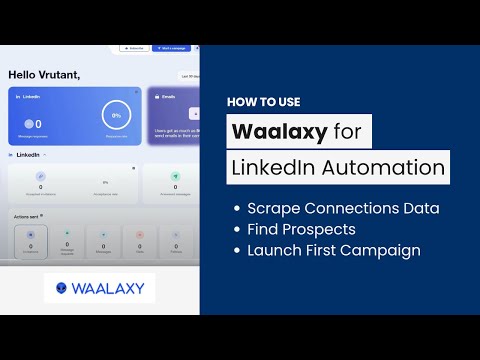 4:011:29Automate LinkedIn connection requestsA walkthrough of setting up an automated invitation campaign in the Waalaxy dashboard using a pre-defined prospect list.AIMS Consulting Services
 1:501:16Importing leads from LinkedIn to WaalaxyThe video demonstrates how to use the Waalaxy browser extension to import filtered prospects from LinkedIn Sales Navigator into a lead list.SoftSavvy
- 3:031:53Setting up an automated LinkedIn sequenceShows the process of selecting a campaign template, adding connection requests, and setting time delays between follow-up messages.SoftSavvy