Managing replies with the Waalaxy Inbox

 Waalaxy
Demo summary
Demonstrates the unified inbox for managing LinkedIn replies, including scheduling follow-up messages and using filters to find prospects who haven't been answered.
All demos from “Automate LinkedIn Outreach Like a Pro | Full Waalaxy Demo 2026”
- 12:083:40Importing leads from Sales Navigator to WaalaxyDemonstrates how to use the Waalaxy browser extension drawer to import filtered prospect lists from LinkedIn Sales Navigator directly into a specific user's account.Waalaxy· Scrape Sales Navigator
- 17:373:23Setting up an automated outreach campaignShows the process of selecting prospects, choosing a campaign template (LinkedIn + Email), and configuring the sequence of actions.Waalaxy· Build a cold-email sequence
- 21:522:14AI-assisted message personalizationWalks through using the 'Waami' AI assistant to generate personalized LinkedIn messages based on value propositions and ICP details.Waalaxy· Personalize cold emails at scale
- 31:201:41Managing replies with the Waalaxy InboxCurrentDemonstrates the unified inbox for managing LinkedIn replies, including scheduling follow-up messages and using filters to find prospects who haven't been answered.Waalaxy· Auto-connect & message safely
- 33:591:21Email enrichment with waterfall providersShows how to use Waalaxy's one-click enrichment feature to find professional emails using a waterfall of providers like Dropcontact and BetterContact.Waalaxy· Waterfall enrichment
- 36:031:14Automating lead imports with Auto-importExplains and shows how to set up triggers for automatic lead imports from Sales Navigator saved searches or profile visits.Waalaxy· Auto-connect & message safely
- 38:131:25CRM Integration and WebhooksCovers native integrations with HubSpot and Pipedrive, as well as setting up webhooks via Make/Zapier for 'Action on Reply' events.Waalaxy· Sync leads to CRM
- Watch “Automate LinkedIn Outreach Like a Pro | Full Waalaxy Demo 2026” →
Auto-connect & message safely
- 31:201:41Managing replies with the Waalaxy InboxCurrentDemonstrates the unified inbox for managing LinkedIn replies, including scheduling follow-up messages and using filters to find prospects who haven't been answered.Waalaxy | We make LinkedIn Outreach f*cking easy
- 36:031:14Automating lead imports with Auto-importExplains and shows how to set up triggers for automatic lead imports from Sales Navigator saved searches or profile visits.Waalaxy | We make LinkedIn Outreach f*cking easy
 10:513:01Setting up a LinkedIn connection sequenceA walkthrough of selecting a campaign template, writing a personalized invitation message using variables like 'first name', and launching the automated sequence.Vincent Robin
- 15:132:11Managing leads and inbox tags in WaalaxyShows how to filter leads within the Waalaxy dashboard and use tags to organize prospects based on their interest level or response.Vincent Robin
 22:181:30Extract leads from LinkedIn post reactionsWalks through the 'Auto-magnet' feature to scrape profiles of people who reacted to a specific LinkedIn post.Vincent Robin
 22:071:39Importing LinkedIn leads and starting a connection campaignDemonstrates how to import a list of prospects from LinkedIn into Waalaxy and initiate a connection request campaign.Waalaxy | We make LinkedIn Outreach f*cking easy
- 35:373:37Scraping LinkedIn post commenters for outreachShows how to use Waalaxy to automatically import and message people who have commented on a specific LinkedIn post.Waalaxy | We make LinkedIn Outreach f*cking easy
 4:181:18Set up an automated LinkedIn sequenceA step-by-step walkthrough of selecting a sequence (invitation + 2 messages), setting time delays between actions, and using AI to draft prospecting messages.Waalaxy | We make LinkedIn Outreach f*cking easy
- 5:360:26Configure safety settings and quotasShows how to manage working hours and daily action quotas to simulate human behavior and protect the LinkedIn account.Waalaxy | We make LinkedIn Outreach f*cking easy
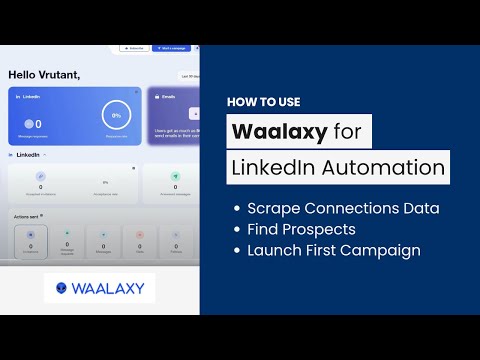 4:011:29Automate LinkedIn connection requestsA walkthrough of setting up an automated invitation campaign in the Waalaxy dashboard using a pre-defined prospect list.AIMS Consulting Services
 1:501:16Importing leads from LinkedIn to WaalaxyThe video demonstrates how to use the Waalaxy browser extension to import filtered prospects from LinkedIn Sales Navigator into a lead list.SoftSavvy
- 3:031:53Setting up an automated LinkedIn sequenceShows the process of selecting a campaign template, adding connection requests, and setting time delays between follow-up messages.SoftSavvy