Waalaxy: Analyze team-wide prospecting statistics

 Waalaxy
Demo summary
Walks through the team statistics board, showing grouped LinkedIn and email response rates and how to filter performance by individual team members.
All demos from “Waalaxy Tutorial | Master the Team feature in 5 minutes (2025)”
- 1:210:31Invite and manage team members in WaalaxyShows how to invite a colleague to a Waalaxy team using their LinkedIn URL and the process for the colleague to accept the invitation.Waalaxy· Auto-connect & message safely
- 1:520:56Manage team permissions and account accessDemonstrates how to access a team member's dashboard and configure specific permissions for viewing other members, statistics, and managing duplicates.Waalaxy· Auto-connect & message safely
- 3:450:45Analyze team-wide prospecting statisticsCurrentWalks through the team statistics board, showing grouped LinkedIn and email response rates and how to filter performance by individual team members.Waalaxy· Auto-connect & message safely
- 4:300:49Manage lead duplicates across team accountsShows how to identify and resolve lead duplicates between different team members' accounts and how to enforce anti-duplicate security settings.Waalaxy· Auto-connect & message safely
- 5:220:41Import leads to a team member's Waalaxy accountDemonstrates importing prospects from LinkedIn or Sales Navigator directly into a specific team member's Waalaxy interface to launch campaigns on their behalf.Waalaxy· Scrape Sales Navigator
- Watch “Waalaxy Tutorial | Master the Team feature in 5 minutes (2025)” →
Auto-connect & message safely
 31:201:41Managing replies with the Waalaxy InboxDemonstrates the unified inbox for managing LinkedIn replies, including scheduling follow-up messages and using filters to find prospects who haven't been answered.Waalaxy | We make LinkedIn Outreach f*cking easy
- 36:031:14Automating lead imports with Auto-importExplains and shows how to set up triggers for automatic lead imports from Sales Navigator saved searches or profile visits.Waalaxy | We make LinkedIn Outreach f*cking easy
 10:513:01Setting up a LinkedIn connection sequenceA walkthrough of selecting a campaign template, writing a personalized invitation message using variables like 'first name', and launching the automated sequence.Vincent Robin
- 15:132:11Managing leads and inbox tags in WaalaxyShows how to filter leads within the Waalaxy dashboard and use tags to organize prospects based on their interest level or response.Vincent Robin
 22:181:30Extract leads from LinkedIn post reactionsWalks through the 'Auto-magnet' feature to scrape profiles of people who reacted to a specific LinkedIn post.Vincent Robin
 22:071:39Importing LinkedIn leads and starting a connection campaignDemonstrates how to import a list of prospects from LinkedIn into Waalaxy and initiate a connection request campaign.Waalaxy | We make LinkedIn Outreach f*cking easy
- 35:373:37Scraping LinkedIn post commenters for outreachShows how to use Waalaxy to automatically import and message people who have commented on a specific LinkedIn post.Waalaxy | We make LinkedIn Outreach f*cking easy
 4:181:18Set up an automated LinkedIn sequenceA step-by-step walkthrough of selecting a sequence (invitation + 2 messages), setting time delays between actions, and using AI to draft prospecting messages.Waalaxy | We make LinkedIn Outreach f*cking easy
- 5:360:26Configure safety settings and quotasShows how to manage working hours and daily action quotas to simulate human behavior and protect the LinkedIn account.Waalaxy | We make LinkedIn Outreach f*cking easy
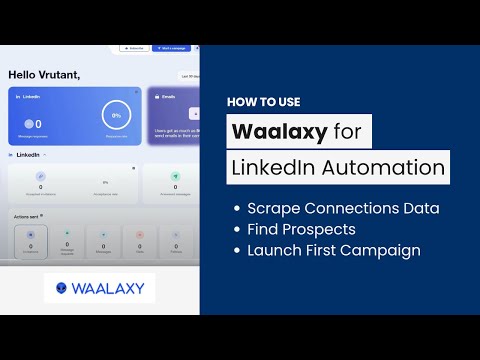 4:011:29Automate LinkedIn connection requestsA walkthrough of setting up an automated invitation campaign in the Waalaxy dashboard using a pre-defined prospect list.AIMS Consulting Services
 1:501:16Importing leads from LinkedIn to WaalaxyThe video demonstrates how to use the Waalaxy browser extension to import filtered prospects from LinkedIn Sales Navigator into a lead list.SoftSavvy
- 3:031:53Setting up an automated LinkedIn sequenceShows the process of selecting a campaign template, adding connection requests, and setting time delays between follow-up messages.SoftSavvy